

Using C# Managed DLL's in UDK
Learn how to write Dynamic Link Libraries (DLLs) in C# to extend the Unreal Development Kit (UDK) through DLL Bind.
The problem
So you want to use the DLLBind feature of UDK in order to add capabilities that you need for your particular project. However what if you are not a C guru or are more comfortable with using a managed language? Well you could say "I will simply create my DLL in C#!" however that will prove problematic as the C# DLL will be using managed code which is far different from an unmanaged DLL (managed code is not a direct binary file but gets turned into IL and then there are issues with export tables and all sorts of other fun technical bits that you can read in a number of much better-worded articles).Possible solutions
If we had access to the C++ code of UDK we could use various schemes to interopt with our DLL like PInvoke or Com interop, however we are stuck with the DLLBind mechanism that UDK provides to us. We need to work within the confines of what it expects and so we are left with a few options. The first is to write two DLL files. One that is our managed DLL and then write a C/C++ wrapper DLL that allows it to interact with DLLBind. This solution is a big pain because then we are forced to use C/C++ anyway! It makes writing the DLL in C# very unappetizing. The second is to dissemble the DLL into IL code and manually add a VTable/VTable Fixups. This is possible but a ton of work and can be a bit nerve-wracking (for instance now you must learn IL and hope you don't screw something up). The third (and the option I will present in this tutorial) is to use a template to allow unmanaged DLL exports from C# (using an MSBuild task that automates a lot of the work for us).Getting started
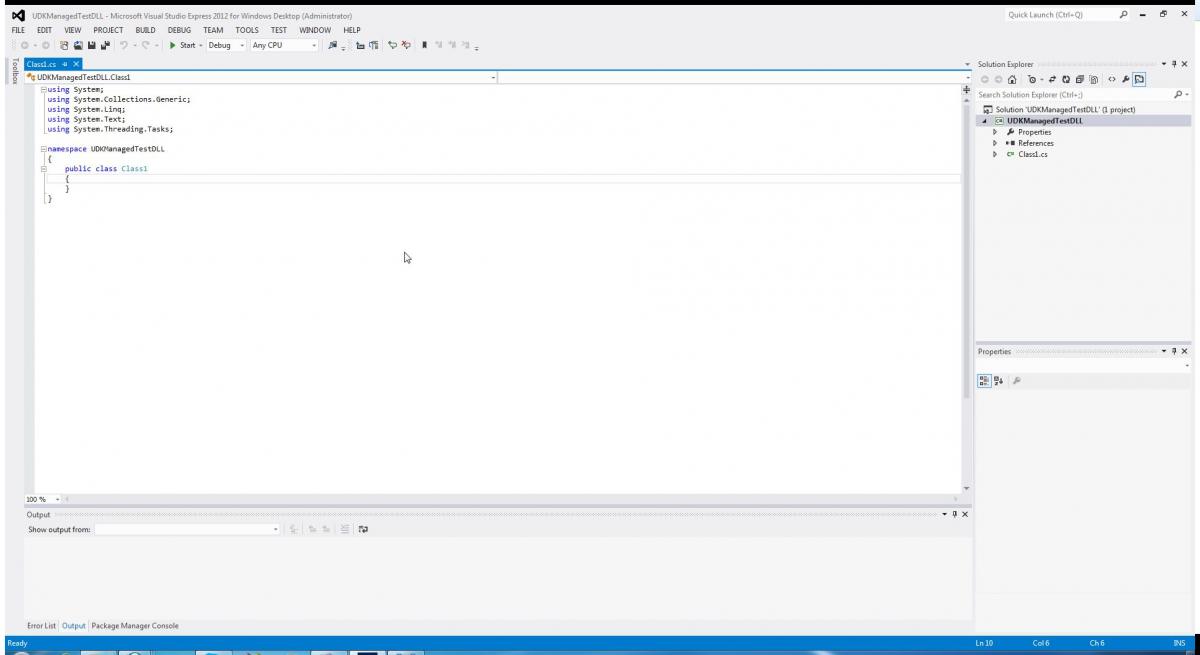
The first step is to create a new Visual C# Class Library project in Visual Studio 2012 Express. In the Name field enter UDKManagedTestDLL and click OK.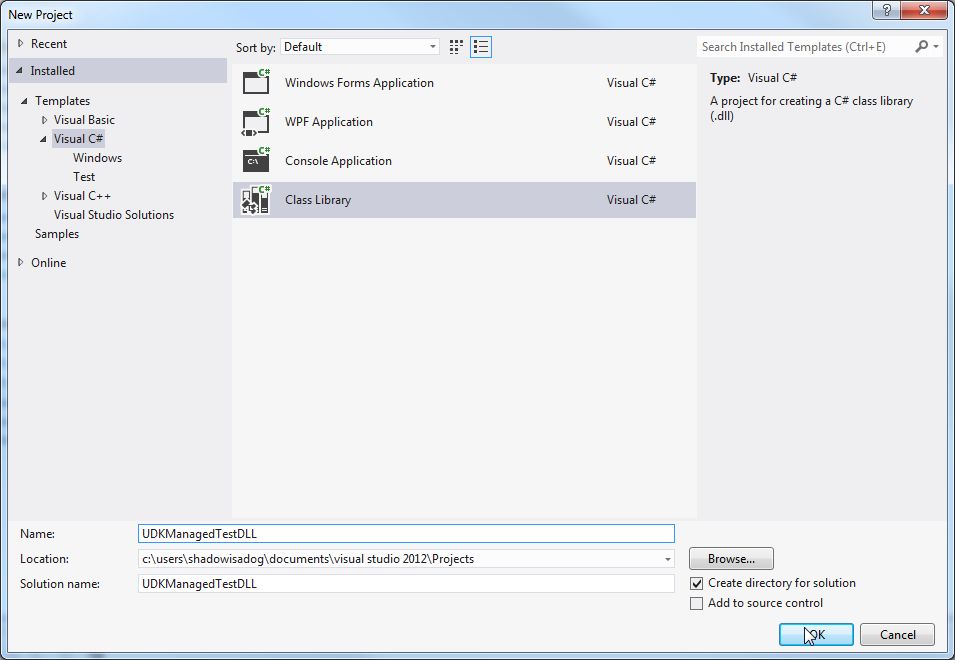
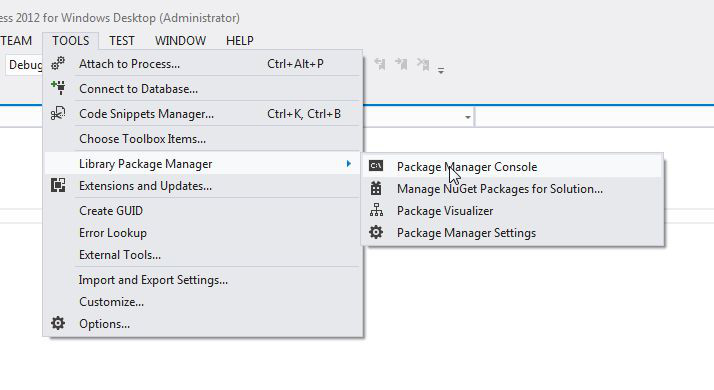
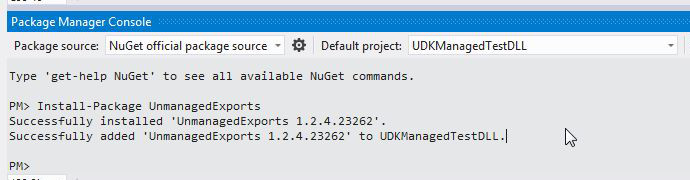
A simple example
I started with a very simple test DLL to test the capabilities of the approach. Here is the C# code I used: using System; using System.Runtime.InteropServices; using System.Collections.Generic; using System.Text; using RGiesecke.DllExport; namespace UDKManagedTestDLL { internal static class UnmanagedExports { [DllExport("GetGreeting", CallingConvention = CallingConvention.StdCall)] [return: MarshalAs(UnmanagedType.LPWStr)] static String GetGreeting() { return "Happy Managed Coding!"; } } } The MarshalAs LPWStr is a way to tell C# how to marshal the return string to the unmanaged code. An LPWStr is a 32-bit pointer to a string of 16-bit unicode characters. This is UTF-16 strings that the UDK DLLBind supports. See the limitations section here: DLLBind limitations. The name of the function that our DLL is going to export is GetGreeting. We specify the stdcall calling convention because that is the one supported by UDK DLLBind. We need to set the properties of this DLL to use x86 and to allow unsafe code. 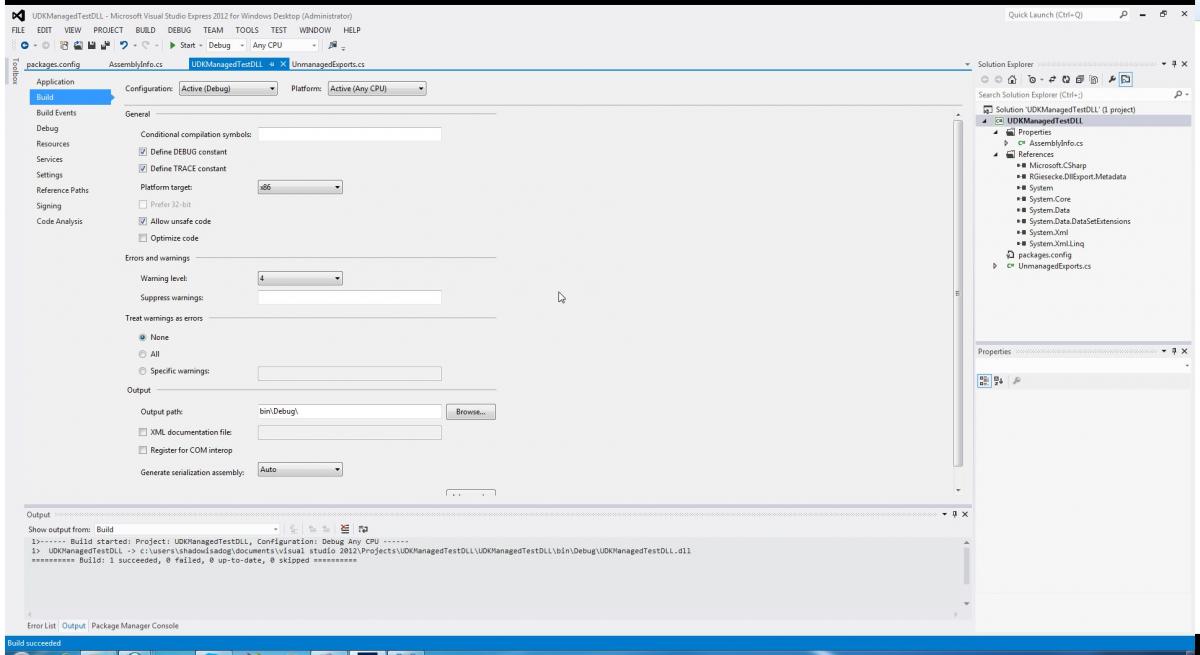
class TestManagedDLL extends Object DLLBind(UDKManagedTestDLL); dllimport final function string GetGreeting(); DefaultProperties { } Here we are importing the GetGreeting function that we exported in our DLL. We specify that the return type of the function is a string. Currently the GetGreeting function does not take any parameters. I then modified the UTCheatManager.uc file to include exec function testdll() { local TestManagedDLL dllTest; local PlayerController PC; dllTest = new class'UTGame.TestManagedDLL'; foreach WorldInfo.AllControllers(class'PlayerController',PC) { PC.ClientMessage(dllTest.GetGreeting()); } } We are looping through all of the player controllers and calling the ClientMessage method which will print a message to the UDK console. Calling the GetGreeting method of dllTest will return the "Happy Managed Coding!" message that we defined in our C# DLL. I then used the Unreal Frontend to compile my scripts: 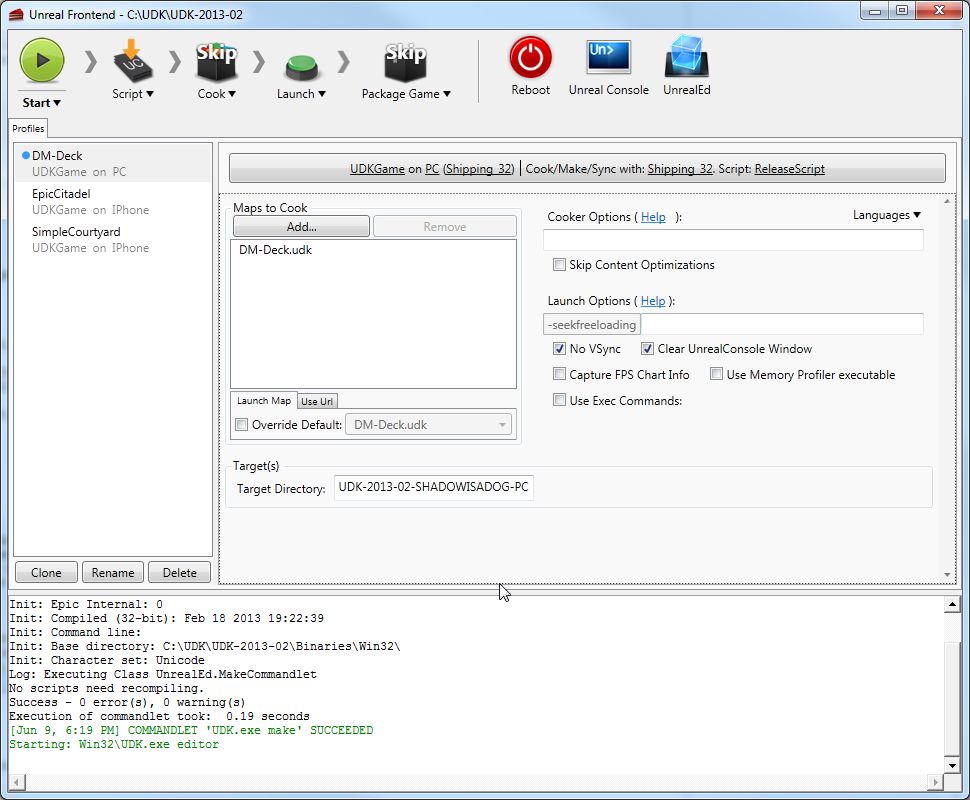
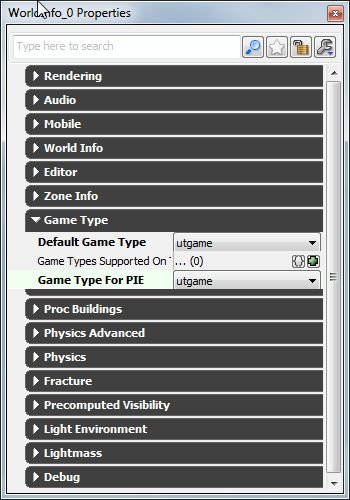
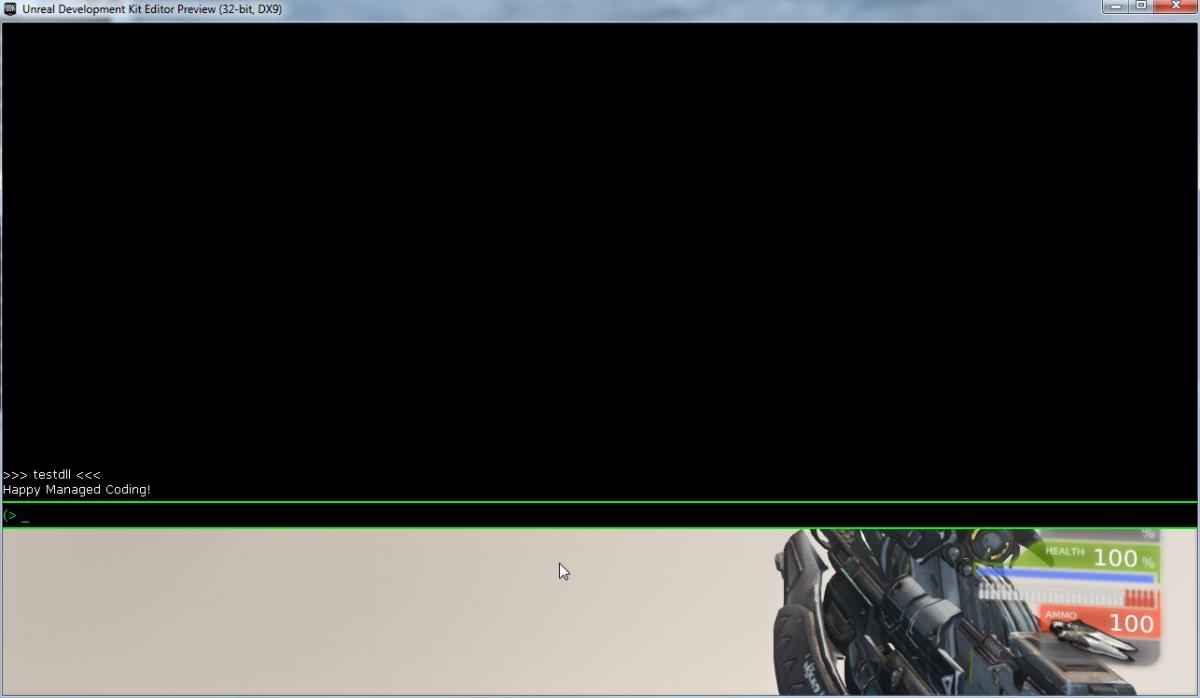
Passing Parameters
To pass parameters we can do the following in C#: [DllExport("GetGreetingName", CallingConvention = CallingConvention.StdCall)] [return: MarshalAs(UnmanagedType.LPWStr)] static String GetGreetingName([MarshalAs(UnmanagedType.LPWStr)] String msgName) { return "Happy Managed Coding " + msgName + "!"; } Here we have added a parameter and we specify that the parameter should be marshaled as a LPWStr. String concatenation is used to form the message that is returned to UDK. Build the DLL, and copy the DLL into the UserCode folder. Our TestManagedDLL.uc file now looks like: class TestManagedDLL extends Object DLLBind(UDKManagedTestDLL); dllimport final function string GetGreeting(); dllimport final function string GetGreetingName(string msgName); DefaultProperties { } The GetGreetingName function has been added and we specify the string parameter. We update the UTCheatManager.uc file to use GetGreetingName: exec function testdll(string greetName) { local TestManagedDLL dllTest; local PlayerController PC; dllTest = new class'UTGame.TestManagedDLL'; foreach WorldInfo.AllControllers(class'PlayerController',PC) { PC.ClientMessage(dllTest.GetGreetingName(greetName)); } } Passing the parameter from the exec function to the GetGreetingName method of dllTest will mean that we can provide a string parameter in the cheat console and have it passed to the C# DLL. Use the UDK Frontend to rebuild the scripts. Testing in UnrealEd yields the following: 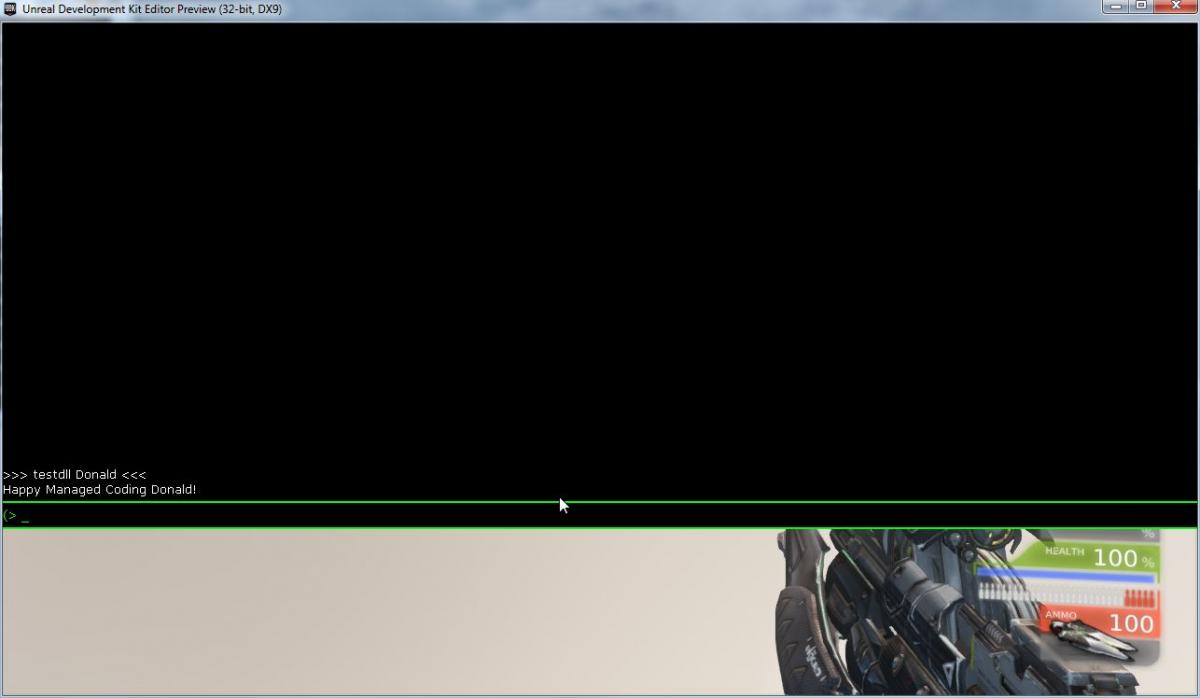
Reading files
I assume a lot of people will want to use this technique to write C# DLL's that use .NET for working with files, since the UDK support for reading various file formats is so low. In order to do that we need to get the directory that the DLL is in, so that we can locate our files appropriately. We can do this using Reflection. [DllExport("ReadTxtFile", CallingConvention = CallingConvention.StdCall)] [return: MarshalAs(UnmanagedType.LPWStr)] static String ReadTxtFile([MarshalAs(UnmanagedType.LPWStr)] String fileName) { string retVal = ""; StreamReader test = null; try { test = new StreamReader(Path.Combine(GetAssemblyPath(), fileName)); retVal = test.ReadToEnd(); } catch (Exception ex) { retVal = ex.Message; } finally { if (test != null) { test.Close(); } } return retVal; } You should then be able to put a file in the same folder as the dll and then load it up and get the contents. It also needs: using System.IO; using System.Reflection; So it should be perfectly possible with some rudimentary knowledge to make dlls that make use of XML (I have actually done this and put a link in the references). Here are the contents of TestManagerDll.uc: class TestManagedDLL extends Object DLLBind(UDKManagedTestDLL); dllimport final function string GetGreeting(); dllimport final function string GetGreetingName(string msgName); dllimport final function string ReadTxtFile(string fileName); DefaultProperties { } And the modification to UTCheatManager.uc: exec function testdll(string fileName) { local TestManagedDLL dllTest; local PlayerController PC; dllTest = new class'UTGame.TestManagedDLL'; foreach WorldInfo.AllControllers(class'PlayerController',PC) { PC.ClientMessage(dllTest.ReadTxtFile(fileName)); } } I placed a file called greeting.txt in the UserCode folder. The contents of greeting.txt are as follows: Hello there! This is a test of reading files! Here is the output: 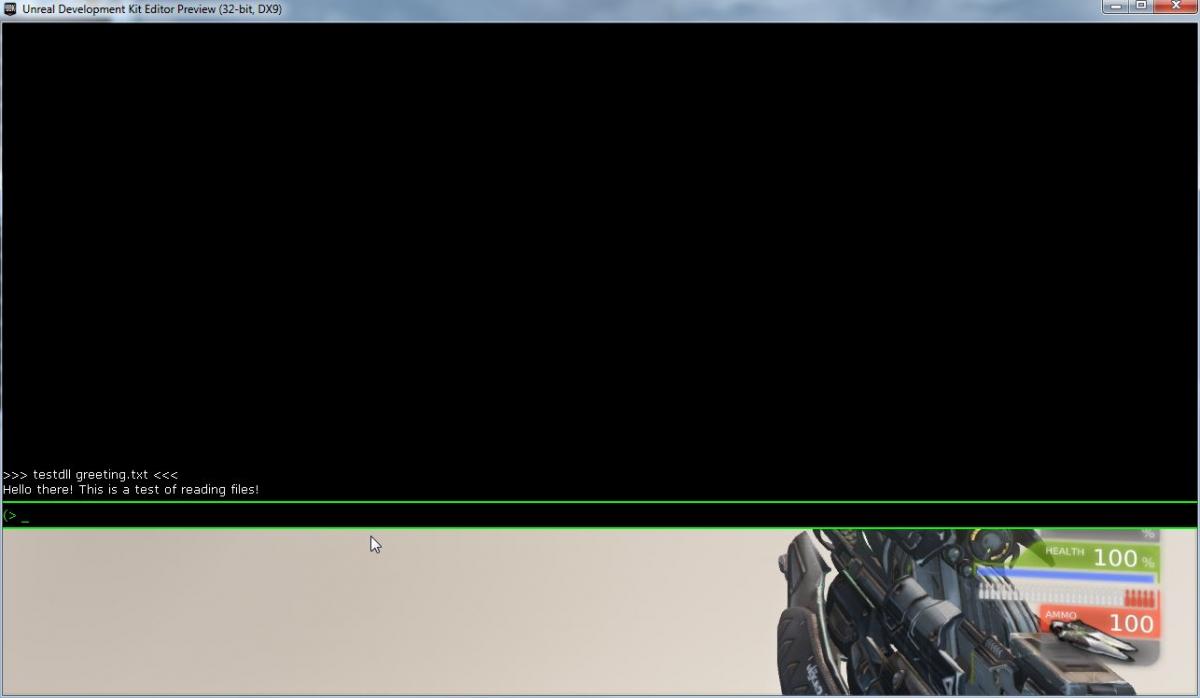
Passing structures
The following content may or may not be the best way to approach this problem. I will share what I have so far as a starting point, however you may wish to investigate this matter further. The use of IntPtr can be error-prone and buggy but sometimes custom marshalling is the only way to solve particular problem domains when doing this sort of work. I have done some use of using "ref" and letting it handle this sort of marshalling for me, however it does not appear to work in all circumstances.Here is the C# code:
private static IntPtr MarshalToPointer(object data) { IntPtr buf = Marshal.AllocHGlobal( Marshal.SizeOf(data)); Marshal.StructureToPtr(data, buf, false); return buf; } struct MyVector { public float x, y, z; } [DllExport("ReturnStruct", CallingConvention = CallingConvention.StdCall)] static IntPtr ReturnStruct() { MyVector v = new MyVector(); v.x = 0.45f; v.y = 0.56f; v.z = 0.24f; IntPtr lpstruct = MarshalToPointer(v); return lpstruct; } This code is populating a structure to pass to UnrealScript through DLLBind. Here is the code for TestManagedDLL.uc class TestManagedDLL extends Object DLLBind(UDKManagedTestDLL); dllimport final function string GetGreeting(); dllimport final function string GetGreetingName(string msgName); dllimport final function string ReadTxtFile(string fileName); dllimport final function vector ReturnStruct(); DefaultProperties { } Here are the modifications to UTCheatManager.uc: exec function testdll() { local TestManagedDLL dllTest; local PlayerController PC; local Vector v; dllTest = new class'UTGame.TestManagedDLL'; foreach WorldInfo.AllControllers(class'PlayerController',PC) { v = dllTest.ReturnStruct(); PC.ClientMessage(v.Y); } } Here is the output: 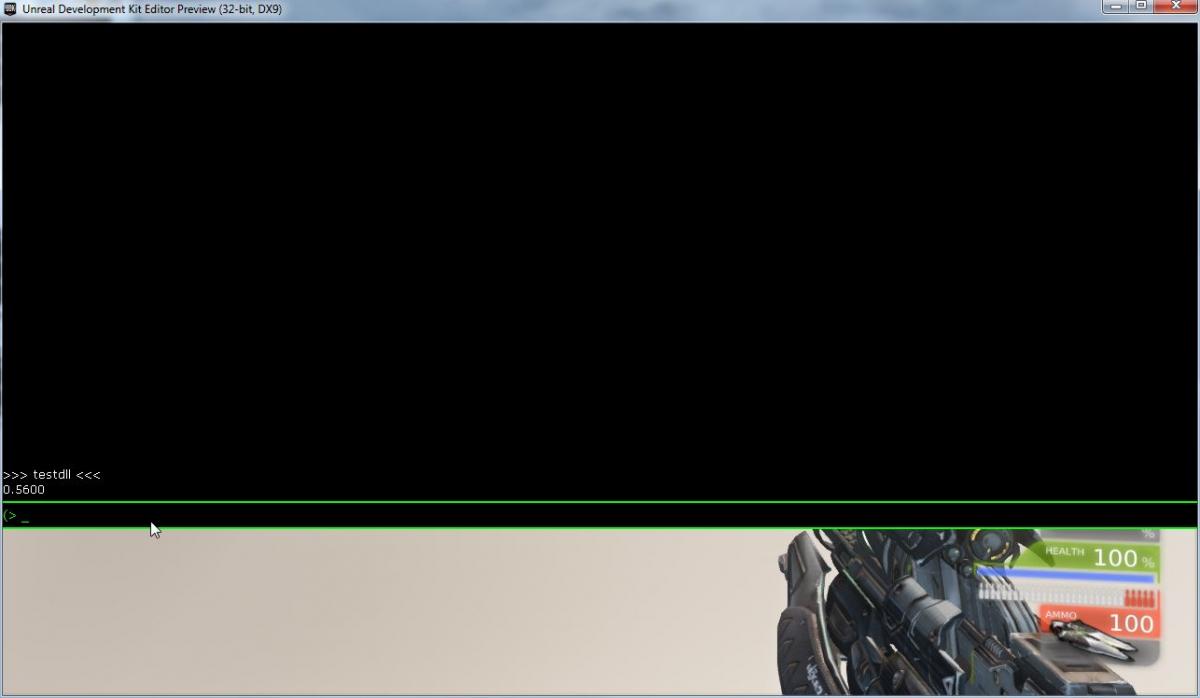
Returning structures from UnrealScript
Here is code to pass a structure from UnrealScript to C#: private static T MarshalToStruct<T>(IntPtr buf) { return (T)Marshal.PtrToStructure(buf, typeof(T)); } [DllExport("SumVector", CallingConvention = CallingConvention.StdCall)] static float SumVector(IntPtr vec) { MyVector v = MarshalToStruct<MyVector>(vec); return v.x + v.y + v.z; } Special thanks to Chris Charabaruk (coldacid) for the MarshalToStruct improvement. Here is the line added to TestManagedDLL.uc: dllimport final function float SumVector(Vector vec); And the modification to UTCheatManager.uc: exec function testdll() { local TestManagedDLL dllTest; local PlayerController PC; local Vector v; v.X = 2; v.Y = 3; v.Z = 5; dllTest = new class'UTGame.TestManagedDLL'; foreach WorldInfo.AllControllers(class'PlayerController',PC) { PC.ClientMessage(dllTest.SumVector(v)); } } Here is the output: 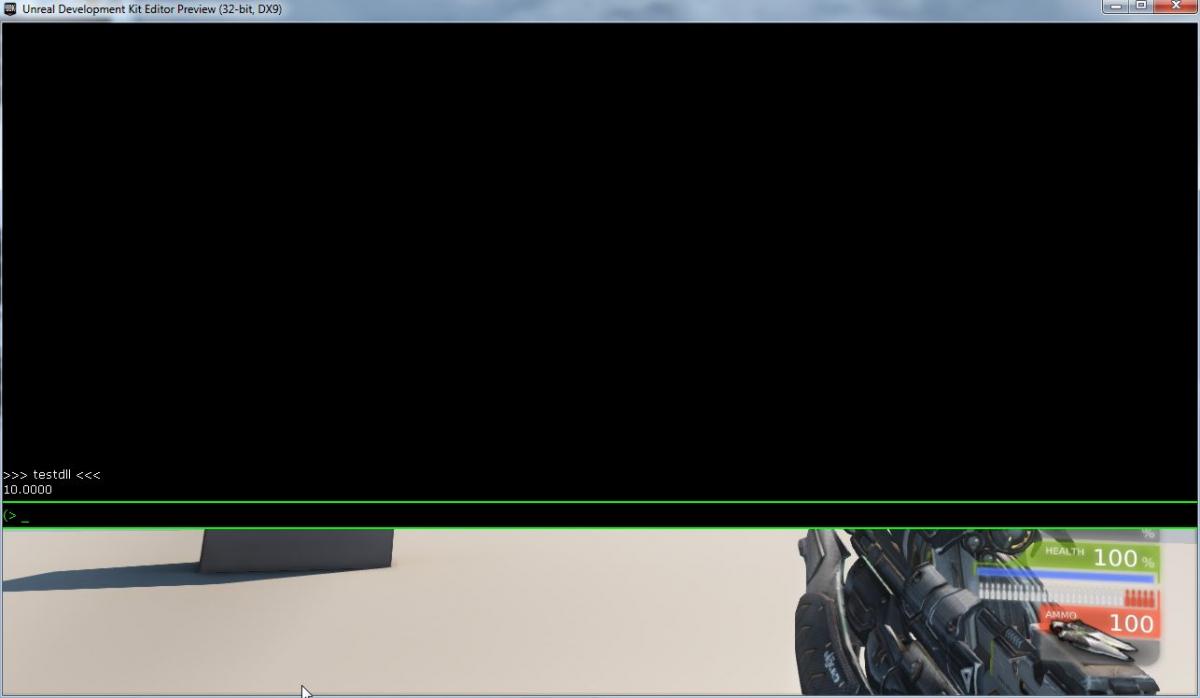
Using out keyword with custom UnrealScript structure
Using strings in structures is a tricky issue due to the way that UnrealScript deals with strings. This article will not talk about doing strings in structures, but if you get a working example please share it in the comments!When passing a structure as an out parameter you can do the following:
struct TestStruct { public int val; } [DllExport("OutTestStruct", CallingConvention = CallingConvention.StdCall)] static void OutTestStruct(ref TestStruct testStruct) { testStruct.val = 7; } Here are the contents of TestManagedDLL.uc: class TestManagedDLL extends Object DLLBind(UDKManagedTestDLL); struct TestStruct { var int val; }; dllimport final function string GetGreeting(); dllimport final function string GetGreetingName(string msgName); dllimport final function string ReadTxtFile(string fileName); dllimport final function vector ReturnStruct(); dllimport final function float SumVector(Vector vec); dllimport final function OutTestStruct(out TestStruct test); DefaultProperties { } Here is the modification to UTCheatManager.uc: exec function testdll() { local TestManagedDLL dllTest; local PlayerController PC; local TestStruct s; dllTest = new class'UTGame.TestManagedDLL'; dllTest.OutTestStruct(s); foreach WorldInfo.AllControllers(class'PlayerController',PC) { PC.ClientMessage(s.val); } } Here is the output: 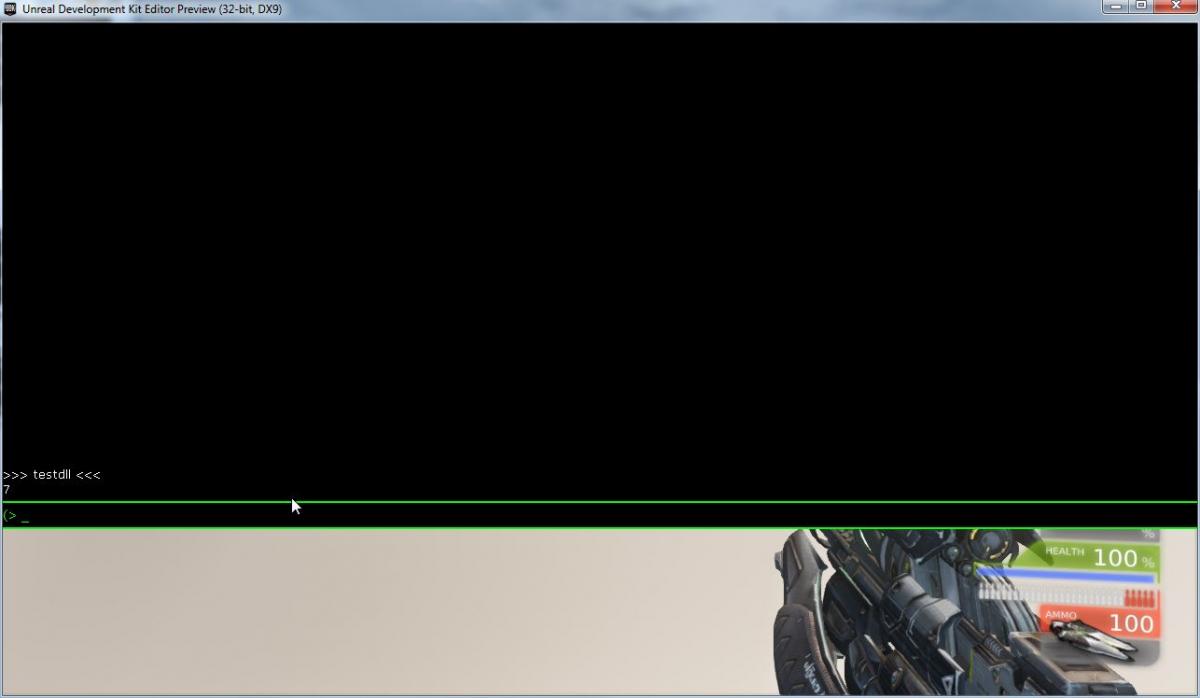
Full source listing
using System; using System.Runtime.InteropServices; using System.Collections.Generic; using System.Text; using System.IO; using System.Reflection; using RGiesecke.DllExport; namespace UDKManagedTestDLL { internal static class UnmanagedExports { [DllExport("GetGreeting", CallingConvention = CallingConvention.StdCall)] [return: MarshalAs(UnmanagedType.LPWStr)] static String GetGreeting() { return "Happy Managed Coding!"; } [DllExport("GetGreetingName", CallingConvention = CallingConvention.StdCall)] [return: MarshalAs(UnmanagedType.LPWStr)] static String GetGreetingName([MarshalAs(UnmanagedType.LPWStr)] String msgName) { return "Happy Managed Coding " + msgName + "!"; } public static String GetAssemblyPath() { string codeBase = Assembly.GetExecutingAssembly().CodeBase; UriBuilder uri = new UriBuilder(codeBase); string path = Uri.UnescapeDataString(uri.Path); return Path.GetDirectoryName(path); } [DllExport("ReadTxtFile", CallingConvention = CallingConvention.StdCall)] [return: MarshalAs(UnmanagedType.LPWStr)] static String ReadTxtFile([MarshalAs(UnmanagedType.LPWStr)] String fileName) { string retVal = ""; StreamReader test = null; try { test = new StreamReader(Path.Combine(GetAssemblyPath(), fileName)); retVal = test.ReadToEnd(); } catch (Exception ex) { retVal = ex.Message; } finally { if (test != null) { test.Close(); } } return retVal; } private static IntPtr MarshalToPointer(object data) { IntPtr buf = Marshal.AllocHGlobal( Marshal.SizeOf(data)); Marshal.StructureToPtr(data, buf, false); return buf; } struct MyVector { public float x, y, z; } [DllExport("ReturnStruct", CallingConvention = CallingConvention.StdCall)] static IntPtr ReturnStruct() { MyVector v = new MyVector(); v.x = 0.45f; v.y = 0.56f; v.z = 0.24f; IntPtr lpstruct = MarshalToPointer(v); return lpstruct; } private static T MarshalToStruct<T>(IntPtr buf) { return (T)Marshal.PtrToStructure(buf, typeof(T)); } [DllExport("SumVector", CallingConvention = CallingConvention.StdCall)] static float SumVector(IntPtr vec) { MyVector v = MarshalToStruct<MyVector>(vec); return v.x + v.y + v.z; } struct TestStruct { public int val; } [DllExport("OutTestStruct", CallingConvention = CallingConvention.StdCall)] static void OutTestStruct(ref TestStruct testStruct) { testStruct.val = 7; } } } class TestManagedDLL extends Object DLLBind(UDKManagedTestDLL); struct TestStruct { var int val; }; dllimport final function string GetGreeting(); dllimport final function string GetGreetingName(string msgName); dllimport final function string ReadTxtFile(string fileName); dllimport final function vector ReturnStruct(); dllimport final function float SumVector(Vector vec); dllimport final function OutTestStruct(out TestStruct test); DefaultProperties { } Known Issues
Cooking
According to this thread, cooking may prove problematic using the Unreal Frontend. The problem is that the Unreal Frontend does not want to cook an unsigned DLL. You could purchase a certificate or use a custom installer to package your game for release. The thread also mentions modifying the Binaries\UnSetup.Manifests.xml file in the GameFilesToInclude tag to have: <string>Binaries/Win32/UserCode/(.*).dll</string> I have not tested any of this but I wanted to point it out. Alternatives to using Visual Studio 2012
The unmanaged export template used for this article is a NuGet package. If you are using Mono and want to use the unmanaged export template then you may be able to get it working by reading the following resource: nuget on mono. I have not tested this and it is not guranteed to work without issues. For older versions of Visual Studio (such as 2010) NuGet may work for you if you download it. If you have trouble getting the extension to work then NuGet can also be used on the command line.Conclusion
I hope that you learned something about using C# to create DLLs for UDK. Be sure to checkout the references for further reading and information. I would like to thank GDNet Executive Producer Drew "Gaiiden" Sikora for requesting that I post this article. What started as a port of an old journal entry has ended up as a fairly significant edit of the previous work! Thank you for reading!Disclaimer
This method may have serious drawbacks and limitations. The methods presented in this article may leak memory. It is left up to the reader to ensure that such issues if present are addressed. I am merely providing a technical basis, but it will be up to you to assume the risks of the implementation for your particular project. I take no responsibility for the use or misuse of this information for any reason whatsoever.
References
Unreal Development Kit Visual Studio 2012 Express NuGet DLLBind Mastering Structs in C# Getting Assembly Path Unmanaged Exports Template My original journal entry An article by Mavrik Games which cites my original article A forum thread that discusses the signing issue with cooking a DLL using Unreal Frontend My UDK XML library which uses the methods in this article NuGet on mono Installing NuGet packages directly from the command lineArticle Update Log
10 Jun 2013: Updated images to link to GameDev.net. 9 Jun 2013: Initial releaseRelated Tutorials
Balancing Game Development and Creative Direction in Indie Production
A practical look at how indie developers can balance creative direction with hands-on game development. This article co…
 huseyin_onur
My Unreal Engine Development Process: From Core Idea to Playable Build
A practical overview of my Unreal Engine development process, covering how I move from a core game idea to a playable b…
huseyin_onur

Introducing LaneGraph: The Ultimate Road Network Solution for Unity
Discover the power of LaneGraph, a lightweight and flexible lane-based navigation system for Unity. LaneGraph makes it…
Retargeting Mixamo Characters with Root Motion In Unreal Engine 5.4.
I have always found Retargeting Mixamo Characters To have Root Motion is a serious lengthy Tast, Recently I stumbled up…

How To Make A SIMPLE Main Menu In Unity
In this tutorial for unity, i go over how to make a simple main menu for unity, it's an unlisted video because i do not…
 FlipThaSwitzh

Guide to Gameplay Balance
A perspective on competitive gameplay balance, from a background of "shooter" sandbox design.
 Tucker933
Discussion