
Voxel editors and normals
I want to use Voxel editors to create graphical assets for my game. It is easy to use them and create relatively good looking 3D objects. Plus with a little bit of work the game can look quite "stylized" and that it is what I am going for. I played around with number of Voxel editors and ended up with two contenders.
VoxelShop - free and has very user friendly interface. I just loved using it and could quickly mock up stuff I need.
MagicaVoxel - again free but not as easy to use. I found it quite hard to create something fast. Maybe I just need to get use to it or man up and read the manual.
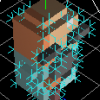
It all was nice and dandy until I got to the exporting part. VoxelShop can export to a .dae format and that is what IrrLicht can load. At first I though that it was going to be all I need but then I tried to light it up. I exported a simple cube, loaded it into a scene and set up a moving light source. The light on a cube was all over the place and when I enabled debug render for normals I understood why.

As you can see above the normals are all over the place! At first I thought that because of compression for vertices, but even without it the normals apparead super strange. Actually not that strange, more like averaged. And that is not what I really need.

As I understood once again a lot of duplicate points were removed during the export and what we left with is a lot of missing normals. It seems like it is a command problem for .dae. I actually got the source code for VoxelShop to try and fix it myself, but then decided not to bother. It will take me ages to understand what is going on.
So I moved on to MagicaVoxel and it can export into .obj which got all of points, vertices and normals I will ever need! I will stick with it for now as I do not want to spend to much time on trying to export everything perfectly. I will try to learn MagicaVoxel and see where it takes me.
In the next post I will talk about a simple shader I made to light up my nice normals. I have not used shaders in ages, was nice to check them out once again.
P.S Anybody knows good, free or cheap Voxel editors? That can export in a lot of different game related formats?
Discussion