
Zone generation

Subscribe to our subreddit to get all the updates from the team!
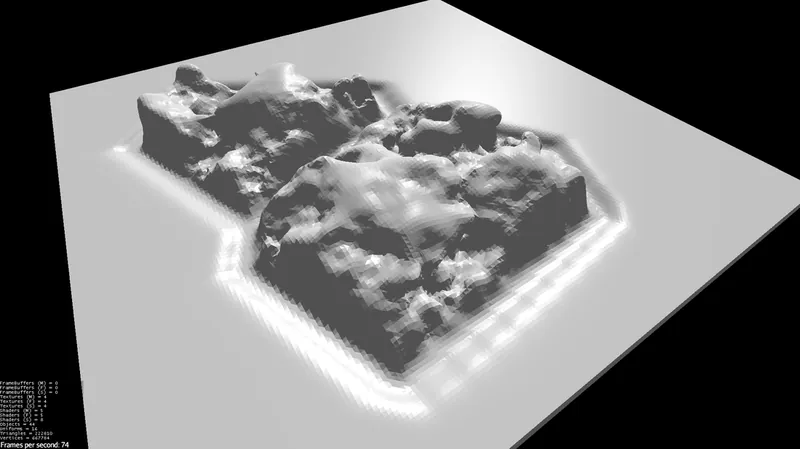
I have integrated the zone separation with my implementation of the Marching Cubes algorithm. Now I have been working on zone generation.
A level is separated in the following way :
- Shrink the zone map to exactly fit an integer number of Chunk2Ds, which are of 32² m².
- For each Chunk2D, analyse all zones inside its boundaries and determine all possible heights for Chunk3Ds, which are of 32³ m³. Imagine this as a three dimensional array as an hash map : we are trying to figure out all keys for Chunk3Ds for a given Chunk2D.
- Create and generate a Chunk3D for each height found.
- Execute the Marching Cubes algorithm to assemble the geometry for each Chunk3D.
In our game, we want levels to look like and feel like a certain world. The first world we are creating is the savanna. Even though each Chunk3D is generated using 3D noise, I made a noise module to map 3D noises into the 2D to able to apply 2D perturbation to the terrain.


I also tried some funkier procedural noises :

An arch!


The important thing with procedural generation, it's to have a certain level of control over it. With the new zone division system, I have achieved a minimum on that path for my game.
Recommended resources
3D Art

3D Environment Design with Blender 5
Amazon · Book
Based on Blender 5, this updated second edition simplifies the complexities by guiding you through clear, practical workflows to overcome those challenges. You’ll start by addressing common modeling and proportion mistakes, then move on to realistic texturing and unwrapping to create stunning scenes based on actual references.
GameDev.net may earn a commission if you purchase through these links. This helps fund the site at no extra cost to you.

Low Poly 3D Modeling in Blender
Amazon · Book
Step into the world of low poly 3D art with Low Poly 3D Modeling in Blender—your entry point into Blender and mastering the fundamentals of 3D art. This beginner-friendly guide ensures that you’re fully prepared for the creative adventure that follows. Through a step-by-step learning process starting with the principles of low poly art, this book gradually immerses you in the intricacies of modeling. As you progress, you’ll gain hands-on experience creating diverse projects ranging from designing a simple 3D crate to rendering complete low poly scenes. The book covers a wide spectrum of topics as you navigate Blender's interface, mastering essential modeling tools and exploring both basic and advanced modeling techniques. Advancing to the final chapters, you’ll find ways to breathe life into your models with material creation and gain practical insights into modeling a variety of low poly objects. From end-to-end scene construction to configuring Blender for rendering high-quality images, you’ll be equipped with the foundational skills to propel your career in 3D modeling and explore the boundless creative possibilities that Blender offers. By the end of this book, you'll have a solid understanding of Blender, 3D modeling, low poly methodologies, material design, 3D rendering techniques, and the broader world of 3D art.
GameDev.net may earn a commission if you purchase through these links. This helps fund the site at no extra cost to you.
Discussion