
Minimal OpenGL Example in C++ Qt5, PyQt5 and TypeScript WebGL 1.0

- Added an example in WebGL 1.0 and TypeScript. Run in browser by one click: https://plnkr.co/edit/GRn9ADgJAJXnEoTF?open=main.ts&preview
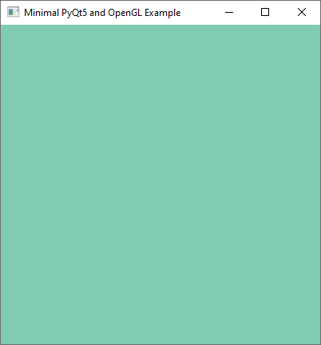
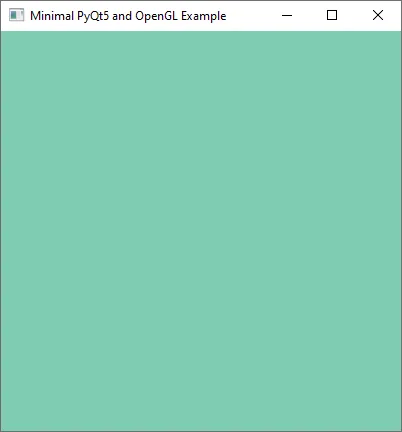
If you want to start to learn Python I sagest to use PyQt5 and QtOpenGL together. OpenGL allows to create 2D/3D graphics and PyQt5 allows to create GUI elements. You can program simple games or create some interactive graphics applications. It is related to C++ and Qt5 too, and of course to another languages that you can use with OpenGL. I like, for example, WebGL and TypeScript/JavaScript. I wrote a simple example in PyQt5 where I just set a background color using OpenGL: https://rextester.com/SUEYYG2969
from PyQt5.QtWidgets import QApplication, QOpenGLWidget
from OpenGL import GL as gl
from PyQt5.QtCore import Qt

class Widget(QOpenGLWidget):
    def initializeGL(self):
        gl.glClearColor(0.5, 0.8, 0.7, 1.0)
    def resizeGL(self, w, h):
        gl.glViewport(0, 0, w, h)
    def paintGL(self):
        gl.glClear(gl.GL_COLOR_BUFFER_BIT)

def main():
    QApplication.setAttribute(Qt.AA_UseDesktopOpenGL)
    app = QApplication([])
    widget = Widget()
    widget.setWindowTitle("Minimal PyQt5 and OpenGL Example")
    widget.resize(400, 400)
    widget.show()
    app.exec_()

main()
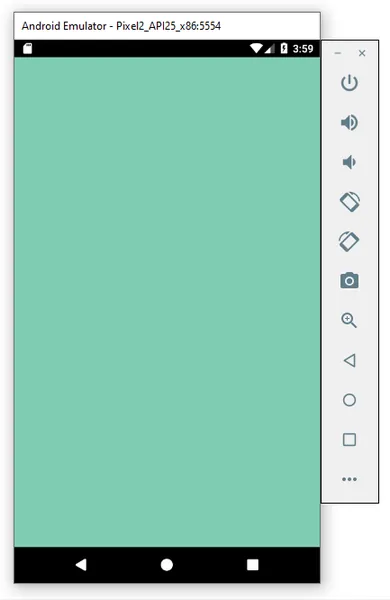
C++ Qt5. I build it for Android and Desktop. Create a QWidget project without form and delete the Widget class. Add to .pro file: win32: LIBS += -lopengl32 I use #ifdef here to enable the second video card on notebook. Source Code: https://rextester.com/FXW78096
// Minimal OpenGL example that works on Notebook and Android
// Add to .pro file: win32: LIBS += -lopengl32

#ifdef _WIN32
#include <windows.h>
extern "C" __declspec(dllexport) DWORD NvOptimusEnablement = 0x00000001;
extern "C" __declspec(dllexport) DWORD AmdPowerXpressRequestHighPerformance = 0x00000001;
#endif

#include <QApplication>
#include <QOpenGLWidget>

class Widget : public QOpenGLWidget {
    Q_OBJECT
public:
    Widget(QWidget *parent = nullptr) : QOpenGLWidget(parent) { }
private:
    void initializeGL() override {
        glClearColor(0.5f, 0.8f, 0.7f, 1.f);
    }
    void paintGL() override {
        glClear(GL_COLOR_BUFFER_BIT);
    }
    void resizeGL(int w, int h) override {
        glViewport(0, 0, w, h);
    }
};

#include "main.moc"

int main(int argc, char *argv[]) {
    QApplication a(argc, argv);
    Widget w;
    w.show();
    return a.exec();
}
The next example is in WebGL 1.0 and TypeScript. You can run it by one click in your browser: https://plnkr.co/edit/GRn9ADgJAJXnEoTF?open=main.ts&preview
Recommended resources
Python: recommended books and gear
Beginning Game Programming with Pygame Zero: Coding Interactive Games on Raspberry Pi Using Python
Amazon · Book
As an Amazon Associate I earn from qualifying purchases.
Unreal Engine 5 RPG Development: Master Blueprints, C++, Combat, AI & VFX - Build a Full Game from Scratch (Volume 1)
Amazon · Book
A hands-on Unreal Engine 5 guide for building a playable RPG from scratch with Blueprints and C++. It appears to cover combat, AI, and VFX, and is aimed at beginners or developers new to Unreal workflows.
As an Amazon Associate I earn from qualifying purchases.
Modern C# Game Development for Absolute Beginners: A Practical, Project-based Guide to Learning C#, Mastering Unity Basics, and Building Simple 2D and 3D Games from Scratch.
Amazon · Book
A beginner-focused guide to C# game development with Unity basics. It covers core C# concepts, game logic, graphics, controls, enemy AI, physics, and building simple 2D and 3D games from scratch.
As an Amazon Associate I earn from qualifying purchases.
Principles of Animation & Game Design: Print Purchase Includes Free Online Access
Amazon · Book
A general reference on animation and game design, aimed at readers who want background on how moving graphics and game experiences are created. Based on the metadata, it looks introductory and broad rather than a hands-on guide for game production.
As an Amazon Associate I earn from qualifying purchases.
Discussion