
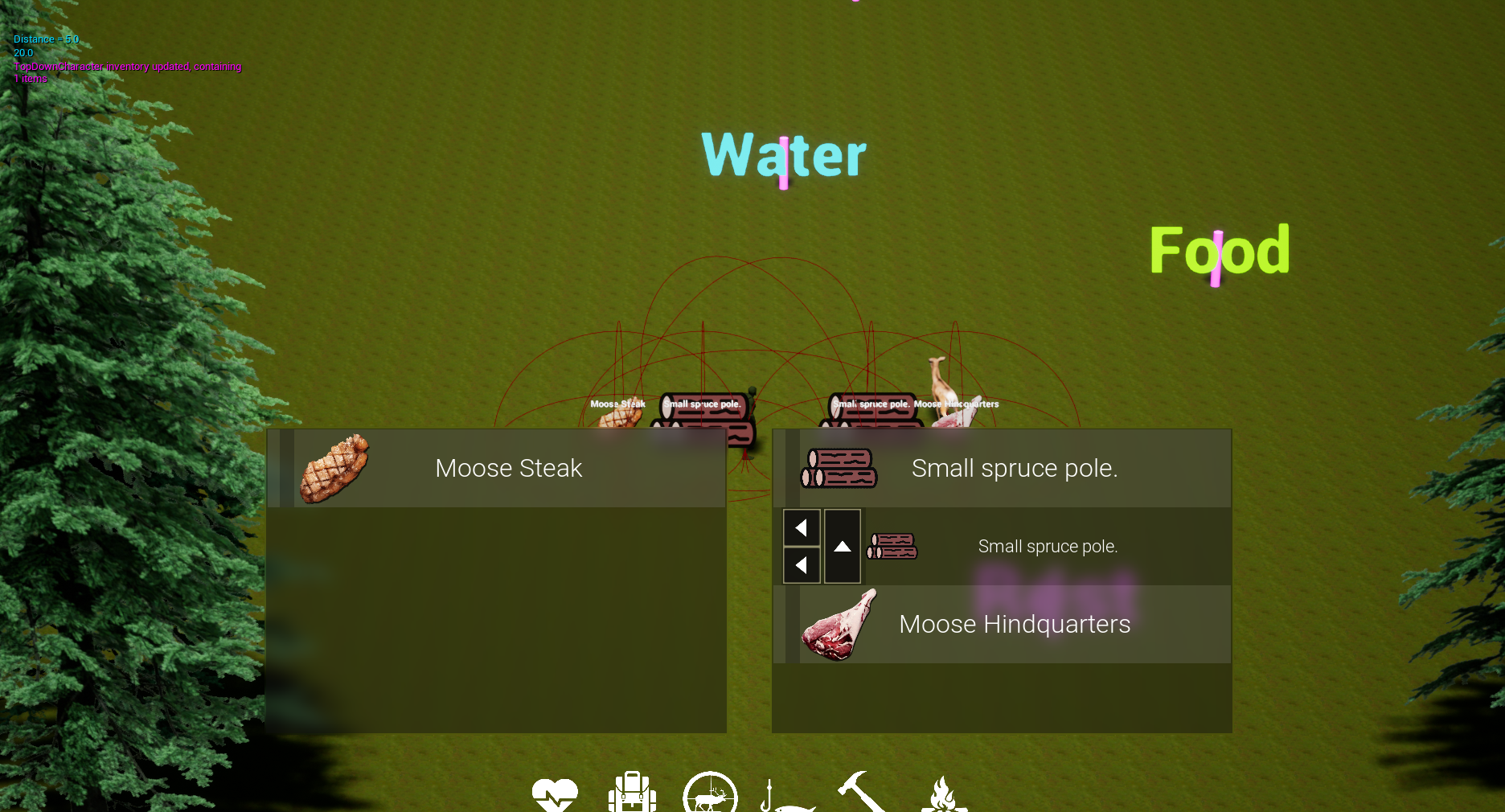
Project Alaska: Setting up framework for the inventory system
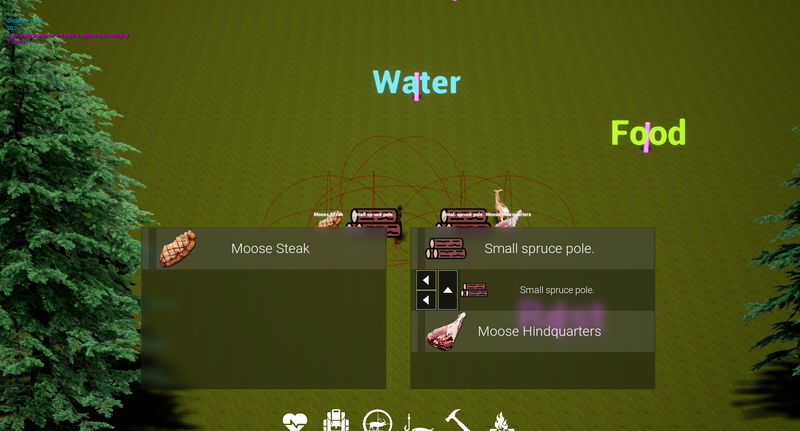
The heart of this game will be the inventory system. This is one of those survival games that is all about time and resource management. Maybe they are all like that. All the ones I've played, anyway.
I am a solo developer and I have to manage this entire game by myself. It may take a year or more to finish. So I think it's going to pay me back to setup as simple and easy to use framework as possible. That has been my primary focus - not just to achieve raw functionality but to do some experimentation and get a sense for how I might design a complex system that is still easy to manage.
The most important thing I think is that I have to describe very clearly exactly what the player needs to be able to do. And then I'm breaking that down into as few actions as possible. To help with that sort of planning I like to use Scapple, which is a very simple mind-mapper software primarily targeted to writers. I like Scapple because it has zero frills to get me distracted.
I want the inventory to be easy to use. No click and drag, no secret actions or contextual stuff that you can't immediately see. So, I am starting with simple list style. When you hover an item, some buttons point to other containers you can transfer the item to. Later I'll add some Sort by type/weight buttons as well as an info icon that displays item info when hovered.
Before I started my own system, I spent some time experimenting with existing solutions. I would love to just grab something that already works and use it in order to save time. I have no desire to know everything or do everything myself. But unfortunately, every inventory system I tried is too complex or is focused on features I don't need. I was still able to get some good ideas though and get some basic ideas for how to make a framework.
The core of my inventory system is this PickupData UObject derived class. The is just a data holding class that has basic data common to any sort of inventory item in the game. Name, weight, type, etc. All of this static data is got from a data table. That way I can easily tweak values in excel and also run some operations to check for balance and so on.
Nearly all items in the game can be of this class, except for some items might need data that is not static - it could change during the game. The main thing is food. Food items spoil over time, so they need a special case for that. So, I derive some classes from the pickupdata base class to handle those cases - they just need a function which subtracts the current game time from the time the data was initialized, that way I know how old the food is.
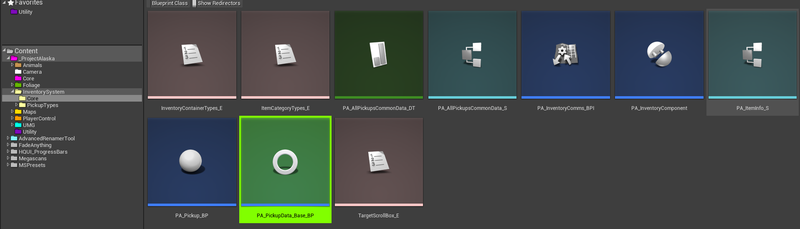
The PickupData object is lightweight and convenient for saving. I did some test with 500+ of them and it had zero problems saving and loading immediately. The player could never have that many items so I don't think I will need to do anything more complicated than just put the objects into an array and save the array.
I did find need to use a component for the single purpose of holding that array, because the player character is not the only one who might hold onto some items. There may be containers in the world you could put stuff, so in order to reduce code and tight coupling, if there is a component all I have to do is search an actor for the component and send an interface call to it.
Speaking of that, all of the inventory communications are handled by a single interface. This way I don't have to use any hard references. The PickupData object intakes a reference to owner actor, and other than that unreal already has built in GetPlayerPawn and GetHUD functions that work as soft object references (I think that is the correct terminology). ALl that means is that I can just plug these non-direct references as targets into an interface, and it works without needing direct reference to the actual actor instance.
The question arises: Where do I handle inventory stuff? Because there is a lot of different elements involved. A lot of it is on the HUD widget, some on the player character, some on pickup actors, and then we have this inventory component, but the player character handles things very different from pickup actors and container actors….
I probably think of things simplistically but to me, having spent my early-adult years in the military, I see a problem where this a lot of people in the field trying to accomplish something, I can't expect each one of them to know when the right time is to do what they need to do. None of them hold the big picture, so how can they define rules for themselves? I think it is better if they can relay information through the interface, but a central command takes that information and then delegates out commands based on the information.
So, my central command is the HUD class (not the widget). This is a convenient place simply because it already has access to my HUD widget (which holds onto the various scroll box containers involved with display the inventory to player), and because it is also easily reached by unreals default GetHUD functions.
The basic flow of information is that when a transfer button on one of the scroll box entries is clicked, it lets central command (the HUD class) know that a transfer is happening.
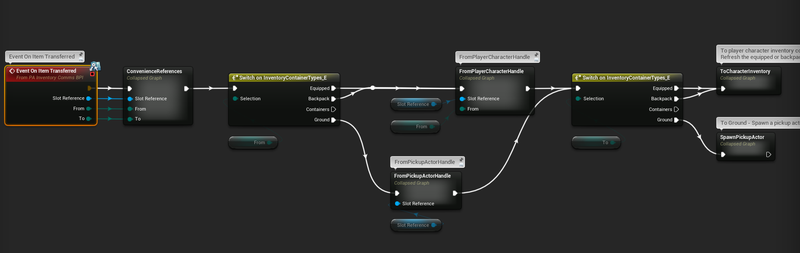
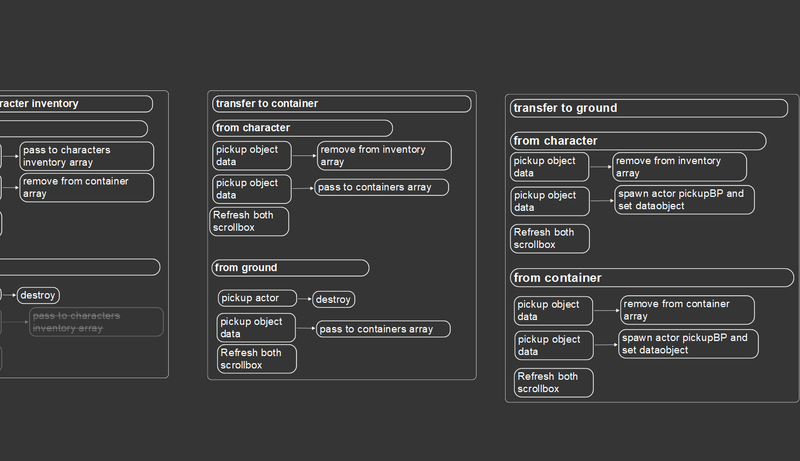
The Item transferred needs to know a few things: Coming from where? Going to where? And a reference to the data object. From that information I can handle all the different sorts of cases - each having its own caveats.
For instance, if we are picking up an object from the ground, we've got to destroy the pickup actor after the transfer. But if transferring from the character to the ground, we have to create a pickup actor and pass in the data. And if we are going from a container to the character, then there is no actor involved at all - just data transfer and update the inventory components arrays.
I appreciate the extensive organization tools blueprints offer. I really struggle with code if I cannot break it down into chunks. If I see a big, long graph my mind just cannot process. Same thing with text. I got to be able to focus on big chunks one at a time, and drill down from that into finer details. One of the inventory systems I was looking at is nothing but GIANT graphs with just millions of if/thens, very little commenting. I cannot fathom how the author made it all work. They must be very smart because the system is super robust and multiplayer supported… but even in my own work where I wrote everything, if it's not hyper organized into chunks with descriptive names I just get lost.
Then again, I haven't been doing this very long.
Well, I am going to be moving here in the next few days and will be offline probably for two weeks. After that I got to hunker down and get LANDNAV finished which I expect to take about two months. ButI think I've made a solid start towards this project, and I believe I have answered the question, “Could I actually make a game like this?”
I think so. I've been able to get a very manageable code-base covering much of the core functionality ready in less than two weeks, and much of that time was experimenting with ideas just to scrap them. My hope is that I can keep the under-the-hood technicals of this project to be very easy, so that I can put most of my energy into making sure the game is finely balanced and creates interesting, emergent situations for players to contend with.
Discussion