

Amateur Collision Detection that Works

PRO Tired of ads? Read GameDev.net ad-free and help keep the community independent with GameDev Pro — $3/month.
As a hobbyist one is often faced with severe time constraints. There are day jobs to hold, groceries to shop, movies to watch, walks to take and friends to see. One way to overcome this issue is by using one of the known game engines like Unity, Unreal or Godot. But for me, the joy of game development is actually writing the programs that perform the tasks needed for a game. I do use libraries to read image files or to play sounds for example, but I tend to program a basic version of everything else myself and just throw it into my home-made game engine.
Time constraints are a fact of life though so this needs to done through strategies that save time so that the actual game project I am working on at any moment will be completed before I turn old and grey. The required “cutting of corners” affects, not only the code I write, but also the time I spend studying various materials. But sometimes the end result is not so bad. More than a “sloppy” solution, it ends up being small, easy to understand, reliable enough and even gentle on old hardware. In this blog post I would like to describe one such case, namely that of my collision detection system.
The first 3D game I have ever developed was about a goat being chased by a sort of mosquito (which ended up looking like a bird, but that’s another story).
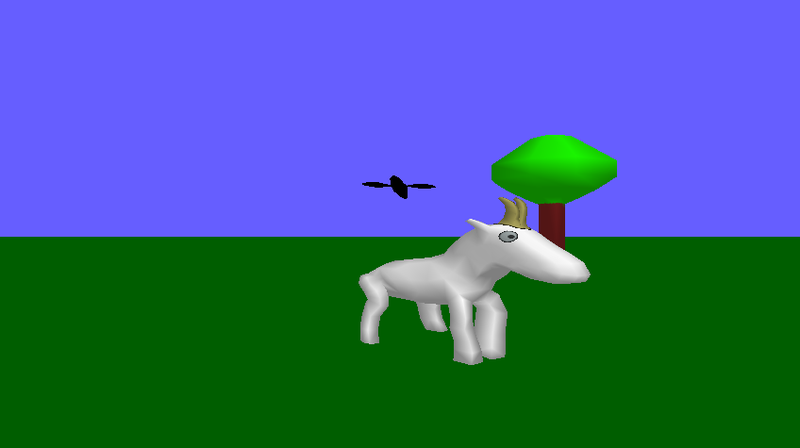
The whole idea was to move the goat around trying to avoid getting stung for as long as possible. So that was the first collision to take care of. What mattered was whether the mosquito’s “proboscis” (it’s nose let’s say) touches the goat. I implemented that through a collision detection between a set of two boxes and a point. One box was containing the goat’s head and the other one its body:
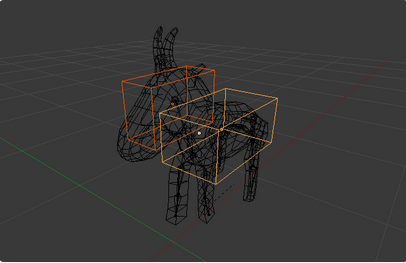
The point was the location of the bug’s nose. I was just displacing the boxes together with the goat and, when the nose of the bug would be kind of close to the goat, meaning when, for example:

I would test if the box’s maximum and minimum coordinates “contain” the nose. The maximum and minimum coordinates are found by just taking each of the box’s corners and storing each of its x, y or z coordinates if it is either smaller than the previously held minimum or larger than the previously held maximum (this is pseudocode; normally I program in C++):
get_extremes(box)
	for each corner c of box
		if c.x < box.minX then
			box.minX = c.x
		if c.x > box.maxX then
			box.maxX = c.x
		if c.y < box.minY then
			box.minY = c.y
		if c.y > box.maxY then
			box.maxY = c.y
		if c.z < box.minZ then
			box.minZ = c.z
		if c.z > box.maxZ then
			box.maxZ = c.z
With these values we can test if the nose is contained in the box:
contains(box, nose)
    get_extremes(box)
	return (nose.x > box.minX and nose.x < box.maxX and
		nose.y > box.minY and nose.y < box.maxY and
		nose.z > box.minZ and nose.z < box.maxZ)
This was so basic that the bounding boxes were not even rotating with the goat. I wanted to release the game as soon as possible and the collisions were believable enough. So I just published it with this imperfection. If you read the relevant literature you will find out about object oriented bounding boxes, or at least axis aligned bounding boxes that change shape according to the rotation of the model they contain. But this system was good enough for this game so I left it at that.
Things changed when I created the first variation of the same game. This time the player would control the mosquito and would have to chase the goat.
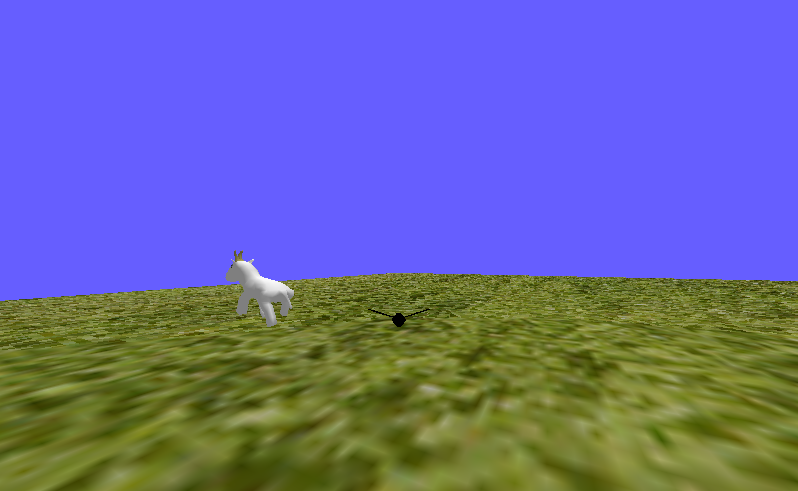
In this case, with a camera following the mosquito, it became quite obvious that the collisions were a bit off. Sometimes one would “win” the game, meaning sting the goat, while the mosquito was just flying next to the side of its head. This was because the goat had rotated out of the initial position of its bounding boxes. Fortunately though, it was fairly easy to fix. All that needed to be done was, right before calculating the extremes of each box (see get_extremes above), to apply the rotation transformation of the goat to it. Simply:
foreach box of boundingBoxes
	box.coordinates = goat.rotationTransformation * box.coordinates
	if contains(box, nose)
		collision = true
That was it! It fixed my collision detection problem without much sweat.
At some point I added a tree to the scene and I wanted the goat to not be able to pass right through it.
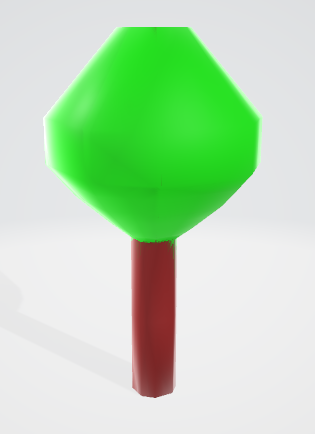
The problem here is that a tree is not just a point. It would need its own set of bounding boxes (one for its trunk and one for the top part with the leaves). How was I to test the collision between the bounding boxes of the goat and those of the tree? I was reading a book at the time, James M. Van Verth’s and Lars M. Bishop’s “Essential Mathematics for Games”. As a matter of fact I am always reading and consulting it :) It has a great chapter on collision detection. In it you can find many answers to such problems. They are interesting to study but I did not want to take too much time with the implementation. So I came up with another solution. I did not build up a system based on projections and intersections of triangles. I just hastily extended my existing functionality, just testing between two bounding boxes that I want to check for collision, if either box contains any corner of the other box. I basically just reused the “mosquito nose collision” function for this. For example if box1 is a bounding box of the goat and box2 is a bounding box of the tree:
for each corner c of box1
	if contains(box2, c)
		collision = true

for each corner c of box2
	if contains(box1, c)
		collision = true
(of course, the code above needs to be extended for each of the bounding boxes containing the goat and the tree)
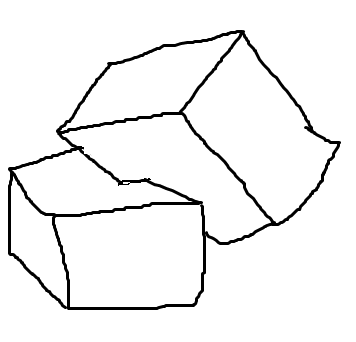
As it was correctly pointed out to me in one of the gamedev.net forums, this is far from perfect. You can have situations in which the bounding boxes collide, but the collision is not detected because neither box contains a corner of another box:
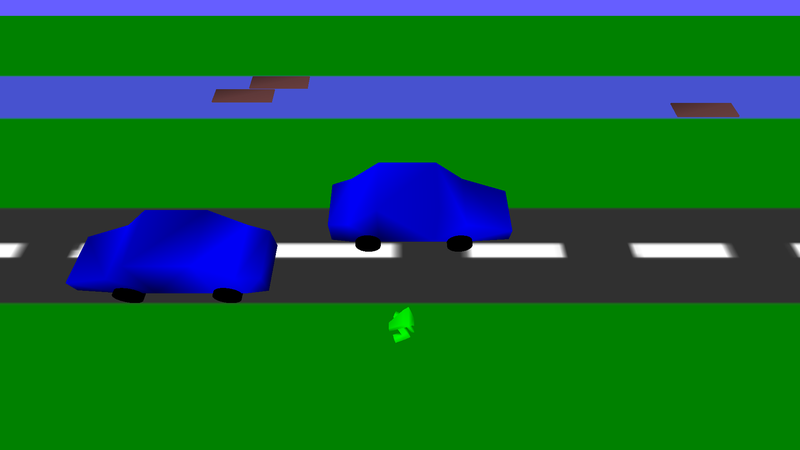
However, this is where I took the road less travelled by, at least by serious professionals, and I decided to let it be. To be more honest I told myself I would improve it later. The collisions worked pretty well for the goat game. But then, surprisingly enough, they ended up working well for a frogger remake I made later:
… and then even for a 3D shooter:

In general, it has been years now that I have been putting off improving my collision detection system. I have never felt compelled to. More recently I have started porting my games to mobile devices, iOS and Android. I test on some pretty old hardware and I have no performance issues. I have not done any comparative profiling but I am assuming that, among other things, this may have something to do with the fact that I am using very few calculations and comparisons for collision detection, most of which are not multiplications or divisions.
So that’s it, a silly little collision detection system that has stood the test of time. The only improvement I have ended up making was to add an algorithm to figure out the bounding boxes for a model as per the programmer’s desired precision (more precision means more boxes). I used to draw the bounding boxes myself in Blender before and I was exporting them separately from the model, which was a bit tiring.
I hope you have found this article useful. Please feel free to comment below if you have any questions or if you would like to tell me what a terrible programmer I am ;)
Recommended resources
C++: recommended books and gear
C++ Game Development Systems Handbook: Building Real-Time Gameplay Mechanics, Engine Loops, and Performance-Focused Projects
Amazon · Book
A C++-oriented guide to systems thinking in game development, covering gameplay logic, object-oriented design, engine-style program flow, and performance-minded code organization. It is aimed at readers who already know some C++ and want to structure real-time game code more effectively.
As an Amazon Associate I earn from qualifying purchases.
C++ Game Programming for Beginners: A Practical Guide to Learn C++ from Scratch by Building Fun and Interactive Games
Amazon · Book
A beginner guide to learning C++ by building simple 2D games with SFML. It is aimed at readers with little or no experience who want to learn programming through game projects.
As an Amazon Associate I earn from qualifying purchases.
Elgato Stream Deck MK.2
Amazon · Hardware
A grid of programmable LCD keys that developers use for far more than streaming: one-press builds, engine hotkeys, Blender and Photoshop macros, and scene switching when recording devlogs. A modest productivity upgrade that many people stop noticing until it is gone.
As an Amazon Associate I earn from qualifying purchases.
Samsung 990 Pro 2TB NVMe SSD
Amazon · Hardware
Fast NVMe storage shortens the daily grind of loading engine projects, derived data caches and source trees. Two terabytes is the practical minimum once a project includes Unreal Engine and a few large asset packs. A dependable mainstream choice.
As an Amazon Associate I earn from qualifying purchases.
Discussion