
.png)
Factory Design Pattern in Unity
PRO Tired of ads? Read GameDev.net ad-free and help keep the community independent with GameDev Pro — $3/month.
Introduction
This is first part of the game development blogs where I will be implementing different Design Patterns in Game Development using Unity Game Engine. Today I will be using Factory Design pattern to demonstrate the infinite enemy spawner level in unity. This is a series so at the end of every series I will upload a GitHub link of the game which will be created using the concepts shown in the series.
What we will do
We will be creating that annoying stage in every game where we have to fight infinite enemies and while we destroy each enemy just hoping one thing "when the level will end". In other non-Gamer Words We will be creating enemies as our need or as game needs. We will be using factory design pattern for implementing the same. This is useful in many ways for creating different assets of the game.
About Factory Design Pattern
Factory design pattern is used when we have to create an objects without specifying the exact class of object that will be created. This pattern provides a way to encapsulate the object creation logic within another class which we call "The Factory". In the main class code or the client code we just tell factory which kind of object has to be made.
Factory Design Pattern consists of 4 main things
- A Common Interface
- Factory Class
- Concrete Class/Specific Object Class
- Client Code/ Main Code
Unity Setup
.webp)
1) Plane:
A normal Plane(3D object) where we will spawn our enemies.
A purple material has been selected for its material.
All of the physics is applied to it by default.
2)Prefabs
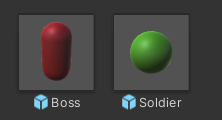
Scripts
1)Enemy.cs
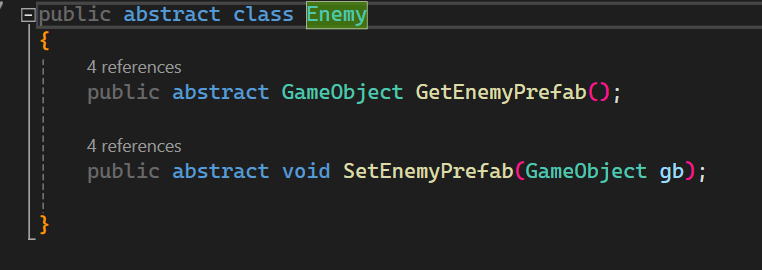
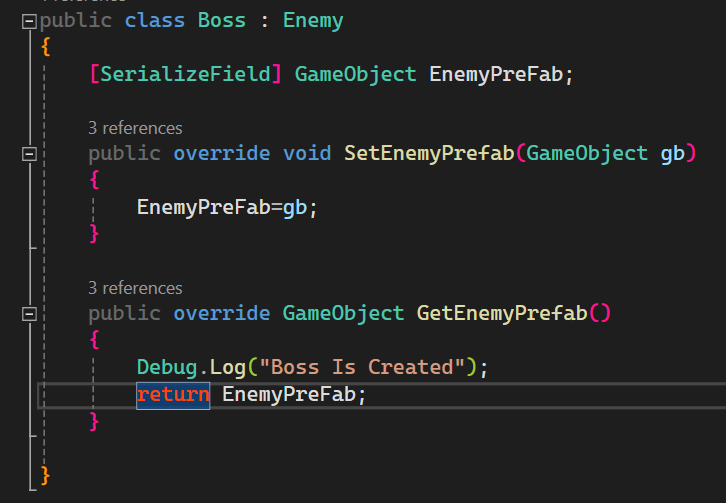
Boss.cs
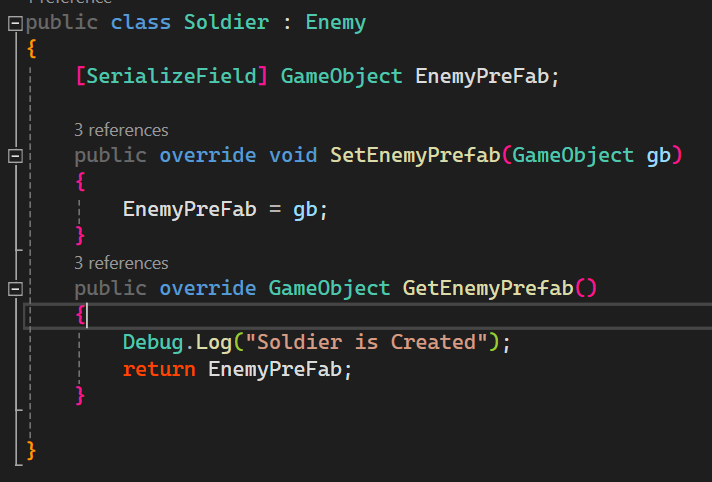
Soldier.cs
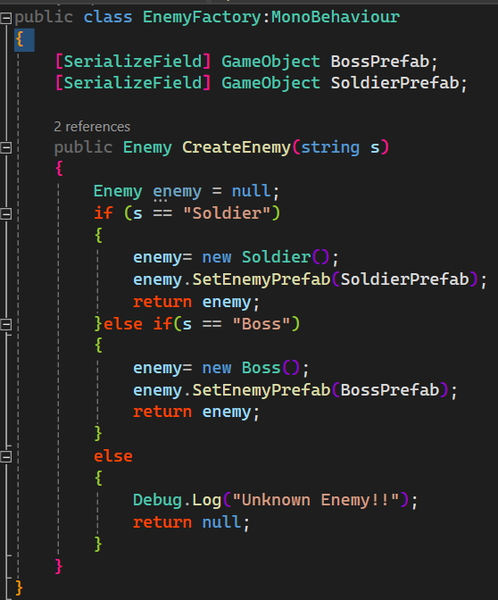
EnemyFactory.cs
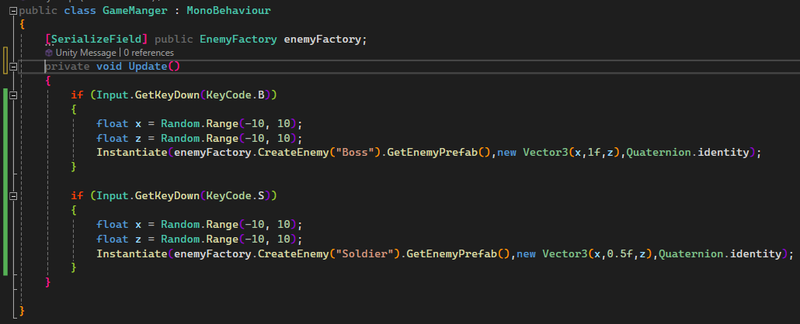
GameManager.cs
Code Explanation:-
We first made the abstract class Enemy which gives us idea what every enemy will look like i.e. it will tell about the common properties and methods each type of enemy will have.It has two member functions GetEnemyPrefab() and SetEnemyPrefab(GameObject) which will be implemented further for getting and setting the type of Enemy Prefabs( Pre Fabricated Object ) in each of the sub-classes.
Then we define each enemy type class like in the above case we have two types of Classes Soldier and Boss. Where we override each of the methods which we defined in the abstract Enemy Class.
Now for the main thing The EnemyFactory class where we have a CreateEnemy method which takes a string as an argument Which returns an Enemy according to the string passed.
And the main class or the GameManager which just Instantiate or spawn enemy anywhere on the plane.
Implementing Scripts in the scene
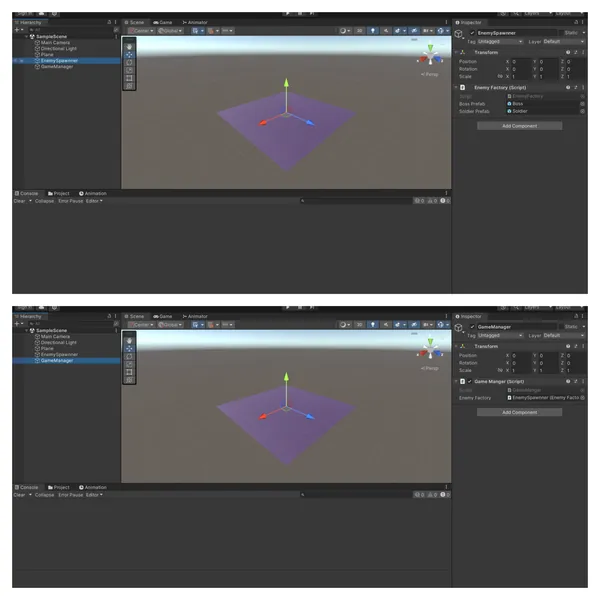
Make Two empty objects name one of them EnemySpawner and attach EnemyFactory script to it, name other GameManager and attach GameManager script to it. Drag and Drop the required prefabs to both of the scripts
Advantages:-
- If you need to update the game with more enemies you can do it just by creating an extra enemy class. Hence the code is easily extensible
- Only two scripts GameManager and EnemyFactory are accessed instead every enemy class scripts
- Improves maintainablity and readiblity.
Ending:-
Hope you learnt something new from this. Next blog will be on Abstract factory Design pattern.
Recommended resources
Unity: recommended books and gear
2D Game Development with Unity
Amazon · Book
As an Amazon Associate I earn from qualifying purchases.
Game Development Patterns with Unity 2021: Explore practical game development using software design patterns and best practices in Unity and C#
Amazon · Book
As an Amazon Associate I earn from qualifying purchases.
Hands-On Unity 2022 Game Development: Learn to use the latest Unity 2022 features to create your first video game in the simplest way possible
Amazon · Book
As an Amazon Associate I earn from qualifying purchases.
Unity 4.x Game AI Programming: Learn and Implement Game AI in Unity3D with a Lot of Sample Projects and Next-generation Techniques to Use in Your Unity3D Projects
Amazon · Book
Explains how to implement common game AI techniques in Unity3D with sample projects. Topics include flocking, pathfinding, path following, and behavior trees, with C# examples for developers building AI in Unity.
As an Amazon Associate I earn from qualifying purchases.
Discussion