
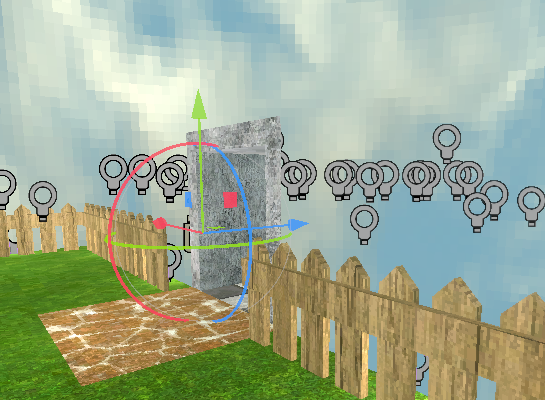
setting up Qodot and creating sky piercing material
I have been creating a new game using the Godot engine, one that I am able to just add whatever. so I'll go over all the "hardships" I've had.
Setting up Qodot.
Qodot is an addon for Godot that allows you to create maps using the TrenchBroom Quake map editor. LET ME TELL YOU, if you want Half-Life, Quake, Doom, or any retro stile maps in your game, THIS IS IT. Qodot is so easy once you get into it. I'll link the addon, TrenchBroom, videos, and whatever else at the end.
The problems.
For starters, I was using Godot 4.1.1 for a while now, so it was time to switch. I downloaded the newest version of Godot available, Godot 4.3 stable version. Next, I tried the using the addon, this didn't go so well.
first, I tried to look for the addon in the assetlib in the editor, for some reason it wasn't there, so I had to manually install it. after that I tried to export a .map file into Godot, then set it up and it worked! perfectly! That was until I tried building the level again, that it was all jumbled and looked nothing like the map along with the error:
“res://addons/qodot/src/nodes/qodot_map.gd:378 - Invalid call. Nonexistent function 'get_entity_definitions' in base ‘qodot_fgd_file’”.
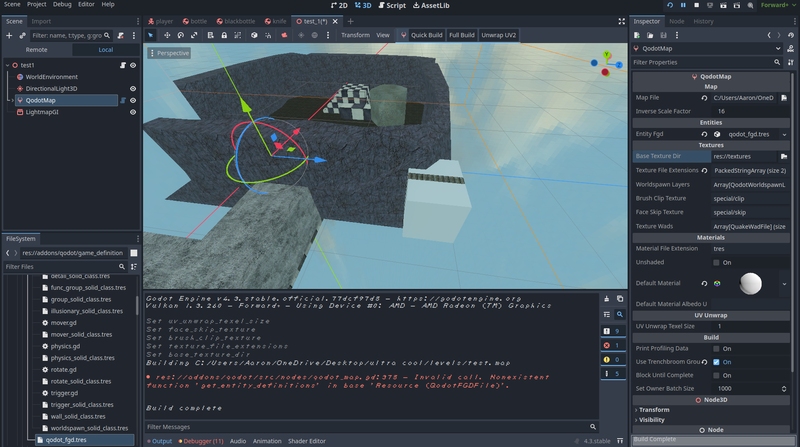
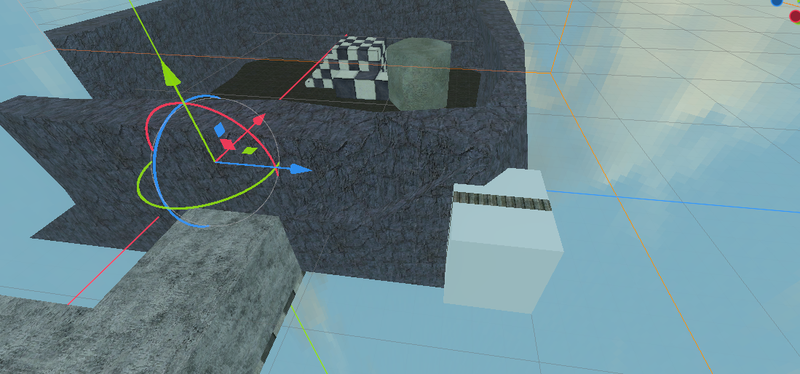
notice the door in the rock wall, groups in trenchbroom are displaced and don't have any scripts
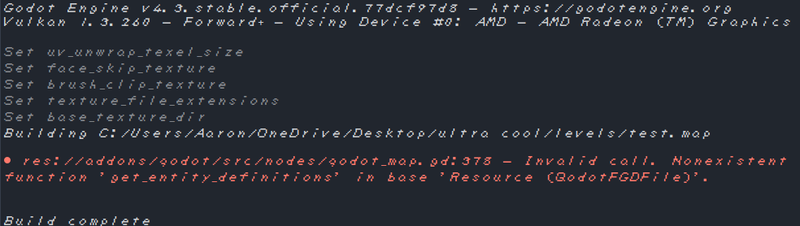
So I tried to use it on the version of Godot that was most recently tested to work, Godot 4.2 rc1. and it acted the exact same way, it worked perfectly the first time, then never again! So I tried to see if there was a way to revive the addon, maybe MacGyver the thing together.
It turns out the error means that the class in the script that manages things like buttons, triggers, walls, solids, and so on has a function that doesn't exist. But heres the kicker, IT DOES EXIST! I tried looking for the function, you can select the origin, and even auto fill the name of the function! I tried to call another function in that script and it said that it didn't exist either!
My solution was to duplicate, reassign, delete, and rename the script that the error comes from. Then it just works!!! all up until you refresh Godot in any way, like closing out then opining, refreshing, or turning the addon off and on again.
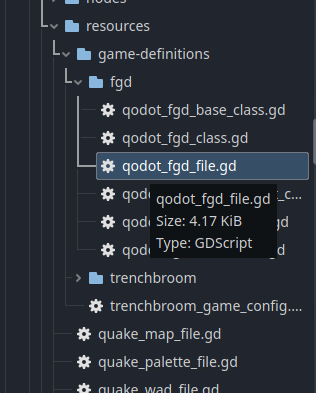
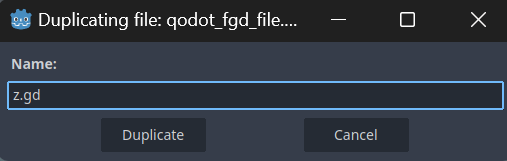
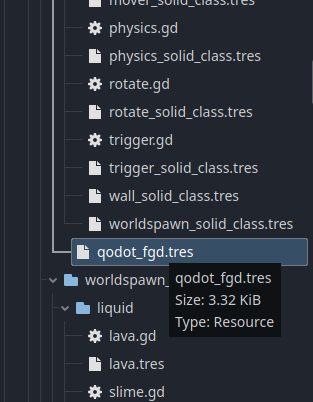
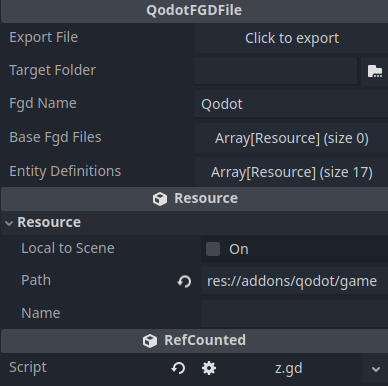
reassign script to new duplicate.
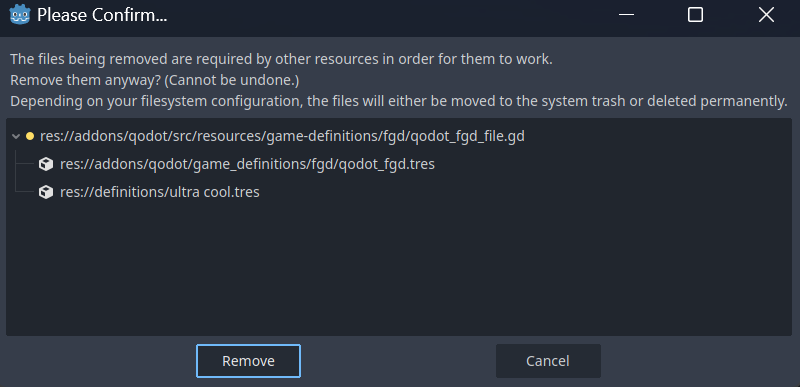
delete it old script
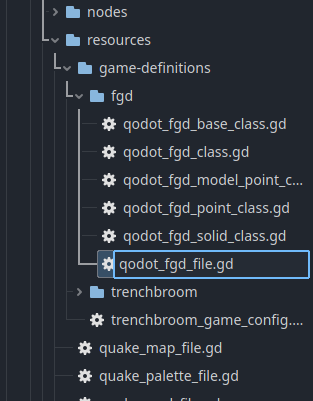
rename new script


build map (no errors!)
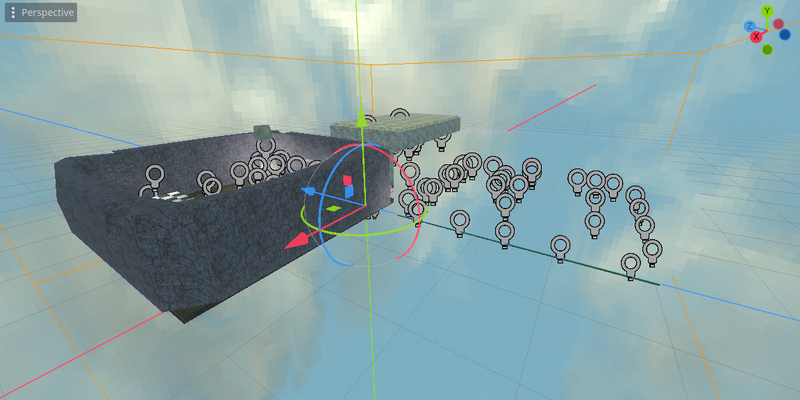
WORKS!!!
So problem avoided, solved? no, avoided.
If you or a loved one has any information that can help, use the comments below. (or not. idk)
Making a sky piercing material
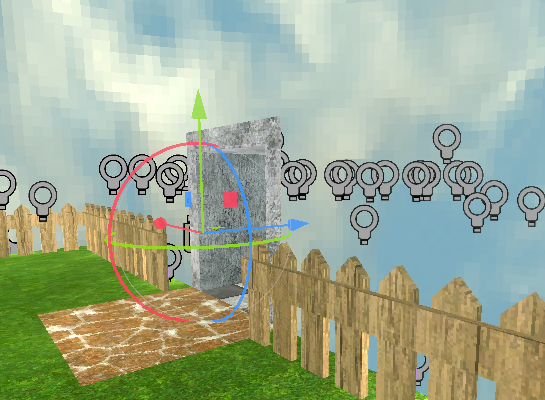
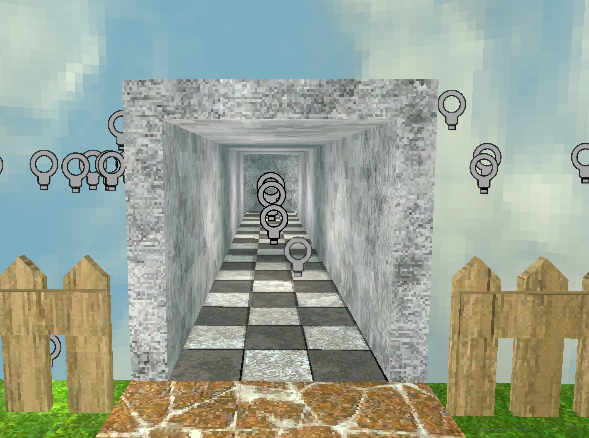
even though there is a hallway there, there isn't on the other side.
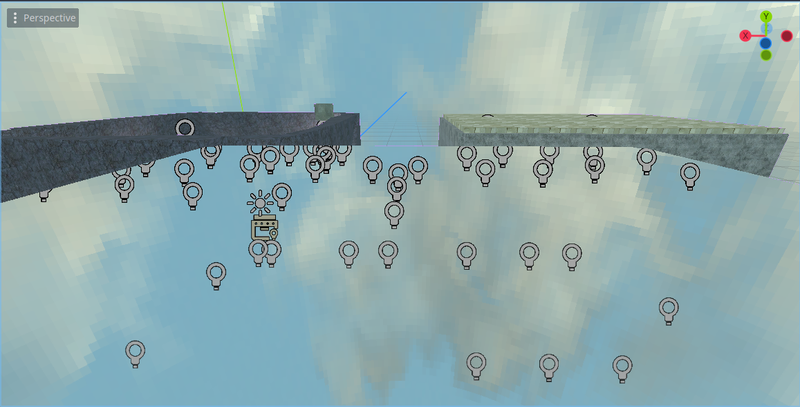
its material, not a shader!
I tried looking for a shader or similar online but, nope, nothing. the only shaders I found that come close are these:
N64 Style Skybox - Godot Shaders
Local Screen Space UV - Godot Shaders
both of these cool shaders by:
tentabrobpy, Contributer to Godot Shaders (check them out!)
If you know of any make Shure to comment!
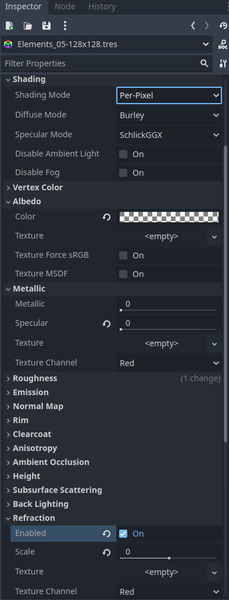
Here are the steps to reproduce:
- Set Albedo color to fully transparent
- Make the specular 0
- Turn refraction on
- Make scale 0
- Then you can set the sampling to whatever it really matters your background
6. Finally, every other material that you want to have hidden behind the sky, make transparency alpha, also depth draw mode always. (otherwise, they will all overlap)
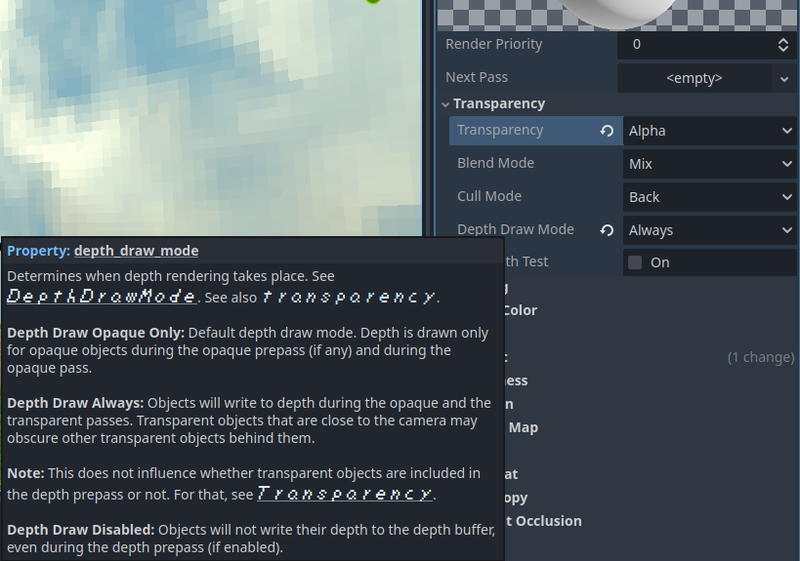
and that's it! apply it to whatever, have fun!
(You don't have to credit me, because your cool)
links:
GitHub - QodotPlugin/Qodot: Quake .map support for Godot 4.2
TrenchBroom 2 Tutorials - YouTube
How to make 3D levels for your Godot game! (TrenchBroom + Qodot) (youtube.com)
ok, bye!
Recommended resources
3D Art

3D Environment Design with Blender 5
Amazon · Book
Based on Blender 5, this updated second edition simplifies the complexities by guiding you through clear, practical workflows to overcome those challenges. You’ll start by addressing common modeling and proportion mistakes, then move on to realistic texturing and unwrapping to create stunning scenes based on actual references.
GameDev.net may earn a commission if you purchase through these links. This helps fund the site at no extra cost to you.

Low Poly 3D Modeling in Blender
Amazon · Book
Step into the world of low poly 3D art with Low Poly 3D Modeling in Blender—your entry point into Blender and mastering the fundamentals of 3D art. This beginner-friendly guide ensures that you’re fully prepared for the creative adventure that follows. Through a step-by-step learning process starting with the principles of low poly art, this book gradually immerses you in the intricacies of modeling. As you progress, you’ll gain hands-on experience creating diverse projects ranging from designing a simple 3D crate to rendering complete low poly scenes. The book covers a wide spectrum of topics as you navigate Blender's interface, mastering essential modeling tools and exploring both basic and advanced modeling techniques. Advancing to the final chapters, you’ll find ways to breathe life into your models with material creation and gain practical insights into modeling a variety of low poly objects. From end-to-end scene construction to configuring Blender for rendering high-quality images, you’ll be equipped with the foundational skills to propel your career in 3D modeling and explore the boundless creative possibilities that Blender offers. By the end of this book, you'll have a solid understanding of Blender, 3D modeling, low poly methodologies, material design, 3D rendering techniques, and the broader world of 3D art.
GameDev.net may earn a commission if you purchase through these links. This helps fund the site at no extra cost to you.
Discussion