
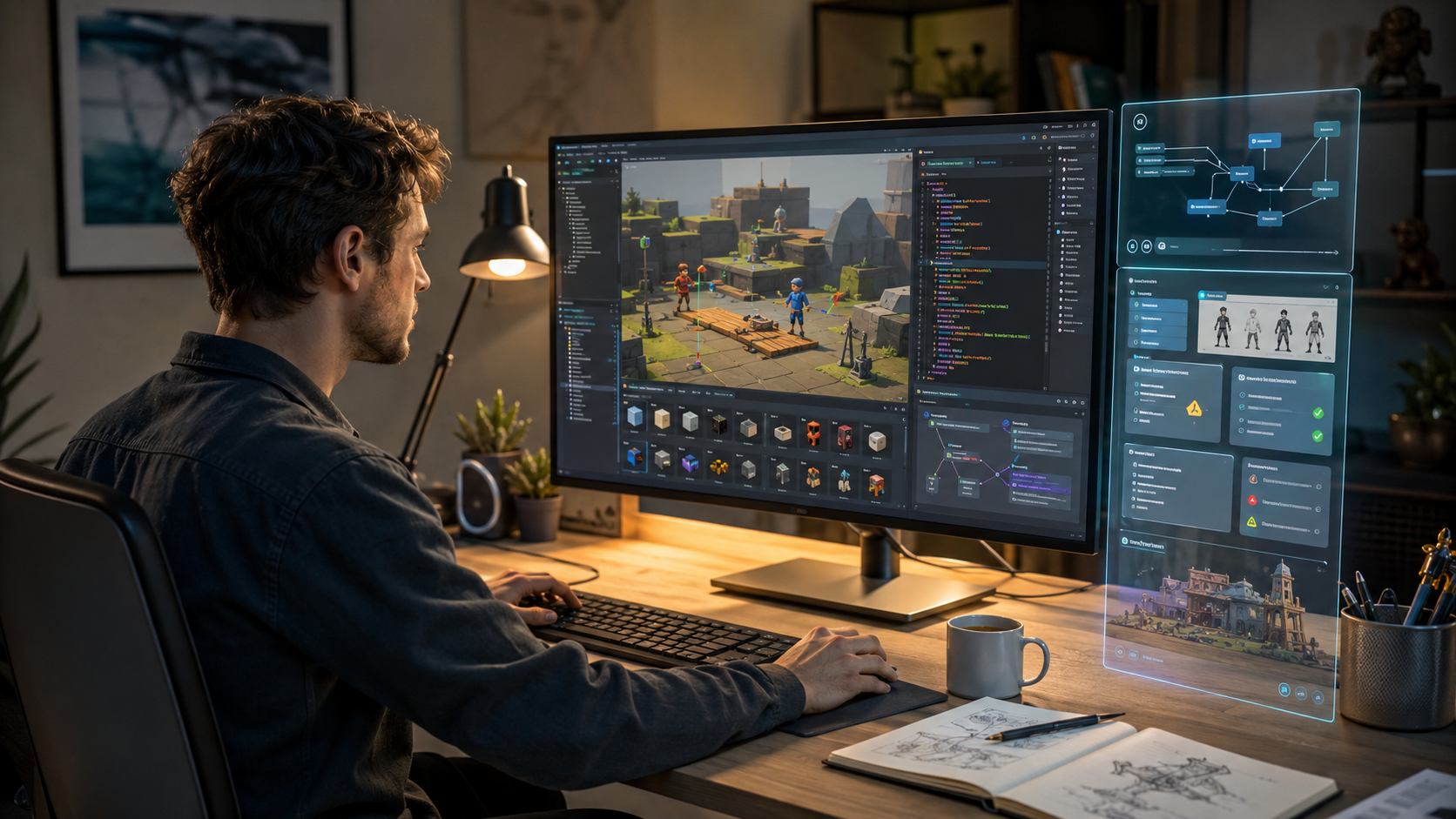
How AI Makes Game Development Easier
How AI Makes Game Development Easier
AI makes game development easier by reducing small blockers across planning, prototyping, debugging, documentation, and testing. The real value comes when AI supports human-led work, not when it replaces developer judgment. If you want to understand how AI makes game development easier, think of it as a fast assistant that still needs direction, review, and clear creative control.
GameDev.net’s own guidelines ask contributors to keep content useful, respectful, constructive, and focused on helping developers improve their craft. That makes a balanced guide more useful than hype, especially when the topic is generative AI.
Question: How does AI make game development easier?
AI makes game development easier by helping developers brainstorm ideas, plan features, explain errors, write rough code, organize tasks, document systems, review bugs, and process playtest feedback. It works best when developers use AI for support tasks, then review every result for quality, performance, originality, and player experience.
What AI Can Actually Do for Game Developers
AI in game development is most useful when it removes friction from common development tasks. It can help you move from a rough idea to a playable test faster.
For a beginner, that might mean asking an AI code assistant to explain a Unity C# error. For a solo developer, it might mean turning a messy idea into a small feature list. For a small studio, it might mean writing QA notes, localization drafts, or internal documentation.
The strongest uses are practical and limited. AI can help with brainstorming, planning, prototyping, code help, debugging, documentation, QA testing, playtest feedback, and placeholder assets. It can also help organize a game design document before the team commits production time.
In my own workflow, this is where AI saves the most time: it helps me get past the blank page. It is easier to improve a rough plan than stare at an empty document.
Still, AI tools for game development should not make final decisions alone. A large language model can suggest mechanics, but it cannot feel whether your game loop is fun. It can explain code, but it does not know your full production pipeline. It can draft a quest, but it cannot protect your final narrative voice without human review.
Current industry sentiment is also mixed. A 2026 GDC survey reported that 52% of surveyed developers felt generative AI was having a negative impact on the game industry, even while many developers used it for research, brainstorming, and task support.
That is why the best angle is simple: AI-assisted game development should support developers, not replace them.
Where AI Helps Most in a Real Game Development Workflow
AI game development workflow becomes useful when it fits into real production stages. It should not sit outside your process as a magic button.
Idea Planning
AI can help turn a loose idea into possible genres, mechanics, target players, and scope limits. This is useful when your idea sounds exciting but still feels unclear.
The developer must still decide what the game is truly about. AI may suggest ten features, but only two might support the main game loop.
It saves time when you need options quickly. It creates problems when you accept every idea and build a bloated project.
Game Design Document
AI can help draft a game design document with sections for mechanics, controls, levels, enemies, UI, progression, and player goals. It can also turn scattered notes into a cleaner structure.
The developer must still check whether each feature supports the core experience. A clean document is not the same as a good game.
It saves time during early planning. It creates problems when the document becomes too large to build.
Prototype Planning
AI game prototyping works best when you ask for one mechanic at a time. For example, you can ask how to prototype a dash system, inventory test, enemy patrol, or basic dialogue trigger.
The developer must still build, test, and cut features that do not feel good. AI can suggest a prototype plan, but hands-on testing proves the idea.
It saves time when you keep the test small. It creates problems when AI turns a prototype into a full production roadmap.
Code Scaffolding
AI can create rough code structures for movement, UI menus, inventory logic, or simple enemy behavior. This can help beginners understand what pieces are needed.
The developer must review naming, performance, engine patterns, and edge cases. I would not ship AI code that I cannot explain.
It saves time when used for small isolated scripts. It creates problems when pasted blindly into core systems.
Debugging
AI can explain error messages, compare possible causes, and suggest a small fix. This is one of the strongest use cases for beginner and intermediate developers.
The developer must paste only needed context and test the fix safely. AI often sounds confident even when it misunderstands the bug.
It saves time when you ask for cause first. It creates problems when AI rewrites the whole system without understanding it.
Asset Ideation
AI-generated game assets can help during early concept work, mood boards, thumbnails, and placeholder visuals. This can be useful before final art direction is locked.
The developer must check rights, originality, consistency, and final quality. Research on AI-driven graphical asset tools found that developers often prefer these tools for early design stages, where fast variation matters more than final polish.
It saves time during exploration. It creates problems when generic AI art becomes the game’s final identity.
Animation Support
AI can help describe animation states, timing notes, facial capture workflows, and transition ideas. In Unreal Engine projects, teams may also study tools such as MetaHuman Animator for performance-focused animation pipelines.
The developer must still check timing, silhouette, readability, and gameplay feel. Animation is not only movement; it also communicates weight, intent, and feedback.
It saves time in planning and reference stages. It creates problems when motion looks smooth but feels wrong during play.
Playtest Feedback
AI can help organize playtest notes into common patterns. It can group comments about controls, difficulty, UI confusion, bugs, pacing, and player frustration.
The developer must still watch real players and understand emotional signals. A spreadsheet cannot replace seeing someone struggle with your tutorial.
It saves time after playtests. It creates problems when developers use summaries instead of watching actual gameplay.
Documentation
AI can help write comments, setup notes, changelogs, onboarding docs, and internal task descriptions. This is useful for solo developers and small studios.
The developer must check every instruction against the real project. Bad documentation can waste more time than no documentation.
It saves time when systems change often. It creates problems when docs sound clean but describe outdated behavior.
Marketing Drafts
AI can help draft store descriptions, devlogs, update notes, and community posts. It can also suggest clearer ways to explain features.
The developer must remove hype and keep the voice honest. On developer platforms, marketing language often performs worse than useful insight.
It saves time when you need a first draft. It creates problems when the post sounds like spam instead of a real developer update.
AI for Indie Developers and Solo Game Creators
AI for indie game development is powerful because solo developers carry too many roles. One person may handle design, code, art direction, testing, community posts, bug reports, and store pages.
That pressure creates slow progress. A small blocker can stop a solo project for days. AI for solo game developers can reduce that pressure by helping with task planning, bug explanations, rough drafts, and prototype ideas.
A solo developer can ask AI to break a survival game idea into one-week prototype tasks. They can ask for a simple GDScript example, a Unity debugging checklist, or a QA test plan for a new inventory system.
But AI cannot replace taste, testing, or polish. It can help you build faster, but it cannot tell you why your combat feels flat. That answer usually comes from repeated testing, honest feedback, and painful cuts.
This is where beginners often get trapped. AI makes an idea look more complete than it really is. A long feature list can feel like progress, even when nothing is playable.
For beginners, the danger is not using AI. The danger is trusting it too quickly.
AI for Unity, Unreal Engine, and Godot Developers
Different game engines need different AI workflows. Unity, Unreal Engine, and Godot all have different strengths, project patterns, and beginner pain points.
Engine | Best AI use cases | What to be careful about | Best beginner workflow |
|---|---|---|---|
Unity | C# explanations, scene planning, UI logic, prototype scripts, task breakdowns | Avoid pasting full systems without understanding MonoBehaviour flow and object references | Ask AI to explain one script, one error, or one mechanic at a time |
Unreal Engine | Blueprint explanation, animation planning, cinematic pipelines, technical design notes | Avoid overbuilt systems that hide logic across too many Blueprint nodes | Ask AI to explain the system first, then build a tiny test map |
Godot | GDScript help, gameplay logic, navigation ideas, node structure, learning engine concepts | Avoid generic code that ignores Godot’s scene and signal patterns | Ask AI to map the mechanic into nodes, signals, and small scripts |
Unity can benefit from AI assistants, coding help, scene planning, and fast prototype structure. The best use is not asking AI to build a full game. It is asking for a small script, a clear explanation, or a better debugging path.
Unreal developers can use AI to explain Blueprint logic, animation workflows, and cinematic planning. MetaHuman Animator is one example of how Unreal’s ecosystem includes tools for animation-focused production work.
Godot users can use AI for GDScript learning, gameplay logic, node planning, and navigation ideas. Godot’s documentation includes NavigationAgent3D and other systems that developers can study when building movement and pathfinding behavior.
The safest rule is the same across engines. Use AI to explain and support engine learning, then build small tests before adding anything to production.
Using AI for Prototyping Without Creating a Mess
AI can speed up prototyping, but it can also create a messy project quickly. The difference comes from scope control.
A good prototype tests one question. Can this movement feel good? Is this enemy pattern readable? Does this puzzle loop create tension? Does this camera angle help the player?
A bad prototype tries to become a full game before proving anything. AI can make this worse because it keeps offering extra systems. It may suggest inventory, crafting, quests, upgrades, dialogue, achievements, and monetization before the main mechanic works.
Prototype fast, but rewrite clean. Keep scope small and test one mechanic at a time. Do not let AI add systems you do not understand.
Definition: Comprehension Debt
Comprehension debt happens when a developer uses AI-generated code or design choices they cannot explain later. It feels fast at first, but it slows the project when bugs appear, systems collide, or the developer needs to make changes.
The best workflow is simple. Ask AI for the smallest playable version of a mechanic. Build it in a test scene. Play it. Break it. Rewrite the messy parts yourself.
That process keeps AI useful without letting it own your project.
Using AI for Code, Debugging, and QA
AI for game developers works very well as a code explanation partner. It can help you understand errors, find likely causes, and design tests for edge cases.
When I review AI-generated code, I look for three things first. Can I explain every line? Does it follow the engine’s normal patterns? Can I test it without breaking other systems?
Safe AI coding starts with small context. Do not paste your whole project into a chat. Share the script, the error message, the expected behavior, and what actually happened.
Ask AI to explain the likely cause before giving code. This reduces random rewrites and helps you learn from the issue.
You can also ask AI for edge cases. For example, what happens if the player dies during a dash? What happens if the inventory is full? What happens if two enemies request the same path?
QA testing is another useful area. AI can turn a feature into a test checklist, bug report template, or playtest survey. It can also group bug reports by severity, repeatability, and player impact.
Still, never ship code you cannot maintain. AI-generated code may work once and fail later under real gameplay pressure. Performance, memory use, race conditions, and engine-specific behavior still need human review.
Safe Prompt Example
“Here is my Unity C# script and this error message. Explain the likely cause first. Then suggest the smallest fix. Do not rewrite the whole system unless needed.”
That prompt keeps the response focused. It also teaches the developer, instead of hiding the problem behind a bigger answer.
Using AI for Game Assets, Concept Art, and Animation
AI can help with mood boards, visual directions, placeholder assets, and early concept art. It can also help teams explore art styles before committing to a final asset pipeline.
This is useful during early design. You can test color direction, character silhouettes, UI themes, or environment mood before hiring artists or building final assets.
But final assets need review. Teams must check rights, licensing, art direction, style match, and production quality. AI-generated assets can look polished at first glance but still feel generic.
Style drift is a real issue. One AI image may look good alone, while twenty images together feel like different games. A strong art direction needs rules, taste, and consistency.
Recent industry stories show why players care about this. Some studios have faced criticism or public concern over generative AI use, even when AI was limited to internal or early-stage work.
AI animation support also needs care. Smooth motion is not enough. Game animation must communicate timing, input response, hit windows, attack weight, and player feedback.
Use AI for exploration, not final identity. A game should still feel like it came from a clear human vision.
What AI Should Not Replace
AI can support many tasks, but some parts of game development need human ownership.
AI should not replace:
Core creative vision
Final game design decisions
Player feedback
Human art direction
Final narrative voice
Production code review
QA testing
Ethical and legal review
Community understanding
A good game 🎮 is not only a collection of assets and scripts. It is a shaped experience that respects the player’s time.
AI can help you move faster, but speed without judgment creates weak games.
Common Mistakes Developers Make With AI
The first mistake is using AI before defining the game loop. If you do not know what the player does every minute, AI will add noise.
The second mistake is accepting code without understanding it. This creates comprehension debt and makes debugging harder later.
The third mistake is letting AI expand scope. Large language models often suggest more systems than a small team can finish.
The fourth mistake is using generic AI art as the final identity. Players notice when a game looks like every other generated image.
The fifth mistake is ignoring copyright and licensing questions. Developers should treat asset rights as production risks, not small details.
The sixth mistake is skipping playtesting. AI can predict possible issues, but only players reveal real confusion.
The seventh mistake is using AI output as truth. AI can be useful and wrong in the same answer.
The eighth mistake is writing devlogs that sound like marketing spam. GameDev.net readers usually prefer honest process notes, technical lessons, and real project context.
A Safe AI Game Development Workflow
Use this workflow when you want AI help without losing control of the project.
Pick one bottleneck.
Ask AI for options.
Choose the smallest useful answer.
Build a tiny prototype.
Review the output.
Test with real gameplay.
Rewrite messy parts.
Document what changed.
Get player feedback.
Keep what works and delete what does not.
This workflow keeps the developer in charge. It also makes AI useful without turning it into a source of extra scope.
In a real project, the best AI answer is often the smallest one. A clean two-hour test is better than a beautiful ten-page plan nobody builds.
Realistic Benefits of AI in Game Development
The realistic benefits of AI in game development are clear when the tool supports focused work.
AI can help with faster planning. It can turn vague notes into tasks, milestones, and small prototype goals.
It can reduce blank-page moments. This helps beginners start without waiting for perfect confidence.
It can support learning. A beginner can ask why an error happened, not only how to remove it.
It can produce faster prototype ideas. This helps solo developers test more ideas with less planning pain.
It can explain bugs quicker. A clear error explanation can save hours of confused searching.
It can improve documentation. Clean notes help future you understand past decisions.
It can break large tasks into smaller steps. This helps teams reduce confusion during production.
It can support localization drafts. Human review is still needed, but the first draft becomes faster.
It can organize playtest notes. This makes feedback easier to compare across players.
These benefits are strongest when AI supports boring, repeated, or unclear tasks. They are weakest when AI tries to own creative direction.
Realistic Risks of AI in Game Development
AI game development risks for indie developers are not theoretical. They appear when teams trust output too quickly.
Wrong code is the first risk. AI can create code that looks correct but fails under real gameplay conditions.
Generic design is another risk. AI may suggest safe ideas that appear in many similar games.
Over-scoped features are common. AI loves adding systems, but players value polished core mechanics.
Legal uncertainty matters. Asset rights, training data questions, and platform disclosure rules can affect publishing choices.
Style drift can weaken the game’s identity. Mixed outputs can make one project look like several different games.
Security issues can appear in generated tools, scripts, or online systems. Developers must review anything touching user data.
Weak performance is also possible. Generated code may ignore memory, frame time, garbage collection, or engine-specific costs.
Poor maintainability can hurt long projects. If nobody understands the system, nobody can safely improve it.
Loss of creative identity is a serious risk. A game should not feel like a stitched collection of generic suggestions.
Overdependence by beginners may slow real learning. AI should explain concepts, not hide them forever.
Conclusion
AI is most useful when it supports a human-led game development workflow. It helps with planning, prototyping, debugging, documentation, QA, playtest feedback, and early creative exploration.
It does not replace taste, testing, polish, player feedback, code review, art direction, or clear creative direction. Those are still the parts that make a game feel alive.
The strongest way to use AI in game development is simple. Let it reduce friction, then let human judgment decide what belongs in the game.
FAQ
Can AI really make game development easier?
Yes, AI can make game development easier when developers use it for support tasks. It helps with planning, prototyping, bug explanation, documentation, QA notes, and playtest summaries. It does not make a finished game by itself. Developers still need to review code, test mechanics, polish assets, and protect the player experience.
Can beginners use AI to learn game development?
Yes, beginners can use AI to learn game development, but they should treat it like a tutor. Ask AI to explain errors, break tasks into steps, and describe engine concepts clearly. Do not copy code without understanding it. The goal is to learn faster, not avoid learning the craft.
Can AI help with Unity game development?
Yes, AI can help Unity developers with C# explanations, prototype scripts, scene planning, UI logic, and debugging. The safest workflow is to ask for one mechanic or error at a time. Unity beginners should test AI-generated code in a separate scene before adding it to the main project.
Can AI help with Unreal Engine development?
Yes, AI can help Unreal Engine developers understand Blueprint logic, plan animation states, organize cinematic work, and break down technical systems. It is most useful when explaining concepts before implementation. Developers should still test Blueprint behavior, performance, input response, and gameplay readability inside the engine.
Can AI help with Godot?
Yes, AI can help Godot users learn GDScript, plan node structures, understand signals, and prototype gameplay logic. It can also suggest navigation ideas and small code examples. Godot developers should check that AI answers match the engine’s scene-based workflow and current documentation before using them in production.
Is AI-generated code safe for games?
AI-generated code can be safe only after human review, testing, and cleanup. Developers should never ship code they cannot explain or maintain. Use AI to explain errors, suggest small fixes, and list edge cases. Then test the code inside the game and rewrite anything unclear or fragile.
Will AI replace game developers?
AI should not replace game developers because games need human creativity, judgment, playtesting, art direction, and community understanding. AI can support tasks like planning, debugging, and documentation. The final game still depends on people who understand players, design choices, technical limits, and emotional impact.
Recommended resources
Game Engines

Unreal Engine 5 Best Practices
Amazon · Book
Written by multi-award-winning Unreal generalist Tyson J. Butler-Boschma, Founder and Creative Director of Toybox Games Studios, this book addresses common challenges you face when advancing your expertise in lighting, environment design, and cinematic storytelling.
GameDev.net may earn a commission if you purchase through these links. This helps fund the site at no extra cost to you.
Discussion