
Original Post
🔒 Locked
i
Advertisement

I dont know whats wrong with that top picture, but the bottom one looks fine to me...
______________________________________________________________
"It takes all kinds." -Adam Carolla
My Site
______________________________________________________________
"It takes all kinds." -Adam Carolla
My Site
You totally fucked the wood grain up. Try finding a wood grain texture and texture that over the visible parts of the bench.
I Want My Island
"The same people who so greatly oppose slavery, so much that they are willing to kill over it... have just forced me to fight the battle for them."
- Robert (I Want My Island)
I Want My Island
"The same people who so greatly oppose slavery, so much that they are willing to kill over it... have just forced me to fight the battle for them."
- Robert (I Want My Island)
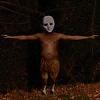
If it doesn't seem right, try again. That's my only hint. I got it to look like this by trying a couple of times:
EDIT: Also, avoid repitition at all costs.

P.S You'll have to pay if you want a full-sized, unwatermarked version

[edited by - cOWsaReNotEVil on February 2, 2004 9:08:50 PM]
[edited by - cOWsaReNotEVil on February 2, 2004 9:09:16 PM]
[edited by - cOWsaReNotEVil on February 2, 2004 9:10:30 PM]
EDIT: Also, avoid repitition at all costs.
P.S You'll have to pay if you want a full-sized, unwatermarked version
[edited by - cOWsaReNotEVil on February 2, 2004 9:08:50 PM]
[edited by - cOWsaReNotEVil on February 2, 2004 9:09:16 PM]
[edited by - cOWsaReNotEVil on February 2, 2004 9:10:30 PM]
Use The GIMP.

Cow''s effort is pretty good - he seems to have added alot of green interferance, though...
You could pretty much fix up the one you''ve done on that page (second one), buy adding some shadow into it. You might want to add the knots in the wood back it too, while you''re at it. Best way to do that, would be to copy the original into the new version onto a new layer - and then use a layermask (or whatever it is in photoshop), to get rid of everything except the wood features you want to use.
Cow''s effort is pretty good - he seems to have added alot of green interferance, though...
You could pretty much fix up the one you''ve done on that page (second one), buy adding some shadow into it. You might want to add the knots in the wood back it too, while you''re at it. Best way to do that, would be to copy the original into the new version onto a new layer - and then use a layermask (or whatever it is in photoshop), to get rid of everything except the wood features you want to use.
Topic Locked
This topic has been locked by a moderator. New replies are not allowed.
Sign in to reply to this topic.
Advertisement