gamedev.net
🔒 Locked

RAID level question

Started by ChiefArmstrong Dec 10, 2005 at 1:58 PM 12 replies 1.1k views
Original Post
ChiefArmstrong
ChiefArmstrong
What is the best RAID level to go with for speed, reliability, and of course - gaming (which falls under speed, damn I'm redundant). Your opinions and reasoning behind them, I'd like to make an educated choice for my new custom build. Thanks!

HelplessFool
HelplessFool
mode 0: striping, gives good performance and needs 2 drives
mode 1: mirroring, gives good reliability(no speed, just makes a complete backup of all data written) and improved read speed and needs 2 drives
mode 0+1: combines reliability of mirroring with performance or striping. need like 4 drives though.

mode 5: a tricky one to explain. requires 3 drives IIRC, and is similar to 0+1, though not as fast. really best if you have an odd number of non-matching drives.

edit: now i know the truth.

[Edited by - HelplessFool on December 10, 2005 3:05:28 PM]
sirob
sirob
Heres a Link for info about all RAID levels.

The way I see it, unless you have critical task, where you can't suffer downtime at all, you could easily scratch off using RAID 1 (mirroring) and 1+0/0+1. These are really almost never useful for personal use.

That pretty much leaves you with 5 and 0. I personally love RAID 5, but finding a good controller for a reasonable price is very difficult. Also, you'd need 3 disks.

If you're interested in good speed, and want to buy 3 drives, I'd go for RAID 5. You'll also be able to suffer a single failure, though you'll get a performance penanlty.

Otherwise, just stick to the good 'ole RAID 0. You get excellent performance for a good price, and almost all SATA controllers support it. The only downside is a single failure causes you to lose all information on both drives. In other words, BACK UP to a different device often :).
Sirob Yes.» - status: Work-O-Rama.
DrjonesDW3d
DrjonesDW3d
Quote:
Original post by HelplessFool
mode 0: striping, gives good performance and needs 2 drives
mode 1: mirroring, gives good reliability(no speed, just makes a complete backup of all data written) and needs 2 drives
mode 0+1: combines reliability of mirroring with performance or striping. need like 4 drives though.

mode 5: a tricky one to explain. requires 3 drives IIRC, and is similar to 0+1, though not as fast. really best if you have an odd number of non-matching drives.


Very commmon misconception there.

Raid 1 does give some speed increase. Think about it, all your data is on two drives, when you need data, you can pull part off one drive, and part off the second, thus getting an increase.

Typical sources say RAID 1 is great if you want some safty and performance, without using a large number of drives. The link above says typically you'll see a 2x read increase in speed but writes will be the same.
Sneftel
Sneftel
For consumer applications, I'd stick to RAID 0. Hard drives these days are much more reliable than when RAID was initially developed; crashes are less common, and less severe. Moreover, if you want real data reliability, regular backups are pretty much a requirement anyway, so the value of mirroring is limited.
Promit
Promit
Just remember that with RAID 0, if either drive crashes, all of your data is hosed. Thus RAID 0 doubles your chances of something going horribly wrong. Now the odds are still fairly low that something will fail, but...are you feeling lucky?

Now, some of the high end SATA 300 drives are blisteringly fast, for example the Seagate Barracuda 7200.9 (and there are others). Even a good SATA 150 drive is incredibly faster than a regular ATA drive. If you want to go ahead and mirror it, then feel free. RAID 5 is even better, but it requires 3 drives to do and that's probably a bit much. Personally I'd suggest that you go for a single really fast SATA drive, and make regular backups.

[Edited by - Promit on December 10, 2005 6:48:00 PM]
SlimDX | Ventspace Blog | Twitter | Diverse teams make better games. I am currently hiring capable C++ engine developers in Baltimore, MD.
klems
klems
Another nice thing with RAID5 compared to RAID1 is that you'll only lose one disk of effective space, as opposed to half of the disks in the array.
ChiefArmstrong
ChiefArmstrong
Thanks for the input!

I currently have a Samsung 160GB SATA 3Gb/s drive, and thought about setting it up in a RAID, but if it is not going to provide that much of a speed boost, then I won't bother with it.

Actually, looking back over the above comments, I will probably give RAID 1 a go at it.

Thanks again!
gpalin
gpalin
Err, excuse my ignorance, but how is it that RAID 0 (working across two drives) faster? I mean, I would think that sharing your computer's software over two drives might be slower, not faster, but that's just me. Any explanation?
Grant Palin
klems
klems
Quote:
Original post by gpalin
Err, excuse my ignorance, but how is it that RAID 0 (working across two drives) faster? I mean, I would think that sharing your computer's software over two drives might be slower, not faster, but that's just me. Any explanation?
Two drives can be read/written at once. It's basically the same advantage as having two CPU cores.

EDIT: The data is striped between the drives, so that every file has half its contents on one drive and the other half on the other.
Cypher19
Cypher19
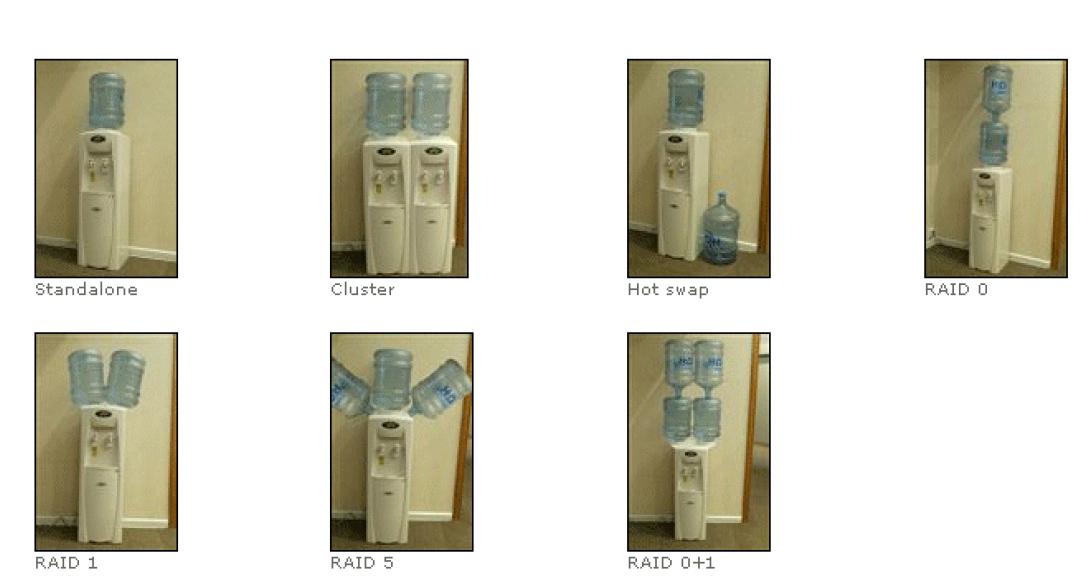
If you want a slightly better way of visualizing it,


HelplessFool
HelplessFool
Quote:
Original post by ChiefArmstrong
Thanks for the input!

I currently have a Samsung 160GB SATA 3Gb/s drive, and thought about setting it up in a RAID, but if it is not going to provide that much of a speed boost, then I won't bother with it.

Actually, looking back over the above comments, I will probably give RAID 1 a go at it.

Thanks again!


you do realize that you need at least 2 hard drives to get any form of raid setup right? so you would have to buy another 160GB hd to make it work.
ChiefArmstrong
ChiefArmstrong
Yeah, I just wanted to be sure that RAID would be worthwhile before I bought a second hard drive.
HelplessFool
HelplessFool
in that case, just be aware that the only thing you will really see a difference in is loading times. if getting into windows 10-15 seconds faster or loading up you favorite multiplayer map a few seconds quicker is worth the money to you then you should do it.

Topic Locked

This topic has been locked by a moderator. New replies are not allowed.

Sign in to reply to this topic.