GameDev.net gamedev.net
🔒 Locked

Compute Shader Sample from a texture behave strange

Started by Kavarna Mar 25, 2018 at 4:50 PM 4 replies 5k views
Original Post
Kavarna
Kavarna

So, I am trying to do something fairly simple. Copy the content from one texture into another and then copy the result texture inside the first. (I'll also do some additional editing on the result texture and that's why I am copying the result back).

But I am getting some strange results and the photo is loosing quality.

Here is the Compute Shader I've used:


Texture2D ObjTexture : register(t0);
RWTexture2D<float4> ObjResult : register(u0);
SamplerState ObjWrapSampler : register(s0);


[numthreads(32, 32, 1)]
void main(uint3 DTid : SV_DispatchThreadID)
{
	float width, height;
	ObjTexture.GetDimensions(width, height);
	width -= 1; // X = [0 ... width-1]
	height -= 1; // Y = [0 ... height - 1]
	float2 uv = float2(DTid.xy) / float2(width, height);
	
	ObjResult[DTid.xy] = ObjTexture.SampleLevel(ObjWrapSampler, uv, 0);
	return;

}

and here is how I copy the result image back into the input one


ID3D11Resource * inputTexture;
inputTextureSRV->GetResource(&inputTexture);

mContext->CopySubresourceRegion(inputTexture, 0, 0, 0, 0,
	mTexture.Get(), 0, NULL);

I also tried copying the first texture inside the second texture and use an Unordered Acess View from the first texture, but I got the same result ...

Is there something I am doing wrong here?

This is the original texture
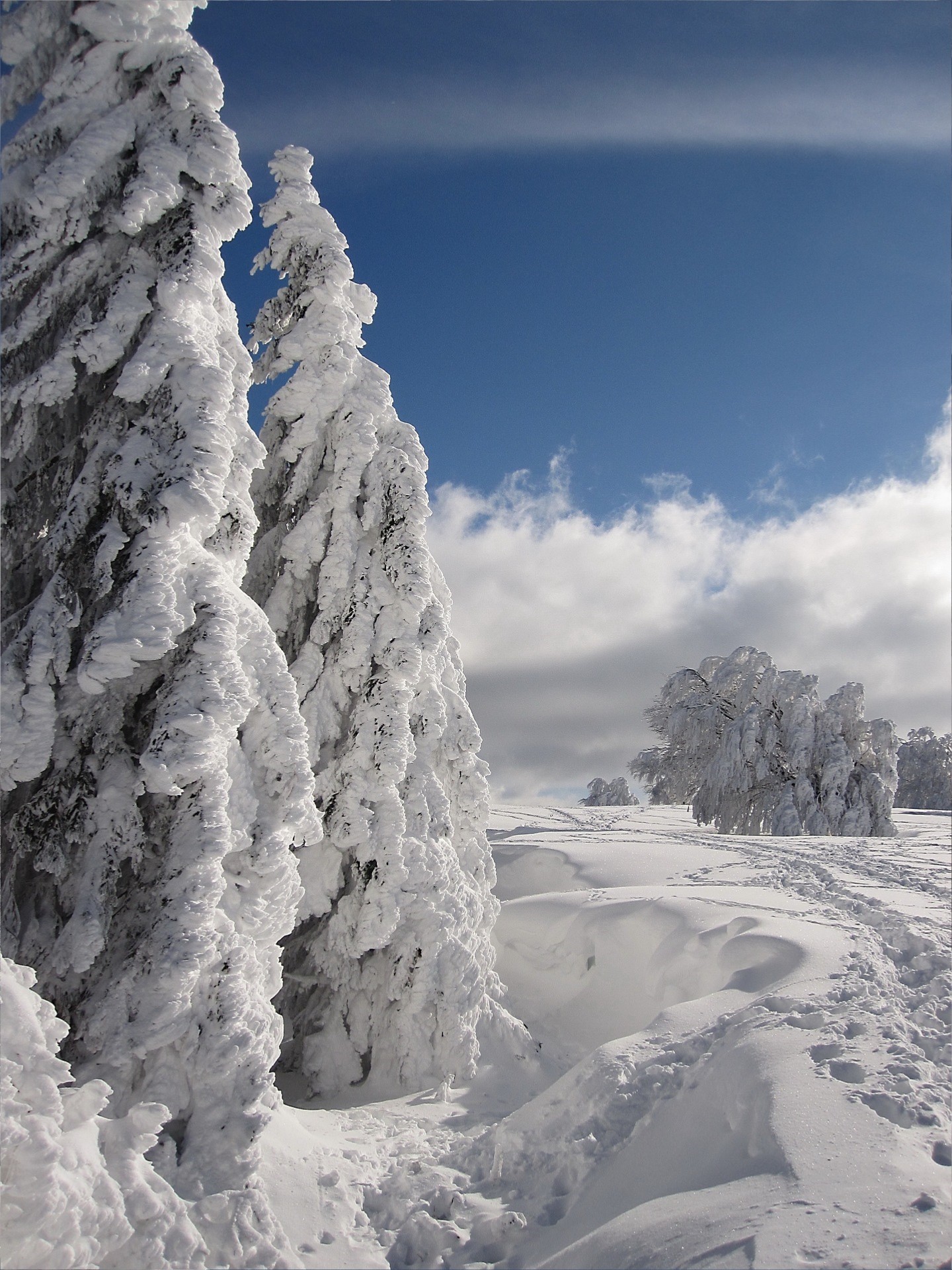
Begin.jpg

This is the texture after ~60 passes

Middle.jpg

And this is after ~240 passes. This is 'the final result' because it doesn't change anymore.
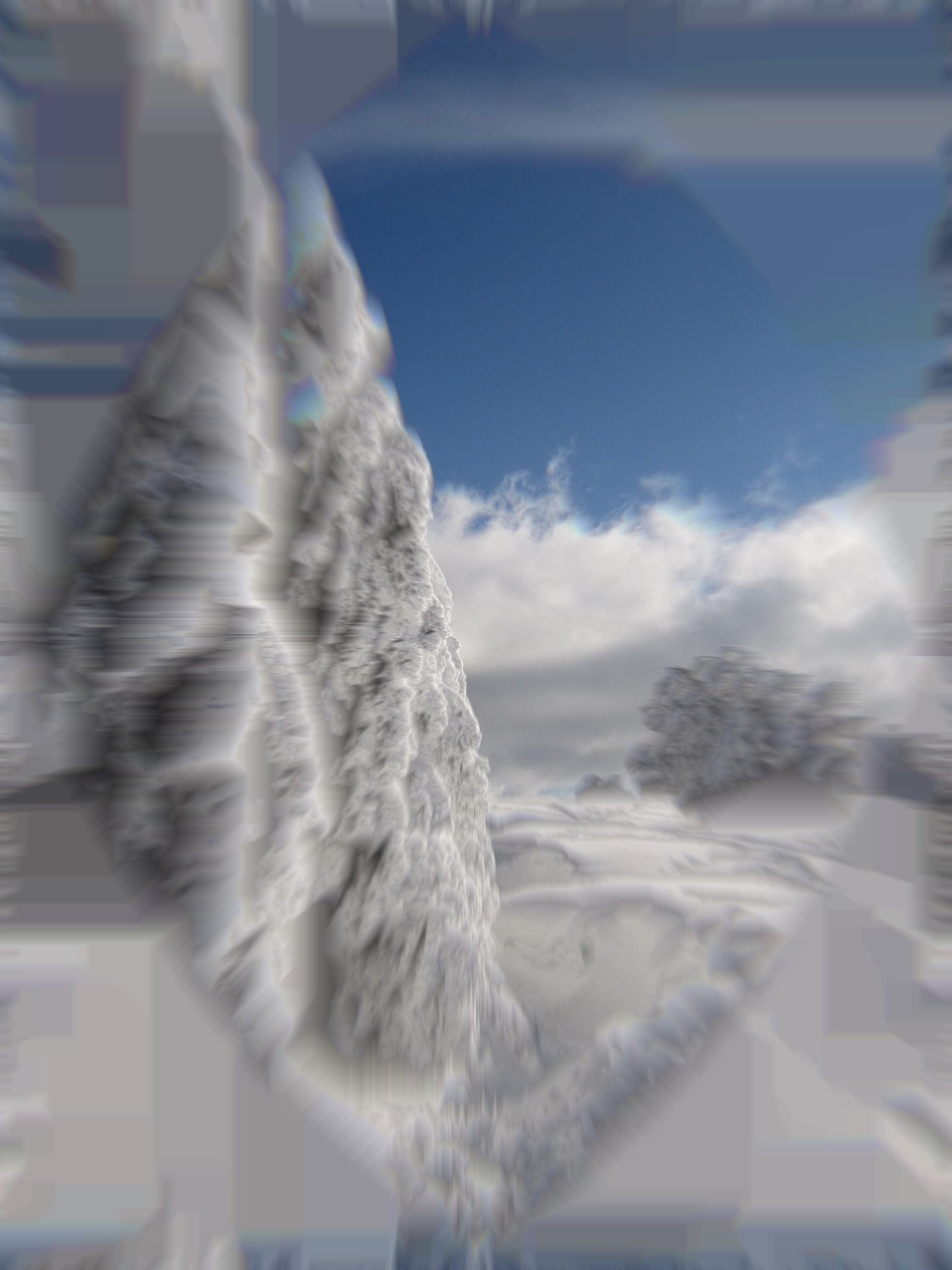
End.jpg

As you can see, the image lost it's quality.

SoldierOfLight
SoldierOfLight

Looks like you're not using a point sampler, probably a linear sampler. You might just want to use the Load instruction instead of Sample.

Kavarna
Kavarna
21 minutes ago, SoldierOfLight said:

Looks like you're not using a point sampler, probably a linear sampler. You might just want to use the Load instruction instead of Sample.

This was the problem.

Now that I know which is the problem, a point sampler makes sense.

I haven't used Load up until now, but it looks like a good replacement for Sample in Compute Shader.

Thank you very very much!

Hodgman
Hodgman

Yeah you should just load using integer coordinates in this case, but for what it's worth, you can make this work with a linear sampler too.

U=0 is the left edge of the texture and U=1 is the right edge. To get exact pixel data when sampling, you need to sample at the middle of texels, not the edges of them.

For texel #i, the left edge is at i/width, the right edge is at (i+1)/width,and its centre is at (i+0.5)/width.

Kavarna
Kavarna
18 hours ago, Hodgman said:

Yeah you should just load using integer coordinates in this case, but for what it's worth, you can make this work with a linear sampler too.

U=0 is the left edge of the texture and U=1 is the right edge. To get exact pixel data when sampling, you need to sample at the middle of texels, not the edges of them.

For texel #i, the left edge is at i/width, the right edge is at (i+1)/width,and its centre is at (i+0.5)/width.

Ok. That makes sense.

Thank you a lot for answering me! :D

Topic Locked

This topic has been locked by a moderator. New replies are not allowed.

Sign in to reply to this topic.