GameDev.net gamedev.net
🔒 Locked

Direct3D 11 Textures not working

Started by peter1745 Mar 12, 2020 at 10:19 PM 17 replies 12.2k views
Original Post
peter1745
peter1745

Hello! I'm currently working on a project and I'm having a bit of an issue with Direct3D 11 and textures. They're not showing up.

Now I don't know if my texture creation code is incorrect since I'm currently learning Direct3D 11.

Here's the texture creation code:

int width, height;
int channels;
stbi_uc* data = stbi_load(m_Filepath.c_str(), &width, &height, &channels, 4);
COFFEE_ASSERT(data, "Failed to load texture!");

m_Width = width;
m_Height = height;

D3D11_TEXTURE2D_DESC textureDesc;
ZeroMemory(&textureDesc, sizeof(textureDesc));
textureDesc.Width = m_Width;
textureDesc.Height = m_Height;
textureDesc.MipLevels = 1;
textureDesc.ArraySize = 1;
textureDesc.Format = DXGI_FORMAT_R8G8B8A8_UNORM;
textureDesc.SampleDesc.Count = 1;
textureDesc.Usage = D3D11_USAGE_DYNAMIC;
textureDesc.BindFlags = D3D11_BIND_SHADER_RESOURCE;
textureDesc.CPUAccessFlags = D3D11_CPU_ACCESS_WRITE;

D3D11_SUBRESOURCE_DATA initData;
initData.pSysMem = data;
initData.SysMemPitch = m_Width * 3;
initData.SysMemSlicePitch = m_Width * m_Height * 3;

HRESULT result = DX11Context::GetDevice().CreateTexture2D(&textureDesc, &initData, &m_Texture);

D3D11_SHADER_RESOURCE_VIEW_DESC srvDesc;
ZeroMemory(&srvDesc, sizeof(srvDesc));
srvDesc.Format = textureDesc.Format;
srvDesc.ViewDimension = D3D11_SRV_DIMENSION_TEXTURE2D;
srvDesc.Texture2D.MipLevels = textureDesc.MipLevels;

result = DX11Context::GetDevice().CreateShaderResourceView(m_Texture, &srvDesc, &m_TextureView);
//DX11Context::GetDeviceContext().GenerateMips(m_TextureView);

D3D11_SAMPLER_DESC samplerDesc;
ZeroMemory(&samplerDesc, sizeof(samplerDesc));
samplerDesc.Filter = D3D11_FILTER_MIN_MAG_MIP_LINEAR;
samplerDesc.AddressU = D3D11_TEXTURE_ADDRESS_WRAP;
samplerDesc.AddressV = D3D11_TEXTURE_ADDRESS_WRAP;
samplerDesc.AddressW = D3D11_TEXTURE_ADDRESS_WRAP;
samplerDesc.ComparisonFunc = D3D11_COMPARISON_NEVER;
samplerDesc.MinLOD = 0;
samplerDesc.MaxLOD = D3D11_FLOAT32_MAX;

result = DX11Context::GetDevice().CreateSamplerState(&samplerDesc, &m_SamplerState);

stbi_image_free(data);

I don't know if the issue is the actual creation of the texture, or if it's something else. If anyone has any suggestions please tell me.

Beosar
Beosar

Not sure what stbi is but you are setting the row pitch to 3 x width bytes while the texture format uses 4 x width bytes for a row (4 bytes per texel).

You should check the results of each API call, at least in your debugger or - even better - in code.

peter1745
peter1745

@beosar stbi is stbimage which is the library i'm using to load image files from disc. I've tried setting it to 4 x width and no change, in fact the HRESULT i'm getting back is S_OK. I've been trying to do this for hours and the first thing I always do is check what the functions i'm calling returns.

Beosar
Beosar

Well, I don't see anything else that is wrong with that code, so what is the rest of the code?

What if you output float4(1,1,1,1) in the pixel shader? I usually use this as a test to see if it is being rendered.

peter1745
peter1745

@Beosar Well, here's the code for binding the texture.

DX11Context::GetDeviceContext().PSSetShaderResources(slot, 1, &m_TextureView);
DX11Context::GetDeviceContext().PSSetSamplers(slot, 1, &m_SamplerState);

Still get nothing when hardcoding the output color, but when I use a different shader that outputs a color by default it renders so I'm not sure why it's not working. I've stepped through every single line of code in my shader creation code using the debugger and I can't find what's wrong.

I'll just have to keep trying I guess, either way, thanks.

Beosar
Beosar

You can create the device with the debug flag to get more info. If your shader isn't called it's usually linking between shader stages or the vertices not being correct.

SyncViews
SyncViews

Visual Studio has some useful diagnostic tools under Debug → Graphics → Start Graphics Debugging.

Capture a frame, exit, then take a look at what was going on that frame.

You can see the sequence of the draws in the frame, and selecting one will show the render target at that point.

Expanding a draw call you can see the state, including what views were bound to the pixel shader, and the texture image actually contained. As well as other state (e.g. do you have the expected pixel shader?).

And if the texture looks OK, at the bottom on the “pipeline stages” you can see the input/output of the shaders to see if it looks like one of those is producing incorrect results.

peter1745
peter1745

@Beosar Yeah I was thinking of enabling the debug layer and see if that can tell me anything.

@syncviews I'll have to take a look at that

peter1745
peter1745

@SyncViews @beosar Alright so I've ran the graphics debugger and everything looked fine so I decided to take a look at the HLSL compiler output for the shaders. Now I've looked around a bit, but I have no idea if there's anything wrong with it. Here is the compiler output:

//
// Generated by Microsoft (R) HLSL Shader Compiler 10.1
//
//
//
// Input signature:
//
// Name                 Index   Mask Register SysValue  Format   Used
// -------------------- ----- ------ -------- -------- ------- ------
// POSITION                 0   xyz         0     NONE   float   xyz 
// TEXCOORD                 0   xy          1     NONE   float   xy  
//
//
// Output signature:
//
// Name                 Index   Mask Register SysValue  Format   Used
// -------------------- ----- ------ -------- -------- ------- ------
// SV_POSITION              0   xyzw        0      POS   float   xyzw
// TEXCOORD                 0   xy          1     NONE   float   xy  
//
      vs_4_0
      dcl_input v0.xyz
      dcl_input v1.xy
      dcl_output_siv o0.xyzw, position
      dcl_output o1.xy
//
// Initial variable locations:
//   v0.x <- input.Position.x; v0.y <- input.Position.y; v0.z <- input.Position.z; 
//   v1.x <- input.TexCoord.x; v1.y <- input.TexCoord.y; 
//   o1.x <- <VSMain return value>.TexCoord.x; o1.y <- <VSMain return value>.TexCoord.y; 
//   o0.x <- <VSMain return value>.Position.x; o0.y <- <VSMain return value>.Position.y; o0.z <- <VSMain return value>.Position.z; o0.w <- <VSMain return value>.Position.w
//
#line 20 "C:\Users\Peter\AppData\Local\Temp\{fc188f44-8aa7-4a8d-8892-af728095f81c}\Shader@0x00000209C3C5A150"
   0: mov o0.xyz, v0.xyzx
   1: mov o0.w, l(1.000000)
   2: mov o1.xy, v1.xyxx
   3: ret 
// Approximately 4 instruction slots used
peter1745
peter1745

@peter1745 And here's the pixel shader compiler output:

//
// Generated by Microsoft (R) HLSL Shader Compiler 10.1
//
//
// Resource Bindings:
//
// Name                                 Type  Format         Dim      HLSL Bind  Count
// ------------------------------ ---------- ------- ----------- -------------- ------
// SampleType                        sampler      NA          NA             s0      1 
// MainTex                           texture  float4          2d             t0      1 
//
//
//
// Input signature:
//
// Name                 Index   Mask Register SysValue  Format   Used
// -------------------- ----- ------ -------- -------- ------- ------
// SV_POSITION              0   xyzw        0      POS   float       
// TEXCOORD                 0   xy          1     NONE   float   xy  
//
//
// Output signature:
//
// Name                 Index   Mask Register SysValue  Format   Used
// -------------------- ----- ------ -------- -------- ------- ------
// SV_TARGET                0   xyzw        0   TARGET   float   xyzw
//
      ps_4_0
      dcl_sampler s0, mode_default
      dcl_resource_texture2d (float,float,float,float) t0
      dcl_input_ps linear v1.xy
      dcl_output o0.xyzw
//
// Initial variable locations:
//   v0.x <- input.Position.x; v0.y <- input.Position.y; v0.z <- input.Position.z; v0.w <- input.Position.w; 
//   v1.x <- input.TexCoord.x; v1.y <- input.TexCoord.y; 
//   o0.x <- <PSMain return value>.x; o0.y <- <PSMain return value>.y; o0.z <- <PSMain return value>.z; o0.w <- <PSMain return value>.w
//
#line 28 "C:\Users\Peter\AppData\Local\Temp\{8a32a630-3fe9-49f6-967a-0c735d03a1ef}\Shader@0x00000209C3C5A150"
   0: sample o0.xyzw, v1.xyxx, t0.xyzw, s0
   1: ret 
// Approximately 2 instruction slots used
Beosar
Beosar

Just post all the code instead of the compiler output… If it's not too much I'll have a look.

peter1745
peter1745

Here's the HLSL:

#coffee vs_layout(VSInput)

struct VSInput
{
	float3 Position : POSITION;
	float2 TexCoord : TEXCOORD;
};

struct PSInput
{
	float4 Position : SV_POSITION;
	float2 TexCoord : TEXCOORD;
};

PSInput VSMain(VSInput input)
{
	PSInput output;
	output.Position = float4(input.Position, 1.0);
	output.TexCoord = input.TexCoord;

	return output;
}

Texture2D MainTex;
SamplerState SampleType;

float4 PSMain(PSInput input) : SV_TARGET
{
	return MainTex.Sample(SampleType, input.TexCoord);
}

And Here's the Input Layout Creation:

std::string inputLayoutBlock = FileUtils::GetBlock(FileUtils::FindToken(src.c_str(), m_PreProcessorDirectives["vs_layout"]), nullptr);

std::vector<std::string> inputLayoutTokens = FileUtils::Tokenize(inputLayoutBlock);

unsigned int index = 2;
std::vector<D3D11_INPUT_ELEMENT_DESC> inputElements;

while (index < inputLayoutTokens.size())
{
	if (inputLayoutTokens[index] == "}")
		break;

	
	std::string type = inputLayoutTokens[index];
	index += 3;
	std::string name = inputLayoutTokens[index++];
	name.erase(std::remove(name.begin(), name.end(), ';'), name.end());

	
	char* semanticName = new char[name.length() + 1];
	strcpy(semanticName, name.c_str());

	
	D3D11_INPUT_ELEMENT_DESC inputElement;
	inputElement.SemanticName = semanticName;
	inputElement.SemanticIndex = 0;
	inputElement.Format = ShaderDataTypeToDXGIFormat(StringToShaderDataType(type));
	inputElement.InputSlot = 0;
	inputElement.AlignedByteOffset = D3D11_APPEND_ALIGNED_ELEMENT;
	inputElement.InputSlotClass = D3D11_INPUT_PER_VERTEX_DATA;
	inputElement.InstanceDataStepRate = 0;
	inputElements.push_back(inputElement);
}

HRESULT result = DX11Context::GetDevice().CreateInputLayout(inputElements.data(), inputElements.size(), vertexByteCode->GetBufferPointer(), vertexByteCode->GetBufferSize(), &m_VertexLayout);
COFFEE_LOG_INFO(result);

I'm just reading the different parts of the actual float3 and float2 declarations and determining the D3D11_INPUT_ELEMENT_DESC values based on those. And yes, I've checked that I'm using the correct Format for each variable

peter1745
peter1745

Alright so I just checked the Pipeline Stages for the draw call from the last graphics debugging report, and for some reason the Pixel Shader Stage doesn't run? I'll have to look into it a bit more.

peter1745
peter1745

Hang on… I think I messed up and hardcoded the vertex buffers stride…

Beosar
Beosar

Debug mode warns you about this by the way (if the stride is too small), though it's not an error and you can actually use this behavior if you want to.

SyncViews
SyncViews

peter1745 said:

Hang on… I think I messed up and hardcoded the vertex buffers stride…

If you select the “vertex stage” or the “input assembler” stage, you should see if this is the case in how it interpreted the data:

Generally if the input/output of the input assembler or vertex shader doesn't appear to display properly in VS, something is set wrong as it does a reasonable job of understanding the common layout elements.

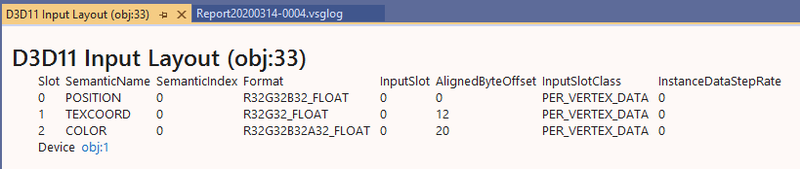
And you can inspect pretty much any object, like the input layout.

And any call in the frame.

peter1745
peter1745

@Beosar I'm going to have to look into debug info and general debugging with regards to Direct3D a bit more then.

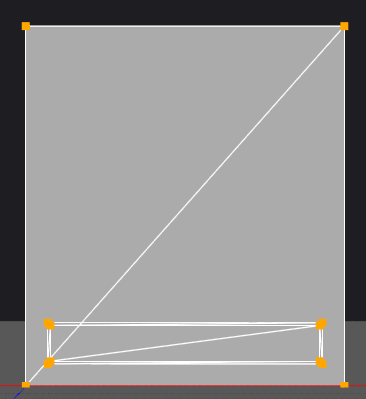
@syncviews Yeah I noticed that, it seems incredibly useful and that's actually how I noticed the stride issue since I noticed that certain parts of the vertex positions ended up in the texture coordinate variable in the shader.

Nik02
Nik02

Can you see your texture in the shader debugger?

Niko Suni

Topic Locked

This topic has been locked by a moderator. New replies are not allowed.

Sign in to reply to this topic.