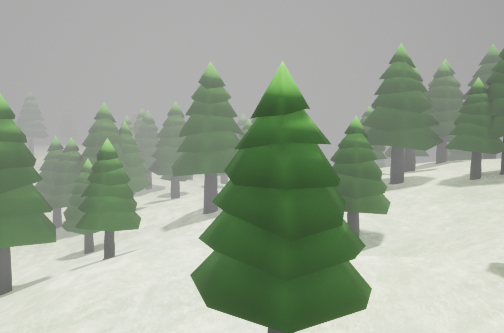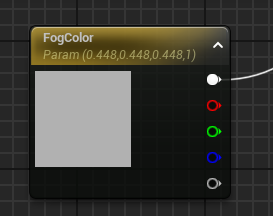
I am implementing a depth based fog in a post process shader/material (ue5 for what it is worth, but I imagine I will have same issue I'd have in OpenGL).
The outline of objects shows a very slight line around the object.
I'm thinking this is because the depth buffer isn't granular enough around the edges of the object. There's a large discrepancy in distance between the object and its background.
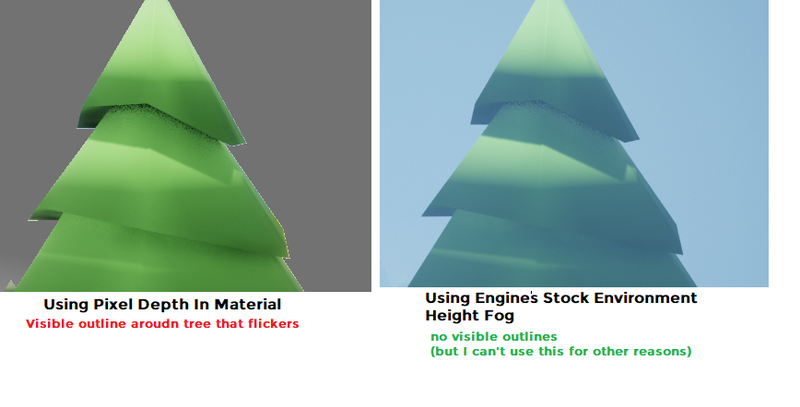
On the right, you can see my shader/materia (gray fog)l; there is a whitish outline that flickers; most visible on the right side of the tree.
On the left, you can see a stock environmental height fog from the engine (blue fog), with no outlines.
Unfortunately, I'm not able to see how the engine's fog is implemented. (right)
I'm curious if anyone has encountered anything like this before and know a general approach for solving it?
I'm most familiar with glsl
the current material is essentially:
//pseudocode - as above picture is coming from a material graph
uniform float maxdepth = 30000.0;
uniform float fogcolor = vec3(0.5, 0.5, 0.5);
void main(){
  vec3 scenecolor = …;
  float scenedepth = …;
  float lerp_alpha = clamp(scenedepth/maxdepth, 0, 1);
  outcolor = lerp(scenecolor, fogcolor, lerp_alpha); //when alpha is 1, we get 100% fog color, I might have mixed this ordering up in glsl
}