

Hi everyone,
I built Storefront Studio, a Unity Editor extension for managing the repetitive process of creating game artwork for multiple storefronts and image dimensions.
Instead of repeatedly capturing images, switching to another application, recreating layouts, and checking every output separately, Storefront Studio keeps the complete workflow inside Unity:
Capture > Compose > Validate > Export
Available now on itch.io:
https://imarinlabs.itch.io/storefront-studio
Available now on Fab:
https://www.fab.com/listings/5a82cc6a-72e5-4c81-8130-af661761dfcd
The Unity Asset Store is currently pending review.
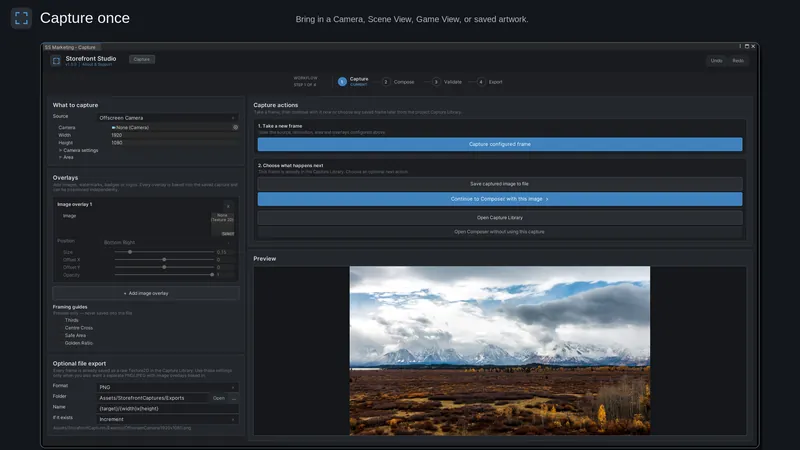
Capture
Capture images from:
Game View
Scene View
An offscreen camera at custom dimensions
The Capture workspace includes crop-area guidance, multiple overlays, custom overlay positioning, and PNG or JPEG output.
Captures are stored inside the Unity project and remain available through the Capture Library for reuse in later compositions.
Insert the Capture screenshot here:
Compose
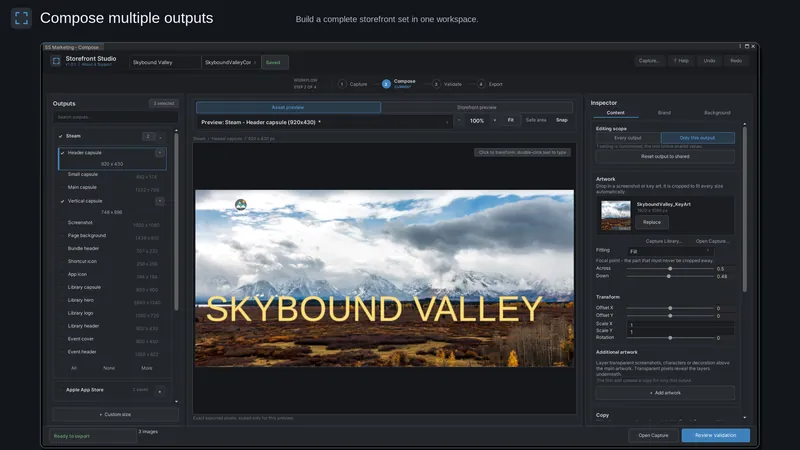
The Composer supports:
Multiple artwork and text layers
Logos, headlines, and taglines
Direct canvas movement, resizing, and rotation
Independent X/Y scaling
Negative scaling for mirroring
Optional center and element snapping
Exact Inspector controls
Shared settings and per-output overrides
Undo, Redo, saved compositions, and session recovery
Insert the Compose screenshot here:
Output presets
The current version includes presets for:
Steam
Apple App Store
Google Play
Unity Asset Store
itch.io
General marketing and social media
Custom dimensions
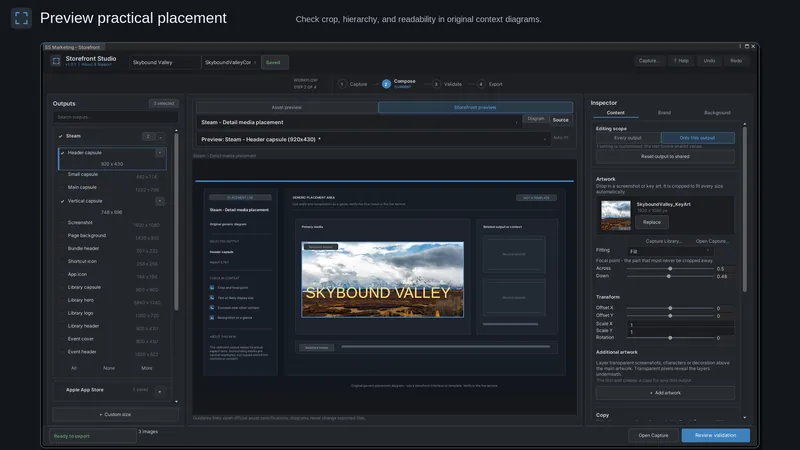
Preview and validation
You can inspect the exact exported pixels or view the artwork inside an original storefront placement approximation.
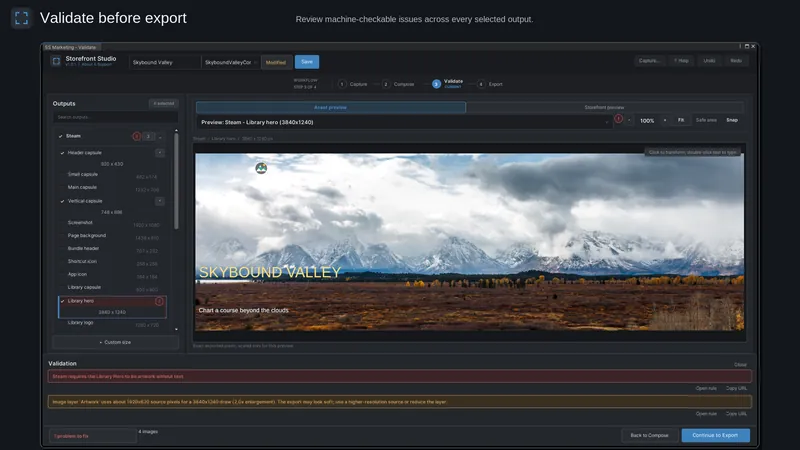
Storefront Studio checks applicable requirements including:
Dimensions and aspect ratios
Image formats
Transparency restrictions
Missing artwork or fonts
Text overflow
Effective source resolution
Possible upscaling
Applicable file-size limits
Output-specific restrictions
Insert the Preview screenshot here:
Insert the Validation screenshot here:
Batch export
Export every selected output as PNG or JPEG with:
Configurable JPEG quality
Custom export folders
Tokenized folder and filename templates
Overwrite, skip, and increment collision modes
Per-file warnings and results
Export cancellation
Technical details
Unity 2022.3 LTS or newer
Editor-only
Built-in, URP, and HDRP support
TextMesh Pro dependency
No runtime components
No project uploads
No analytics or tracking
No required account
Everything is processed locally inside the Unity Editor.
Trailer
How to Capture
How to Compose
Download
Storefront Studio is available on itch.io:
https://imarinlabs.itch.io/storefront-studio
Storefront Studio is available on Fab:
https://www.fab.com/listings/5a82cc6a-72e5-4c81-8130-af661761dfcd
I would be interested to hear from developers who have prepared store pages before:
Which storefront dimensions or validation checks create the most repetitive work in your release pipeline?
Feedback about additional presets and workflow improvements would be very helpful for future updates.
Thanks for taking a look!