
Linear and sRGB Gamma Correction
by GameDev.net · GLSL ES 3.00 (WebGL2) · 30 Aug 2026
Run the shader to adjust these controls.
What it demonstrates
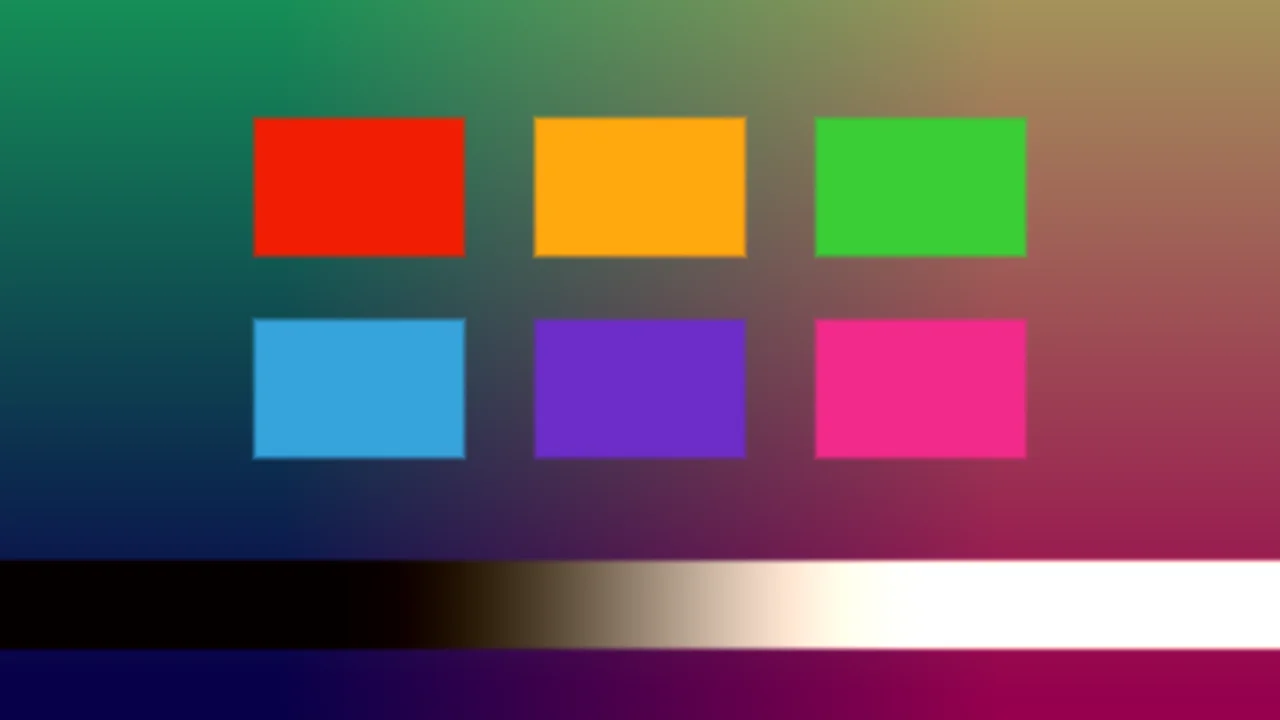
Gamma correction is about performing lighting arithmetic in linear space and using an sRGB transfer only at storage or display boundaries. This demo presents an explicit before-and-after split over a generated scene of gradients, coloured patches, and overlapping lights, where incorrect encoded-space exposure is easy to recognize.
Shader inputs
void mainImage(out vec4 fragColor, in vec2 fragCoord)
Called once per pixel. Write the colour to fragColor.
-
iResolutionvec3 - Viewport size in pixels (z is the pixel aspect ratio).
-
iTimefloat - Seconds since the shader started.
-
iTimeDeltafloat - Seconds since the previous frame.
-
iFrameRatefloat - Frames per second, smoothed.
-
iFrameint - Frames rendered since the start.
-
iMousevec4 - Mouse position: xy while held, zw of the last click.
-
iDatevec4 - Year, month, day, and seconds within the day.
-
iChannel0sampler2D - Texture bound to channel 0.
-
iChannel1sampler2D - Texture bound to channel 1.
-
iChannel2sampler2D - Texture bound to channel 2.
-
iChannel3sampler2D - Texture bound to channel 3.
-
iChannelResolutionvec3[4] - Pixel size of each bound channel texture.
-
iChannelTimefloat[4] - Playback time of each channel, in seconds.
-
iSampleRatefloat - Audio sample rate, always 44100.
Common1
vec3 srgbToLinear(vec3 color) {
vec3 low = color / 12.92;
vec3 high = pow((color + 0.055) / 1.055, vec3(2.4));
return mix(low, high, step(vec3(0.04045), color));
}
vec3 linearToSrgb(vec3 color) {
color = max(color, 0.0);
vec3 low = color * 12.92;
vec3 high = 1.055 * pow(color, vec3(1.0 / 2.4)) - 0.055;
return mix(low, high, step(vec3(0.0031308), color));
}
vec3 renderLinearScene(vec2 p, float time) {
vec3 color = vec3(smoothstep(-0.48, 0.48, p.x)) * 0.45;
color += vec3(0.02, 0.04, 0.08);
vec3 patches[3] = vec3[3](vec3(0.72, 0.06, 0.03), vec3(0.04, 0.62, 0.12), vec3(0.03, 0.16, 0.82));
for (int i = 0; i < 3; i++) {
vec2 center = vec2(-0.28 + float(i) * 0.28, 0.16);
vec2 q = abs(p - center) - vec2(0.11, 0.085);
float mask = 1.0 - smoothstep(0.0, 0.012, max(q.x, q.y));
color = mix(color, patches[i], mask);
}
vec2 moving = vec2(0.20 * sin(time * 0.45), -0.16);
float glow = exp(-18.0 * dot(p - moving, p - moving));
color += vec3(0.95, 0.48, 0.10) * glow;
float rampMask = 1.0 - smoothstep(0.0, 0.012, abs(p.y + 0.35) - 0.055);
color = mix(color, vec3(smoothstep(-0.42, 0.42, p.x)), rampMask);
return color;
}
vec2 linearScenePoint(vec2 fragCoord) {
return (fragCoord - 0.5 * iResolution.xy) / iResolution.y;
}
Buffer A1
Main Image3
uniform float uExposure; // @param 0.25..2.0 = 0.55 "Exposure"
uniform float uSplit; // @param 0.1..0.9 = 0.5 "Comparison split"
void mainImage(out vec4 fragColor, in vec2 fragCoord) {
vec2 uv = fragCoord / iResolution.xy;
vec3 encoded = texture(iChannel0, uv).rgb;
vec3 incorrect = clamp(encoded * uExposure, 0.0, 1.0);
vec3 linearColor = srgbToLinear(encoded);
linearColor *= uExposure;
vec3 correct = clamp(linearToSrgb(linearColor), 0.0, 1.0);
vec3 color = mix(incorrect, correct, step(uSplit, uv.x));
float divider = 1.0 - smoothstep(0.0, 2.0 / iResolution.x, abs(uv.x - uSplit));
color = mix(color, vec3(0.95), divider);
fragColor = vec4(color, 1.0);
}
Inputs for this pass
- iChannel0 Buffer A
- iChannel1 Empty
- iChannel2 Empty
- iChannel3 Empty
Learn from this shader
How it works
Buffer A builds its scene in linear light and explicitly converts the result with the piecewise sRGB encoding function. The image pass receives those encoded values. On the left, the before version multiplies them directly by Exposure, which incorrectly treats perceptual code values as physical light. On the right, the correct version decodes sRGB to linear, applies exposure, then encodes back to sRGB. Both transfer functions include the standard near-black linear segment rather than relying on one approximate power. A narrow divider and adjustable Split place the two calculations on identical source content.
Try changing
Set Exposure below one and compare how quickly the incorrect side darkens. Raise it and inspect the smooth grayscale ramp and saturated patches for clipping. Move Split across individual features to compare exactly matching pixels. Exposure one should make both sides agree, a useful identity test for the encode and decode pair.
Using it in a game
Know whether every render target is linear, sRGB encoded, or automatically converted by the graphics API. Decode colour textures when sampled as data only if hardware is not already doing so, perform lighting, blending, bloom, and exposure in linear space, then encode once for an sRGB display target. Avoid double conversion, especially when a framebuffer format already applies encoding. Keep UI compositing consistent with the chosen pipeline and use split-screen diagnostics like this shader when tracking washed-out or overly dark assets.
Explore the techniques
Continue with curated explanations and progressively related examples.
-
 Explained
GLSL
Explained
GLSL
-
 Explained
GLSL
Explained
GLSL
-
 Explained
GLSL
Explained
GLSL

Discussion