
Unity WebGL vs Native JavaScript 3D Framework
This article explains the differences between Unity WebGL and a native JavaScript framework (Three.js-based Verge3D engine).

We’re often asked about the differences between the native JavaScript 3D frameworks and the WebGL version of the popular game engine Unity. To answer this question, I used the official Unity3D manual and some information found on their community forums and compared certain aspects of our own Verge3D engine and Unity WebGL. This article can be applied to other native WebGL frameworks such as Three.js, Babylon.js and others.
Performance
Verge3D is initially written in JavaScript, a programming language that is native to the Web. As such, the engine works very fast and is compact in regard to both file size and memory footprint.
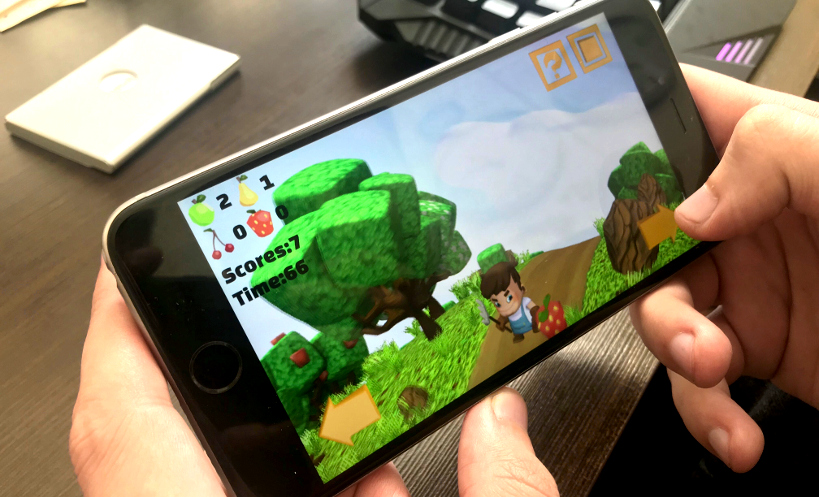
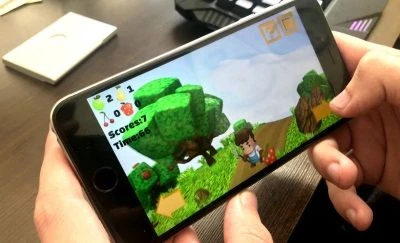
As a consequence of being a native WebGL engine, Verge3D works well even on low-end mobile devices while Unity3D apps often crash mobile browsers.
Unity3D historically was working on the Internet as a browser plug-in. After all browser vendors began dropping plug-ins in favor of HTML5, Unity has been offering its WebGL bundle compiled to JavaScript using a 2-stage language translator (C# to C++ and finally to JavaScript). Notwithstanding the company’s efforts in optimizing this bundle, it is still rather big for the Web (up to 5 Mb compressed Unity3D vs 230kB compressed Verge3D) and shows not that good performance.
As a yet another illustration of above-mentioned differences, Verge3D works smoothly in the Chrome browser, while Unity’s compiled code works better on Firefox, the JavaScript engine of which was specifically optimized for running transpiled code.
Asset pipeline
In Verge3D content is created using your favorite 3D editing software such as 3ds Max or Blender. This has benefits of a streamlined graphics pipeline without redundant imports/exports so that models can be tweaked/edited right in place. This also significantly reduces learning time, as a 3D artist can already be familiar with the material/lighting/animation system of the corresponding 3D suite and developed working skills in the past.
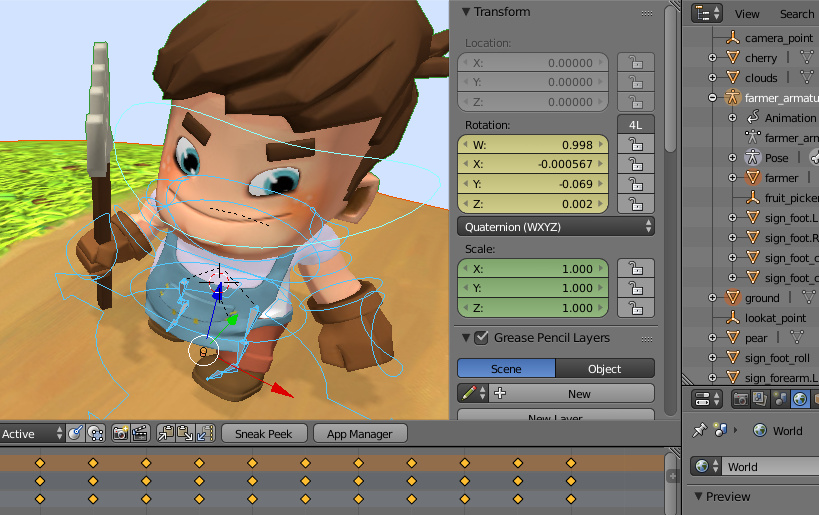
Everything in one place.
Unity3D is a game engine with its own editor that is tailored to game development. Models are usually imported in the editor from external 3D packages and often require certain tweaks before they can be used in the engine. It also offers its own material/lighting/animation system to be learned and dealt with.
Memory management
Being a native JavaScript engine, Verge3D enjoys automatic and effective memory management provided by the modern browsers.
Contrary to that, Unity developers are themselves responsible for finding and setting correct memory consumption limits for their apps which can sometimes lead to unpredictable behavior and crashes for some users.
Interactivity
Verge3D has been offering an intuitive and easy-to-grasp visual logic system called Puzzles. With Puzzles, it is possible to implement complex interactions even if you never programmed before. This logic system additionally offers functionality that is specific for the Web.
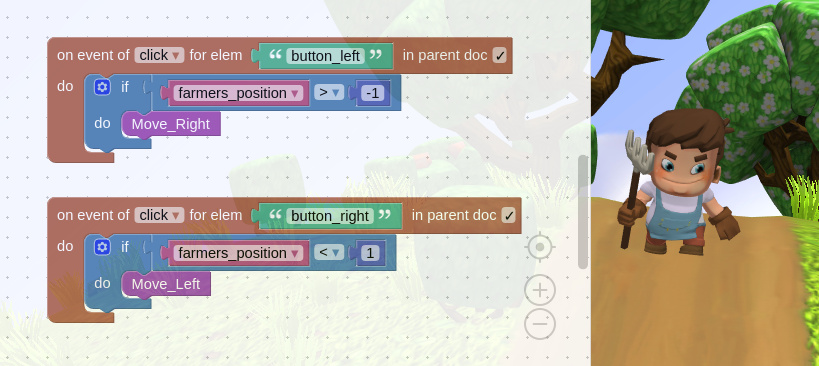
Gamedev with no coding.
Although there are third-party add-ons for Unity3D that allow for adding interactivity without coding, they are primarily aimed at desktop and mobile game development. With Unity3D you have to be a skilled programmer for coding non-trivial stuff.
External scripting
Verge3D provides JavaScript API that can be invoked within the same scope as the code of the application and the rest of a web page. This task can also be achieved without much coding with Puzzles.
Unity3D developers must first define callable API in C# programming language, build the application (a rather prolonged operation) and only then the API becomes available to JavaScript code. The developers are also responsible for respecting data types and even (!) for allocating memory to do type conversion.
User interface
Verge3D can leverage native HTML/CSS for creating sophisticated, responsible user interfaces. Buttons, infoboxes, and menus can easily be integrated with the 3D scene with Puzzles to work in a bidirectional manner.
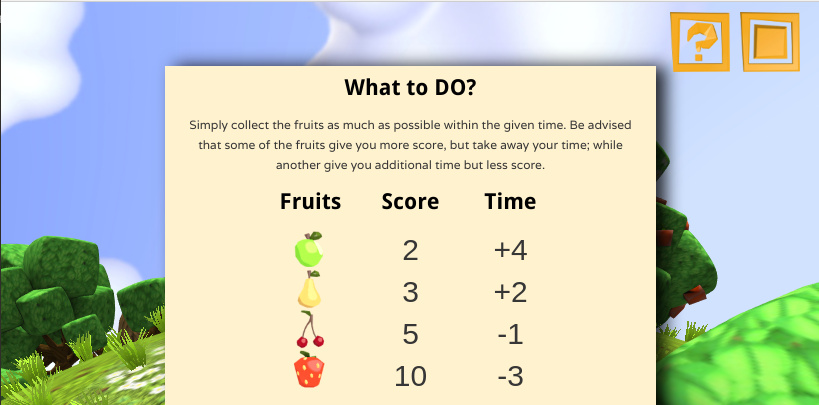
Help revealed with a button. Everything is plain HTML/CSS.
It is quite difficult to link a 3D scene to external web page elements in Unity3D. As such, Unity3D developers rather prefer to leverage its internal UI system, which is neither web- nor SEO-friendly.
Publishing
Verge3D apps are self-hosted by nature. However, if there is such a need, you can quickly deploy your app on a cloud with a single button click, so that it becomes accessible via a private link, or shareable in social media.
With Unity3D you are on your own with deploying your apps on the Web.
In closing
There are probably many more differences between Unity WebGL and Verge3D left out of the scope of this article. I believe that even Unity fans would agree that if there is a platform-specific solution to a problem (such as creating 3D web interactives), it is most likely to work better than a universal approach that strives to cover all platforms at once. So if you are targeting the Web, choose a web-friendly engine!
Here is the link to the original article: https://www.soft8soft.com/verge3d-versus-unity-webgl/
Recommended resources
Game Engines

Unreal Engine 5 Best Practices
Amazon · Book
Written by multi-award-winning Unreal generalist Tyson J. Butler-Boschma, Founder and Creative Director of Toybox Games Studios, this book addresses common challenges you face when advancing your expertise in lighting, environment design, and cinematic storytelling.
GameDev.net may earn a commission if you purchase through these links. This helps fund the site at no extra cost to you.
Related Tutorials
Ai image to 3D Game ready model and animation in 3 minutes
No 3D modeling or animation skills? No problem! In this video, a professional 3D artist, demonstrates how to create a f…
 alex_cgw

Unreal Engine: Creation of Parallax Occlusion Mapping (POM) in details
Parallax Occlusion Mapping (POM) is a complex texture-based approach to add more details for meshes. With POM we get mo…

Generating a SoulerCoaster in Unity
Learn to create a basic SoulerCoaster effect in Unity.

Creating Promo Art: The Process | Hyperclass Ark
Our artist, Philip Bell, discussed the stages involved in creating promotional artwork for the project.
 hyperclassark
Lessons, Stages of drawing Digital illustration "Fairytale house in the forest"
At the beginning of this illustration, I did the rough sketch, then drawing the outline, then painting in color, applyi…
 Nadia_Meldova
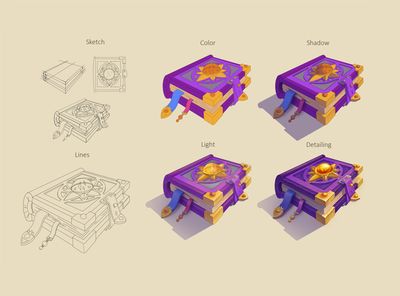
Lessons, Stages of drawing "Magic book"
At the beginning of this illustration, I did the rough sketch, then drawing the outline, then painting in color, applyi…
Nadia_Meldova
Discussion