
How I Created My Single Threaded Event System
A walkthrough of how I implemented an event system I wrote.
- A bunch of custom events that can be triggered
- Event callback functions to handle specific events when they are triggered
- A management system to attach/remove/call event callbacks
- Objects with triggerable events
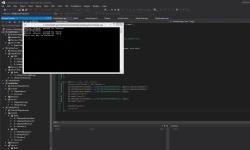
//INFINITY_CALL is just __stdcall namespace Infinity { typedef INFINITY_VOID (INFINITY_CALL *EventCallback_t)(IEvent *); ///<summary> ///The event manager: implement this if a class has events that should be listened to ///</summary> ///<remarks> ///The implementing project should probably write its own class implementing IEventManager to avoid writing duplicate code ///</remarks> struct IEventManager { virtual INFINITY_VOID INFINITY_CALL AttachEventListener(INFINITY_GUID EventID, EventCallback_t f) = 0; virtual INFINITY_VOID INFINITY_CALL DetachEventListener(INFINITY_GUID EventID, EventCallback_t f) = 0; virtual INFINITY_VOID INFINITY_CALL TriggerEvent(IEvent *e) = 0; }; ///<summary> ///The event interface ///</summary> struct IEvent { virtual INFINITY_GUID INFINITY_CALL GetEventType(INFINITY_VOID) const = 0; virtual INFINITY_VOID INFINITY_CALL GetEventData(INFINITY_VOID *pData) = 0; }; } First you see a generic callback function. This is the form that all event callbacks within my system will have. Next, I essentially have a pure virtual interface that each project will implement to allow flexible control over how they want to manage their own special event system for flexibility. I also made this design choice because exporting classes with STL containers is generally not a good thing to do. I needed a way to associate certain events with certain callbacks so I took the easy route and used GUIDs to identify the different types of events that are going to potentially occur within my system. Callbacks are easily identifiable because of their addresses in memory, so that's all good. AttachEventListener should register the specified callback with the specified event, while DetachEventListener should do the exact opposite. TriggerEvent does exactly what it sounds like it should - it is given an event and it should call all the callback functions that are registered to process the specified event. The only problem I foresee is that TriggerEvent has public visibility so idiots may decide to spawn random and meaningless events. For the event interface, we have a function that will return the GUID of the event, for identification purposes and potential casting later on in the code. We also have a function that will retrieve all the data stored with the event. How this data will be filled is left to the implementation of the event. Perhaps the data is encapsulated in a class, or maybe a struct, or maybe it's just a single byte of data. This is why we use the void pointer. Now that you see how I laid out the event system, you should take the time to see why this works. After that, move on down to see how I used this in my test implementation. YAY YOU MADE IT TO MY IMPLEMENTATION Okay, let's get serious. We need a manager base class so our objects can be created without copy pasting event management code. I decided to do something like this: class CEventManager : public Infinity::IEventManager { public: CEventManager() {} ~CEventManager() {} //GUID comparison functor typedef struct { bool operator()(const INFINITY_GUID &left, const INFINITY_GUID &right){ if(left.Data1 < right.Data1) return true; if(left.Data2 < right.Data2) return true; if(left.Data3 < right.Data3) return true; for(register size_t i = 0; i < 8; i++) if(left.Data4 < right.Data4) return true; return false; } } GUIDComparer; virtual INFINITY_VOID INFINITY_CALL AttachEventListener(INFINITY_GUID EventType, Infinity::EventCallback_t f){ //Just insert it event_map[EventType].insert(f); } virtual INFINITY_VOID INFINITY_CALL DetachEventListener(INFINITY_GUID EventType, Infinity::EventCallback_t f){ //See if the event type has any listeners auto it = event_map.find(EventType); if(it != event_map.end()){ //If so, see if it has our listener function auto func_it = it->second.find(f); if(func_it != it->second.end()){ //Then remove it it->second.erase(func_it); } } } virtual INFINITY_VOID INFINITY_CALL TriggerEvent(Infinity::IEvent *e){ //Launch listeners INFINITY_GUID magic = e->GetEventType(); std::for_each(event_map[magic].begin(), event_map[magic].end(), [&] (Infinity::EventCallback_t f) -> INFINITY_VOID { f(e); }); delete e; //Because it's called with something like TriggerEvent(new IEvent(...)); } private: //Global event listener storage for each event //Maps (GUID EventType) -> set of listener functions std::map<INFINITY_GUID, std::set<Infinity::EventCallback_t>, GUIDComparer> event_map; }; As you can see, I am mapping each GUID to a set of callbacks. I could have used a linked list, vector, or any other container, but I chose a set. However, GUIDs do not have any sort of comparator so I had to define my own, which just compares each part of the GUID in a logical order. However you decide to compare GUIDs is up to you, but make sure that if a < b and b < c, you have a < c. Notice how I set a standard of triggering events. There are alternate ways. One way would be for the object triggering the event to create the event before calling the trigger event and deleting the event after calling the trigger event. Another way would be to create the event on the stack because the event itself is not abstract and pass the address on to the trigger function. The 3 main functions are all self-explanatory with their purpose. Next, I needed an object. I chose to create a button that could be pushed by a person. When the button was pushed, it would spawn an event saying that it was pushed. To store all this data, a struct seemed like the logical choice. typedef struct { const char *who; const char *bname; } ButtonPushedEventData; class __declspec(uuid("{0AE142DB-2B0F-45B4-8D24-A3390F7EC18E}")) ButtonPushedEvent : public Infinity::IEvent { public: ButtonPushedEvent(const char *_who, const char *_bname){ data.who = _who; data.bname = _bname; } ~ButtonPushedEvent(){} INFINITY_GUID INFINITY_CALL GetEventType() const { return __uuidof(ButtonPushedEvent); } INFINITY_VOID INFINITY_CALL GetEventData(INFINITY_VOID *pData){ memcpy(pData, &data, sizeof(data)); } private: ButtonPushedEventData data; }; class CButton : public CEventManager { public: CButton(const char *_name) : name(_name) {} ~CButton() {} void push(const char *who){ this->TriggerEvent(new ButtonPushedEvent(who, this->name)); } private: const char *name; }; Now all we need are event handlers and we are done. I chose to create 2 so I could test removing one of them: INFINITY_VOID INFINITY_CALL generic_bpress_handler(Infinity::IEvent *e){ if(e->GetEventType() == __uuidof(ButtonPushedEvent)){ ButtonPushedEventData data; e->GetEventData(&data); printf("Button \"%s\" pushed by \"%s\"\n", data.bname, data.who); } else { printf("We shouldn't be here...\n"); } } INFINITY_VOID INFINITY_CALL oops(Infinity::IEvent *e){ if(e->GetEventType() == __uuidof(ButtonPushedEvent)){ printf("HERPADERPADURR\n"); } else { printf("We shouldn't be here 2...\n"); } } int main(int argc, char **argv){ CButton b1("lolwat"), b2("button"); b1.AttachEventListener(__uuidof(ButtonPushedEvent), generic_bpress_handler); b2.AttachEventListener(__uuidof(ButtonPushedEvent), generic_bpress_handler); b2.AttachEventListener(__uuidof(ButtonPushedEvent), oops); b1.push("person"); b2.push("herp"); b2.DetachEventListener(__uuidof(ButtonPushedEvent), oops); b2.push("herp"); system("pause"); return 0; } Aaaand here's an image of it in action:  You can currently find the source for this in the dev branch of its Github repository under commit 01a4f93.
Related Tutorials
Balancing Game Development and Creative Direction in Indie Production
A practical look at how indie developers can balance creative direction with hands-on game development. This article co…
 huseyin_onur
My Unreal Engine Development Process: From Core Idea to Playable Build
A practical overview of my Unreal Engine development process, covering how I move from a core game idea to a playable b…
huseyin_onur

Introducing LaneGraph: The Ultimate Road Network Solution for Unity
Discover the power of LaneGraph, a lightweight and flexible lane-based navigation system for Unity. LaneGraph makes it…
Retargeting Mixamo Characters with Root Motion In Unreal Engine 5.4.
I have always found Retargeting Mixamo Characters To have Root Motion is a serious lengthy Tast, Recently I stumbled up…

How To Make A SIMPLE Main Menu In Unity
In this tutorial for unity, i go over how to make a simple main menu for unity, it's an unlisted video because i do not…
 FlipThaSwitzh

Guide to Gameplay Balance
A perspective on competitive gameplay balance, from a background of "shooter" sandbox design.
 Tucker933
Discussion