
Concept Art with Photoshop - Characters
design3 is launching a game development contest that will culminate in a series of tutorials that will walk you through the process of building a complete game using the Unity engine. Find out what prizes are in store for contest entrants and have a look through the complete first tutorial chapter of the "51Run" game project!

 [size=1]This is an affiliate program banner - registering for design3 will also help benefit GameDev.net!
[media]http://design3.net.s3.amazonaws.com/20169/concept-art-characters-01-introduction.f4v.jpg[/media]
[size="3"]Chapter 2 - Line Drawing In this chapter we begin to fill in the line drawing with a solid tone.[media]http://design3.net.s3.amazonaws.com/20169/concept-art-characters-02-line-drawing.f4v.jpg[/media]
[size="3"]Chapter 3 - Shading In this chapter we'll merge the line drawing and fill layers together then begin shading in details.[media]http://design3.net.s3.amazonaws.com/20169/concept-art-characters-03-shading.f4v.jpg[/media]
[size="3"]Chapter 4 - Rendering In this chapter we'll start to add definition and depth to the shaded outline.[media]http://design3.net.s3.amazonaws.com/20169/concept-art-characters-04-rendering.f4v.jpg[/media]
[size="3"]Chapter 5 - Duplicate & Flip Horizontal In this chapter you'll duplicate the rendered half of your drawing, then flip it horizontally to create a full character.[media]http://design3.net.s3.amazonaws.com/20169/concept-art-characters-05-duplicate-flip-horizontal.f4v.jpg[/media]
[size="3"]Chapter 6 - Backside By duplicating our front view we'll quickly paint the back view of our character.[media]http://design3.net.s3.amazonaws.com/20169/concept-art-characters-06-backside.f4v.jpg[/media]
[size="3"]Chapter 7 - Sideview In this section we'll create the side view of our character using the front and back views as guides.[media]http://design3.net.s3.amazonaws.com/20169/concept-art-characters-07-sideview.f4v.jpg[/media]
[size="3"]Chapter 8 - Color Overlay In this chapter we'll finish off our character with some color. First we'll create a new layer and fill it with color then we'll set the blending mode to overlay.[media]http://design3.net.s3.amazonaws.com/20169/concept-art-characters-08-color-overlay.f4v.jpg[/media]
The design3 Training Center offers training for a variety of game development and 3D animation platforms and tools including Unity, UDK, Source, Blender, 3ds Max, Maya, Softimage, Photoshop, Substance Designer and more. Sign-up for a free membership to get updates on the content New tutorial content is added to design3 weekly. More Information >>>Visit design3 >>>Visit the design3 Training Center >>>Visit the design3 Development Community [size=1]This is an affiliate program banner - registering for design3 will also help benefit GameDev.net!
Related Tutorials
Why Animation and Cinematics Matter in Horror Games
Learn how animation and cinematics can become part of gameplay in horror games by teaching mechanics, creating vulnerab…
 huseyin_onur
Designing Horror Games Inspired by Real-Life Experiences
Learn how real-life experiences can inspire more authentic horror stories, stronger emotional connections, and memorabl…
huseyin_onur
Balancing Game Development and Creative Direction in Indie Production
A practical look at how indie developers can balance creative direction with hands-on game development. This article co…
huseyin_onur
My Unreal Engine Development Process: From Core Idea to Playable Build
A practical overview of my Unreal Engine development process, covering how I move from a core game idea to a playable b…
huseyin_onur

Introducing LaneGraph: The Ultimate Road Network Solution for Unity
Discover the power of LaneGraph, a lightweight and flexible lane-based navigation system for Unity. LaneGraph makes it…
Retargeting Mixamo Characters with Root Motion In Unreal Engine 5.4.
I have always found Retargeting Mixamo Characters To have Root Motion is a serious lengthy Tast, Recently I stumbled up…
Discussion
More from design3
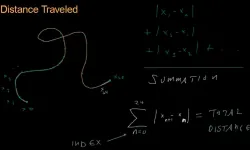
Math for Game Developers: Calculus
The popular series continues with applications for calculus as related to game development
Jorge "BSVino" Rodriguez
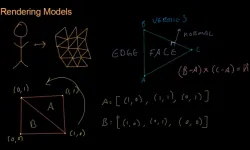
Math for Game Developers: Triangle Meshes
Jorge "BSVino" Rodriguez
How we Built an iOS game on PC
This article chronicles Catch the Monkey from ideation to sale worldwide in the App Store.
Thomas Henshell
Discussion