
Specs for Node.js Calculator. Jasmine JS5

7,111
1
Advertisement
Let's write an executable documentation for server side calculator.
Specifications:
- "Add(a, b)" method must to sum positive numbers. Specification name: Add_SumPositiveNumbers_ReturnsSum
- "Sub(a, b)" method must to subtract positive numbers. Specification name: Sub_SubtractPositiveNumbers_ReturnsSub
Instruction:
- Create the "calculator-nodejs-jasmine-es5" folder
- Run these commands to install Jasmine locally:
npm init -y
npm install --save-dev jasmine
- Create the "jasmine.json" file in the "calculator-nodejs-jasmine-es5" folder
- Copy the content for the "jasmine.json" file from the link: https://jasmine.github.io/setup/nodejs.html and make some changes, see the content below:
jasmine.json
{
    "spec_dir": "src_specs",
    "spec_files": [
        "**/*_tests.js",
        "!**/*nospec.js"
    ],
    "random": false
}
Open the "package.json" file and add the command to run tests:
    "scripts": {
        "test": "node node_modules/jasmine/bin/jasmine.js  --config=jasmine.json"
    },
Try to run tests. Enter the command:
npm testYou will see a message that "No specs found"
- Create the "src_shared" folder. Create the "calculator.js" file the the "src_shared" folder
- Create the "src_specs" folder. Create the "calculator_tests.js" file the the "src_specs" folder
- Add our specs described above to the "calculator_tests.js" file:
calculator_tests.js
var Calculator = require("../src_shared/calculator");

describe("Calculator", function()
{
    it("Add_SumPositiveNumbers_ReturnsSum", function()
    {
        // Arrange
        var calculator = new Calculator();
        var a = 5;
        var b = 2;
        var expectedSum = 7;

        // Act
        var actualSum = calculator.Add(a, b);

        // Assert
        expect(actualSum).toEqual(expectedSum);
    });

    it("Sub_SubtractPositiveNumbers_ReturnsSub", function()
    {
        // Arrange
        var calculator = new Calculator();
        var a = 5;
        var b = 2;
        var expectedSub = 3;

        // Act
        var actualSub = calculator.Sub(a, b);

        // Assert
        expect(actualSub).toEqual(expectedSub);
    });
});- If you will run tests using the command "npm test" then you will see the message:
QuoteReferenceError: Calculator is not defined
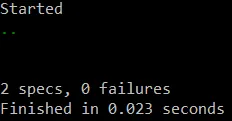
Let's implement these methods and run tests using the command "npm test". You will see that the tests are passed.
calculator.js
var Calculator = function()
{

};

Calculator.prototype.Add = function(a, b)
{
    return a + b;
};

Calculator.prototype.Sub = function(a, b)
{
    return a - b;
};

module.exports = Calculator;
Advertisement
Advertisement
Advertisement
Discussion