
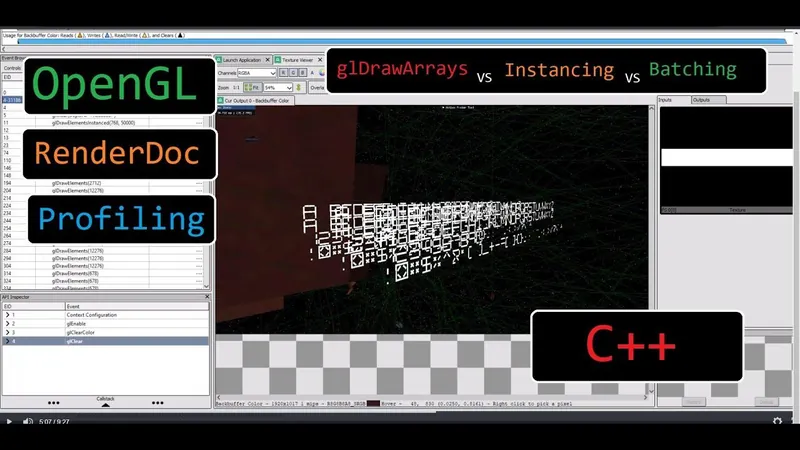
DevBlog 18 - Instancing vs Batching Graphics Optimization

Using profiling to inform coding decisions; a real life example.
To start off, I added the ability for ships to respawn. Giving some forgiveness if the player dies.
That works by adding a spawn component to the entity that needs to respawn fighter ships.
When respawning, you need to know how long you must wait. Which requires text.
So, I created a text rendering system.
I didn't really want to deal with using fonts or any of that.
I had an idea to create a digial clock font and I wanted to test that out.
This works by having quads that are either on or off.
We can define letters based on turning on certain quads.
But I wanted to use some rendering tricks to make this faster.
So for each letter, I used a bitvector to compact what should and should not be rendered.
In the vertex shader, I collapse quads based on this bitvector.
this lets me have a single draw call per letter glyph.
But I wanted to take this a bit further.
What if we could have a single draw call for an entire text block?
I used OpenGL instancing to achieve that.
I pack all of the bitvectors into a single array on the CPU.
Then I do a large instance render in a single draw call, yielding all the text rendered.
This is great... but can we render all text in a single draw call?
Here is where I used batching. Each text block prepares all its data and then requests a render.
But accumulate this data and batch it together.
Then when it is done we invoke one large draw call to render all text at once.
(technically, there is a cut off and it will render all batched calls if some threshold is met)
So, in terms of speed single glyphs should be slower than instancing and instancing should be slower than batching.
But this is not what I observed.
I used visual studio's c++ profiling to find the bottleneck.
Turns out it was a silly bug I should have caught, A previous approaches loop was meant to be removed but still remained multiplying the amount of work done by each character in the string.
I used renderdoc to ensure that the draw calls were looking correct.
I created a stress test level to push the system to the limits and determine if things were working.
I saw massive performance improvements using the batching system.
Recommended resources
Graphics Programming Resources

Real-Time Rendering, Fourth Edition
Amazon · Book
Real-Time Rendering combines fundamental principles with guidance on the latest techniques to provide a complete reference on three-dimensional interactive computer graphics. It will help you increase speed and improve image quality and learn the features and limitations of acceleration algorithms and graphics APIs. This latest fourth edition has been updated to include a chapter on virtual reality and augmented reality and covers new topics such as visual appearance, global illumination, and curves and curved surfaces. It is for anyone serious about computer graphics who wants to learn about algorithms that create synthetic images fast enough that the viewer can interact with a virtual environment.
GameDev.net may earn a commission if you purchase through these links. This helps fund the site at no extra cost to you.

Programming with wgpu in Rust
Amazon · Book
Unlock the full power of modern graphics programming with wgpu and Rust. This comprehensive guide takes you from foundational GPU concepts to advanced real-time rendering and compute techniques—equipping you to build fast, safe, and cross-platform graphics applications. Written for intermediate to advanced Rust developers, this book provides clear explanations, hands-on examples, and detailed insights into how GPUs process and render data. You’ll explore everything from the fundamentals of buffers, shaders, and pipelines to advanced topics like deferred rendering, shadow mapping, and GPU compute workloads.
GameDev.net may earn a commission if you purchase through these links. This helps fund the site at no extra cost to you.
Discussion