Original Post

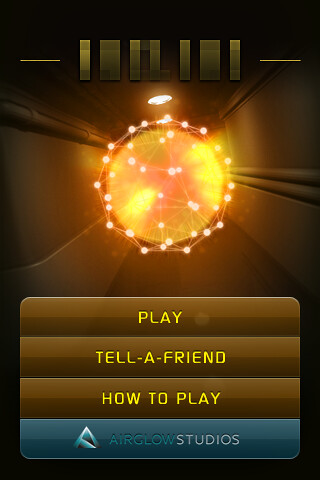
Hello, I just started to work with my graphical game, it is simple, but I need some information, how the game menu is created? I have been searching everywhere, but there is only explained how to create menu bars, but I need simple menu like New Game, Options for example in the middle of the screen. This is my GUI class, it contains only background and menu bar on the top, maybe someone can say, how I can implement normal one? :
How I you would add menu? Also I tried to put a text box, but it hides under the background, how to take it from the back?
import java.awt.Color;
 import java.awt.Font;
 import java.awt.event.ActionEvent;
 import java.awt.event.ActionListener;
 import java.io.File;
 import java.io.IOException;
 import javax.imageio.ImageIO;
 import javax.swing.*;

 public final class GUI {
 JFrame frame;

 public GUI() {
 frame();
 }
 // Adding background image and JMenuBar on the top
 public void frame() {
 frame = new JFrame("My Game");
 try {
 frame.setContentPane(new JLabel(new ImageIcon(ImageIO.read(new File("D:/bg.png")))));
 }
 catch(IOException e) { System.out.println("No image"); }

 frame.setResizable(false);
 frame.setSize(800, 449);

 JMenuBar menubar = new JMenuBar();
 frame.setJMenuBar(menubar);
 JMenu file = new JMenu("Meniu");
 menubar.add(file);
 JMenuItem exit = new JMenuItem("Exit");
 file.add(exit);
 JMenu help = new JMenu("Help");
 menubar.add(help);
 JMenuItem about = new JMenuItem("About");
 help.add(about);

 frame.setDefaultCloseOperation(JFrame.EXIT_ON_CLOSE);
 frame.setVisible(true);

 class ExitAction implements ActionListener {
 @Override
 public void actionPerformed(ActionEvent e){
 System.exit(0);
 }
 }
 class AboutAction implements ActionListener {
 @Override
 public void actionPerformed(ActionEvent e){
 JLabel label;
 frame = new JFrame("About");
 frame.setResizable(false);
 frame.setSize(200, 200);
 label = new JLabel("Author: ED");
 Font font = new Font("Arial", Font.ITALIC, 12);
 label.setFont(font);
 frame.add(label);
 frame.setBackground(Color.BLUE);
 frame.setVisible(true);
 }
 }
 exit.addActionListener (new ExitAction());
 about.addActionListener(new AboutAction());
 }

 }
How I you would add menu? Also I tried to put a text box, but it hides under the background, how to take it from the back?