GameDev.net gamedev.net
Using GameDev.net for your class this semester?
Learn more →
🔒 Locked

Developing New Game - Is Isometric view too confusing for modern gamers?

Started by Christopher Dumas Aug 23, 2018 at 3:10 PM 24 replies 20.8k views
Original Post
Christopher Dumas
Christopher Dumas

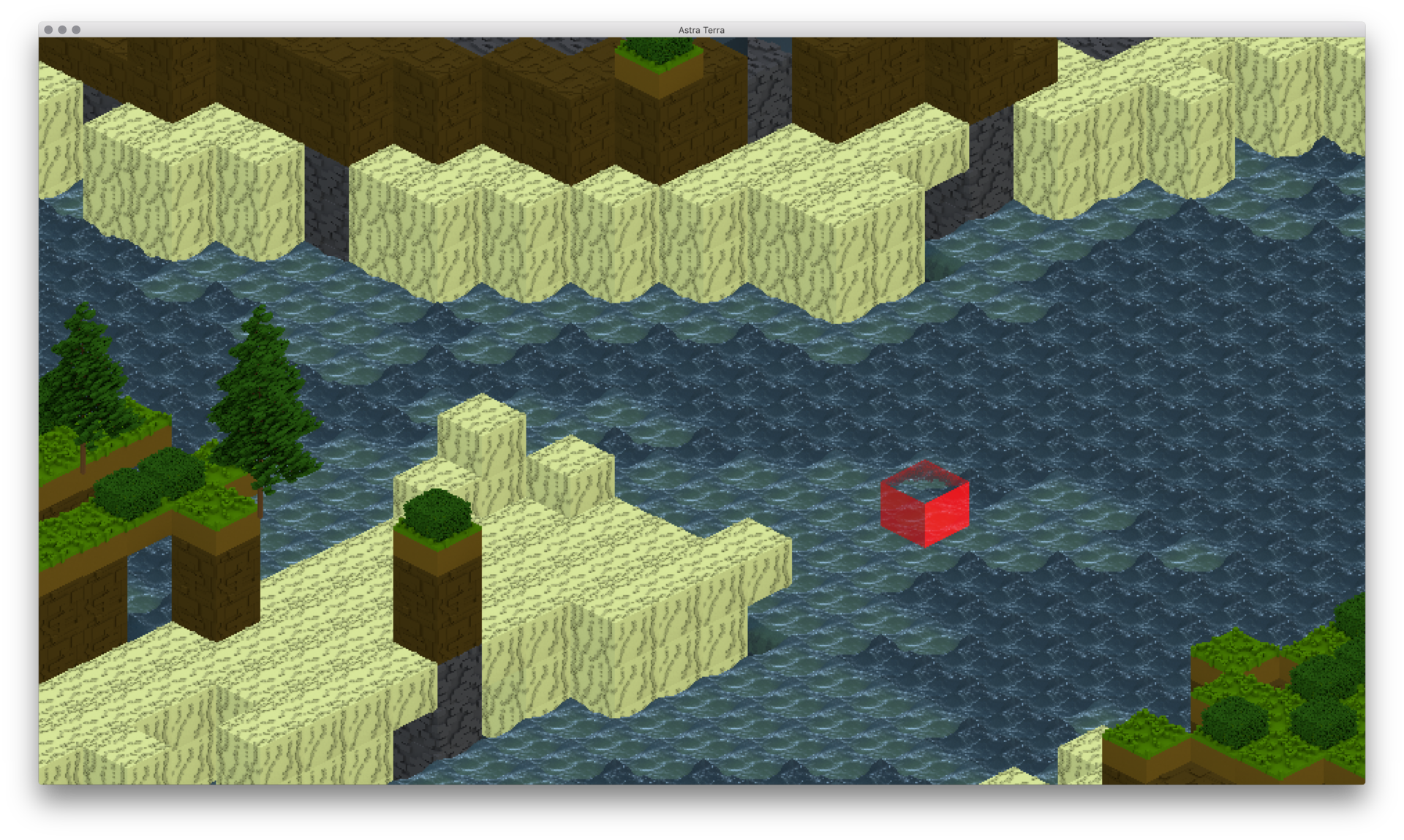
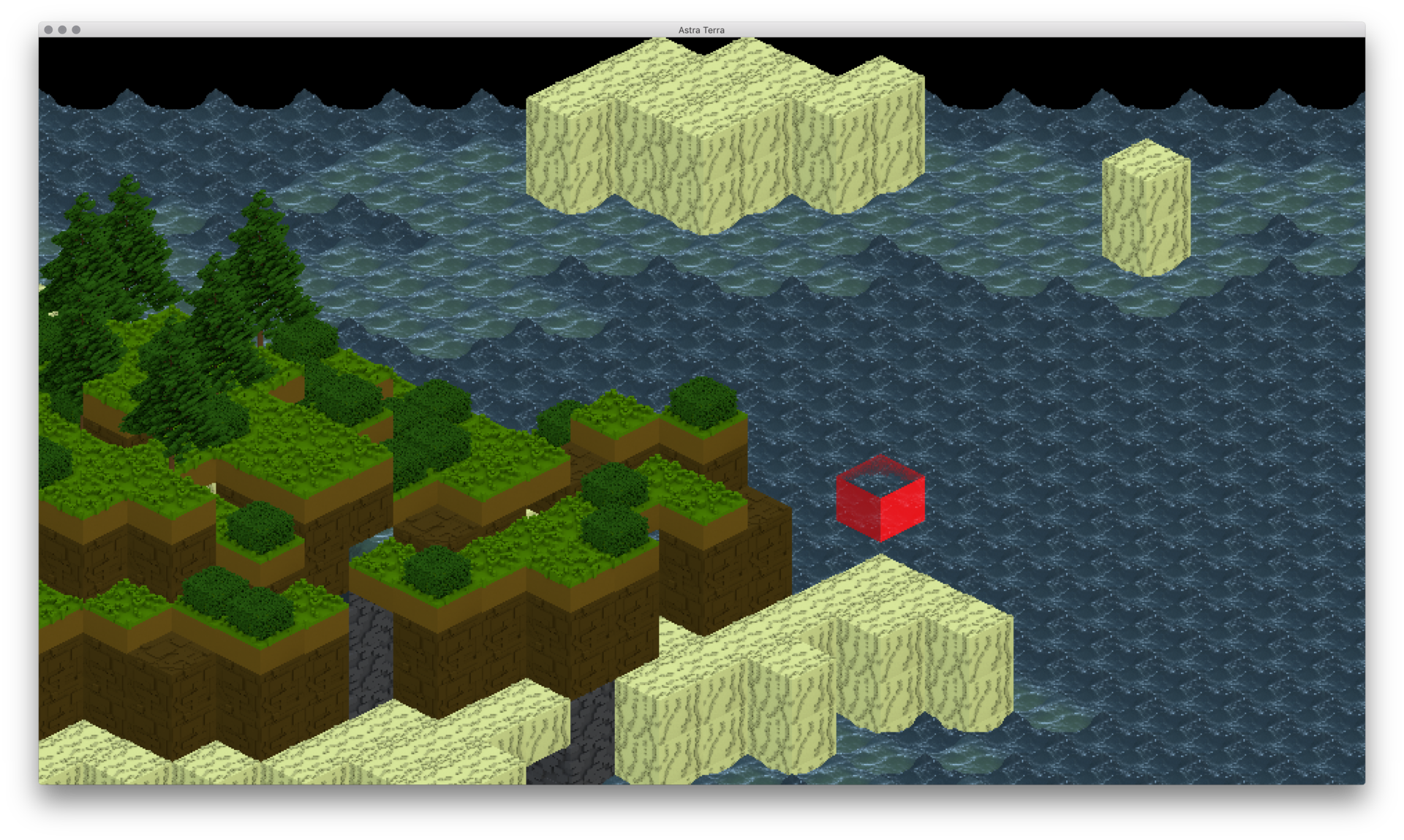
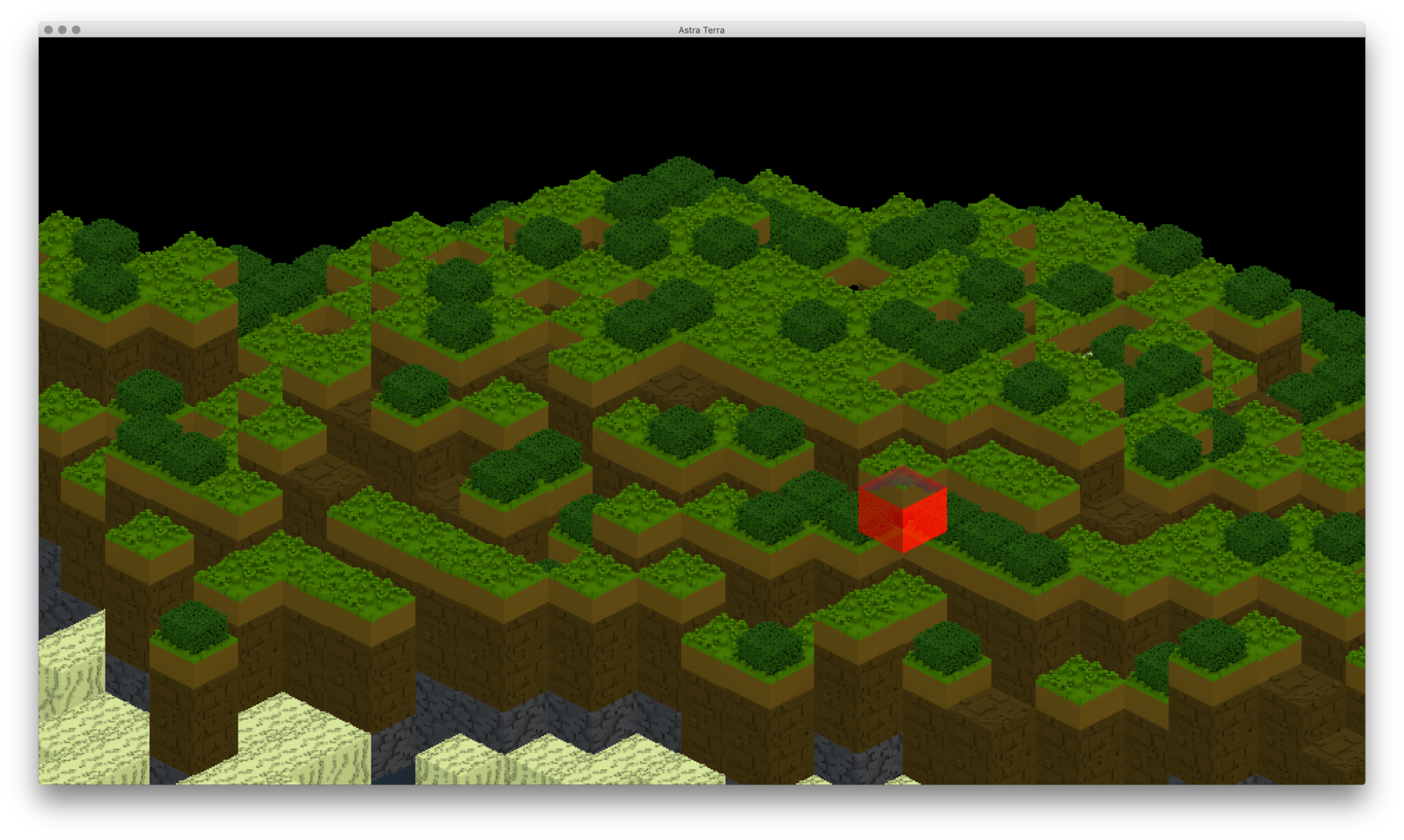
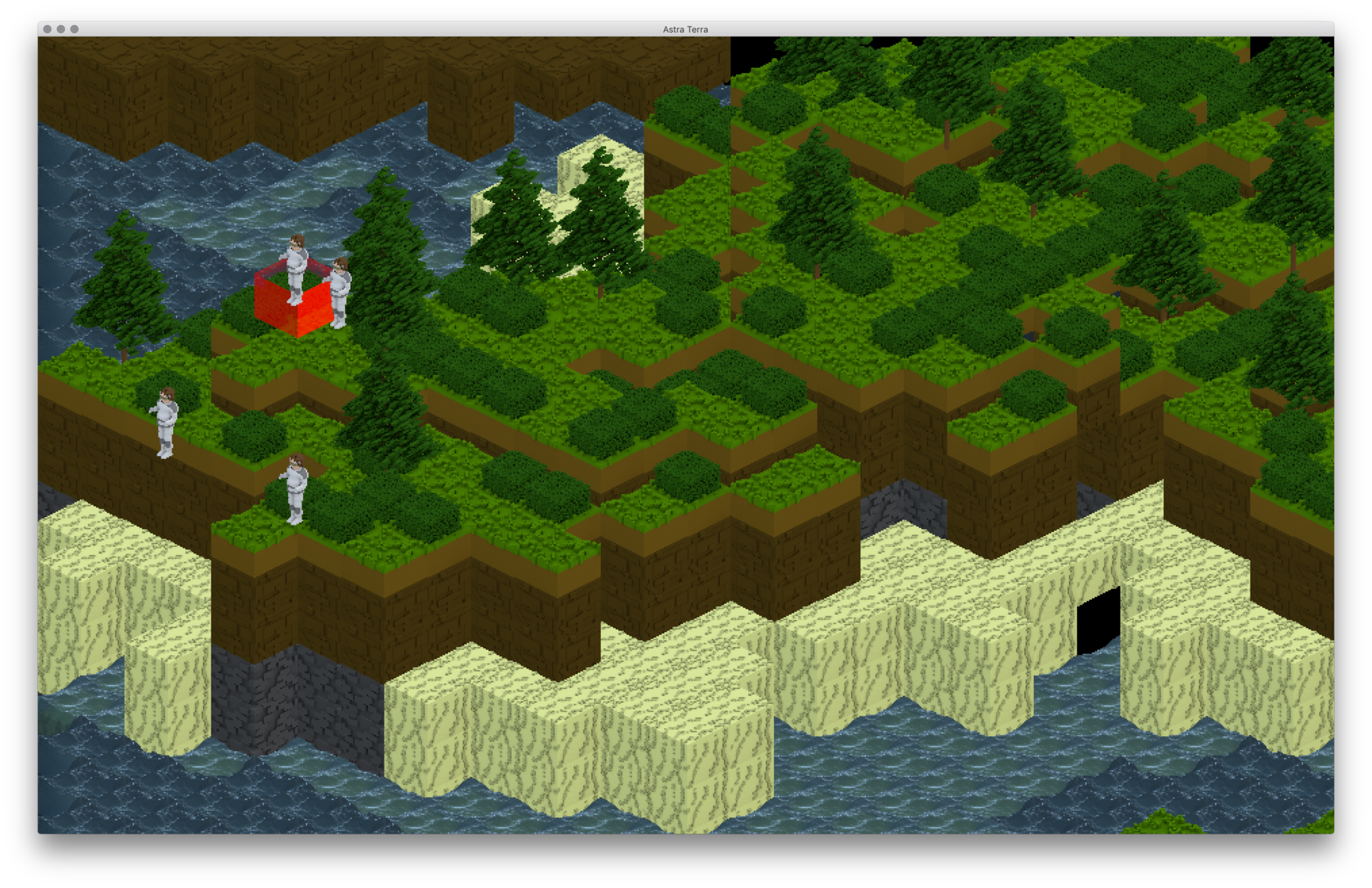
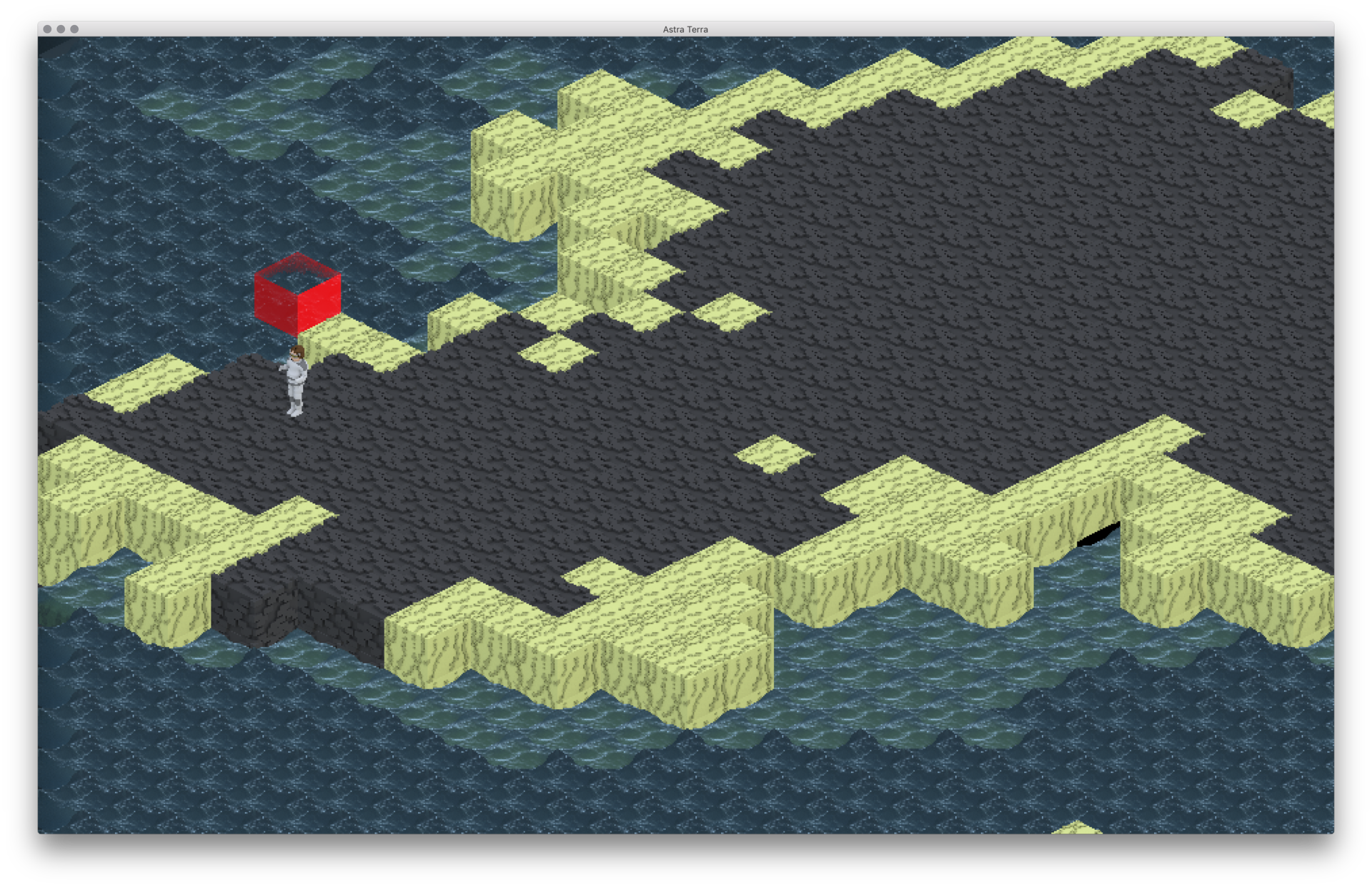
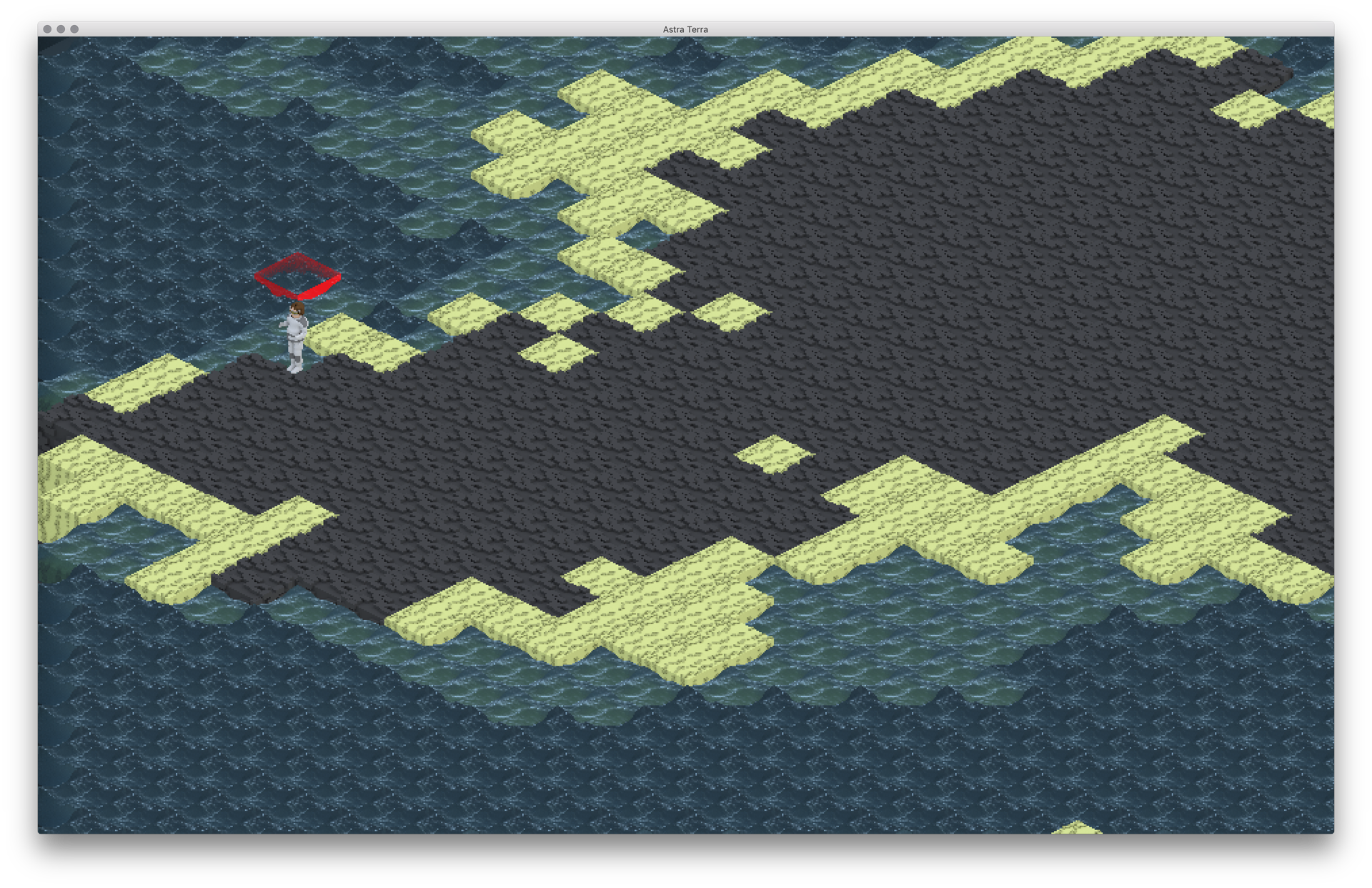
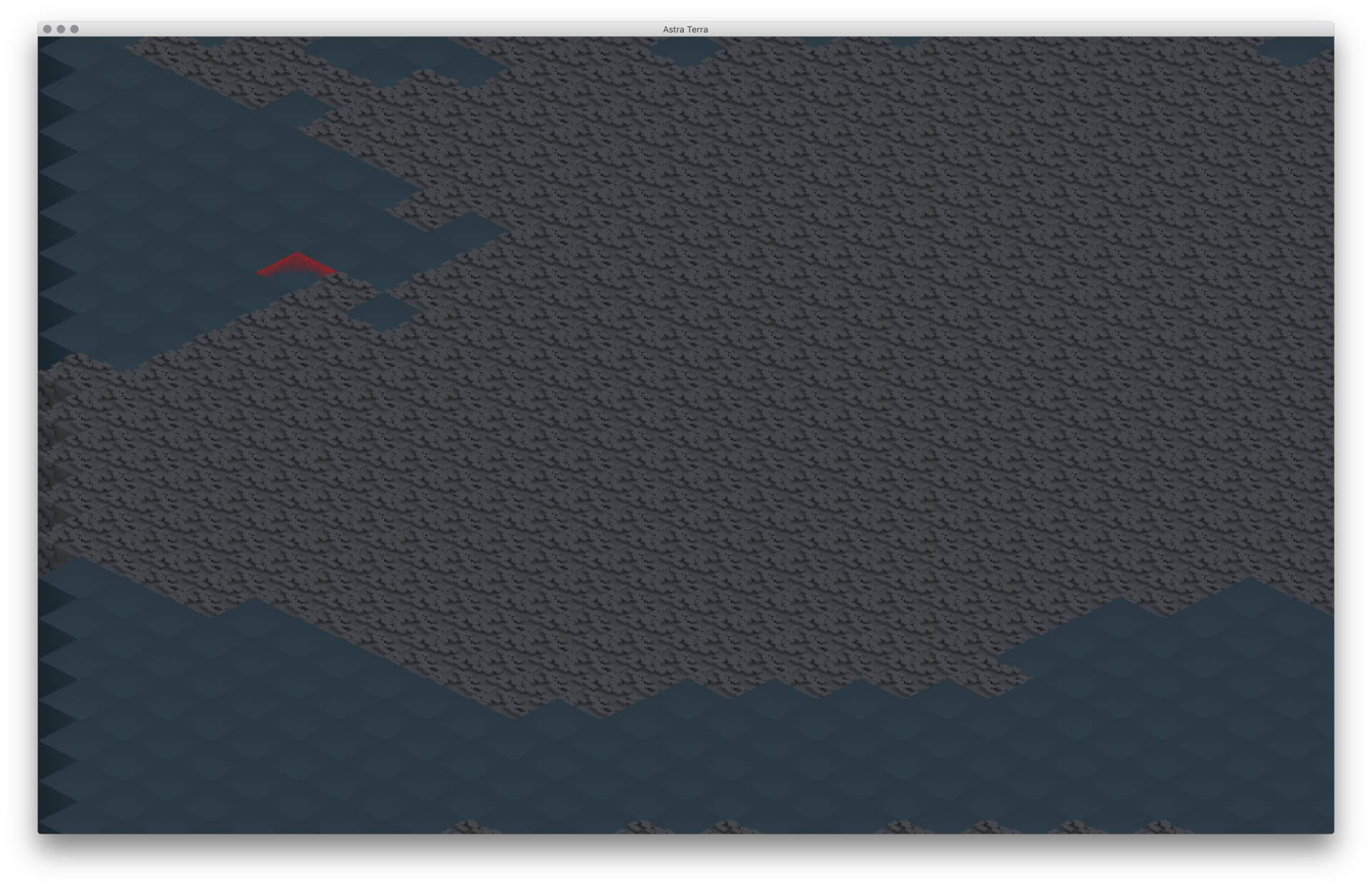
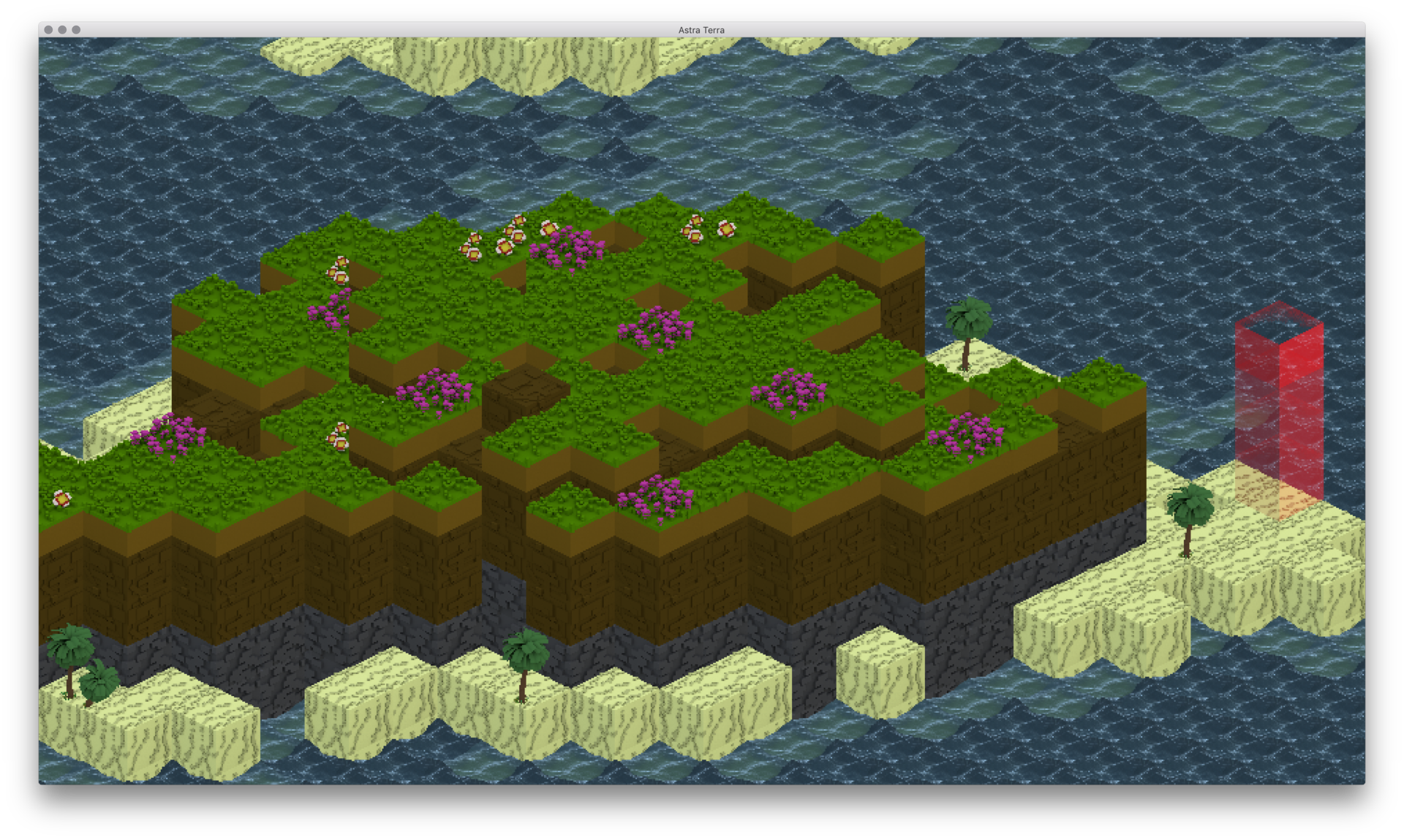
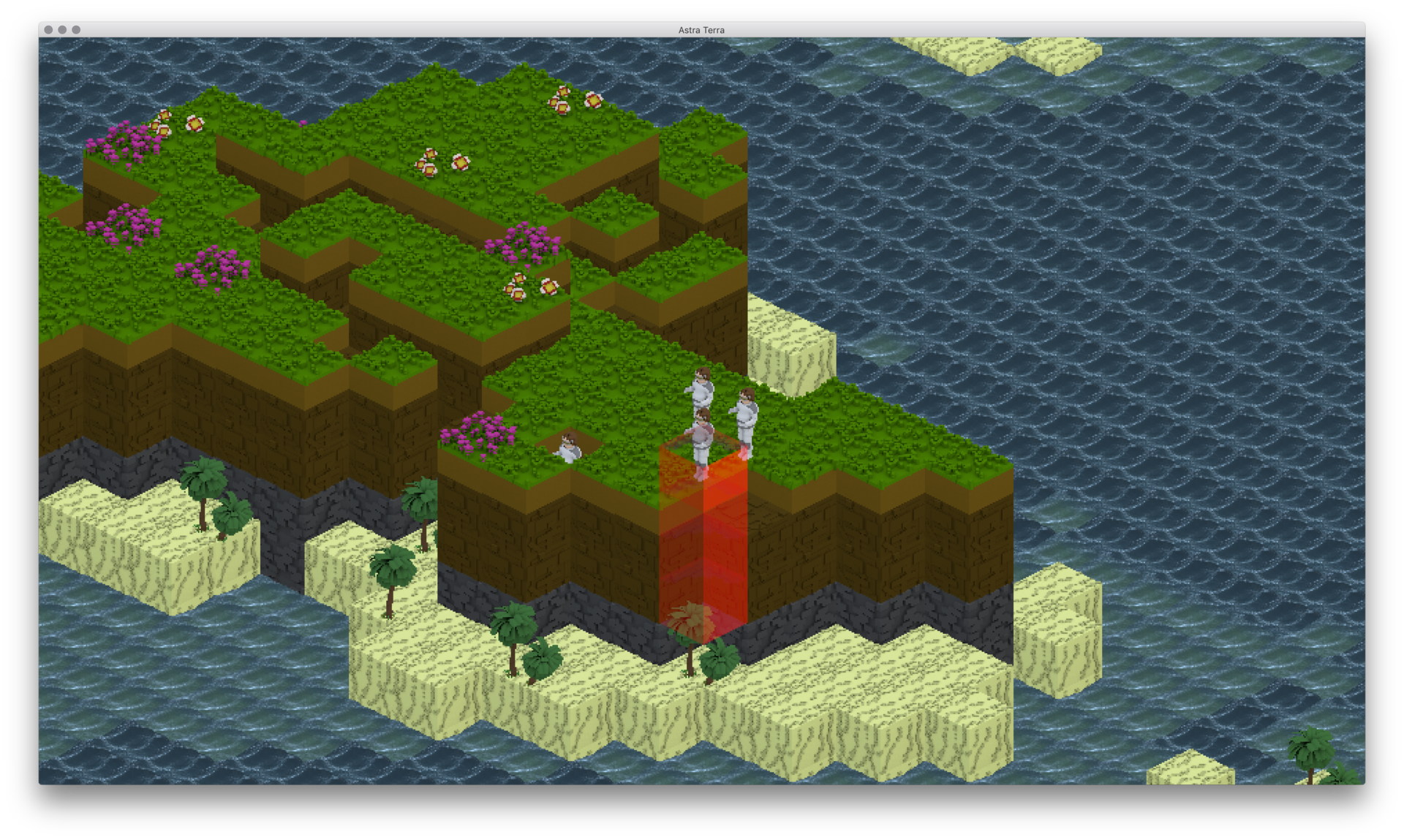
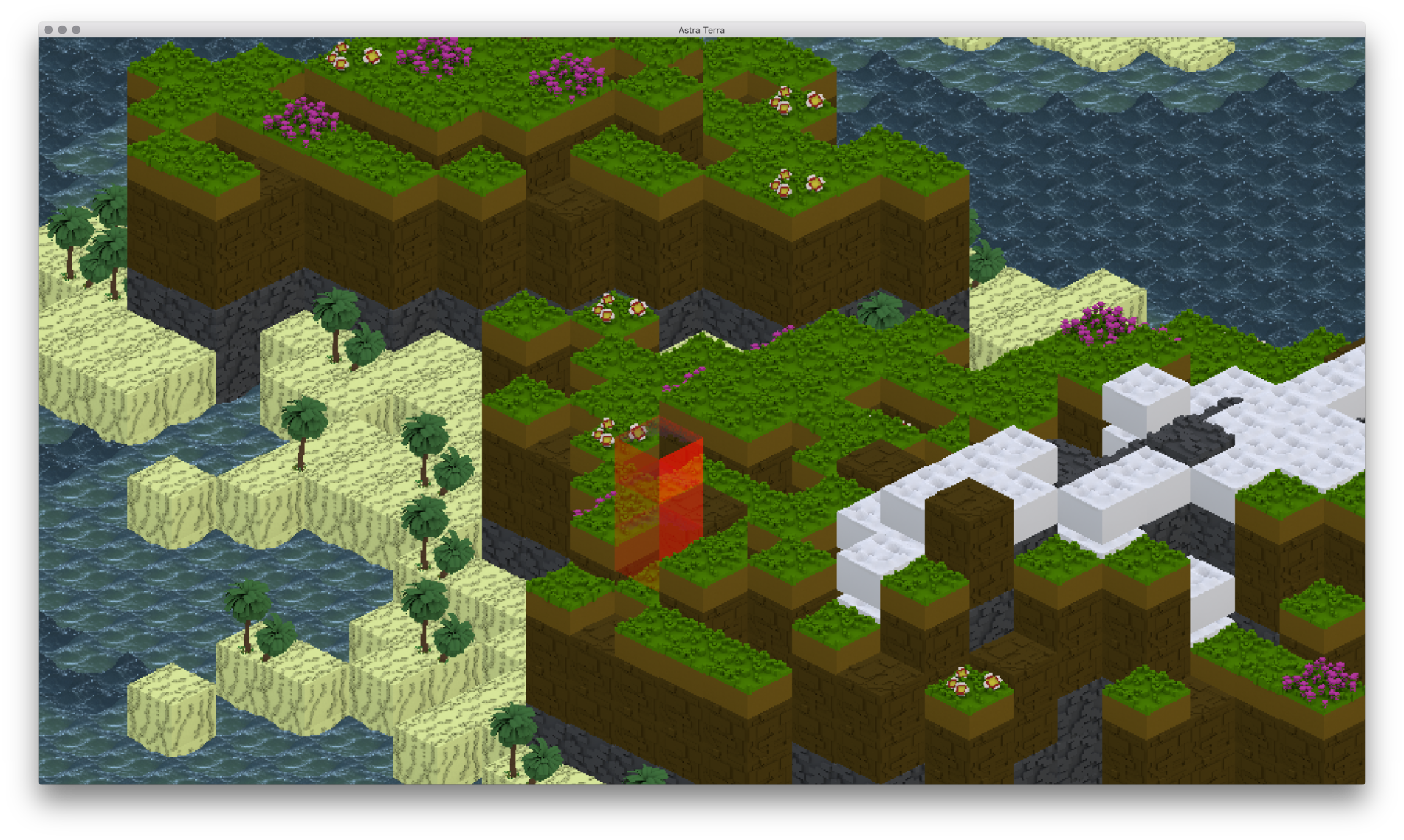
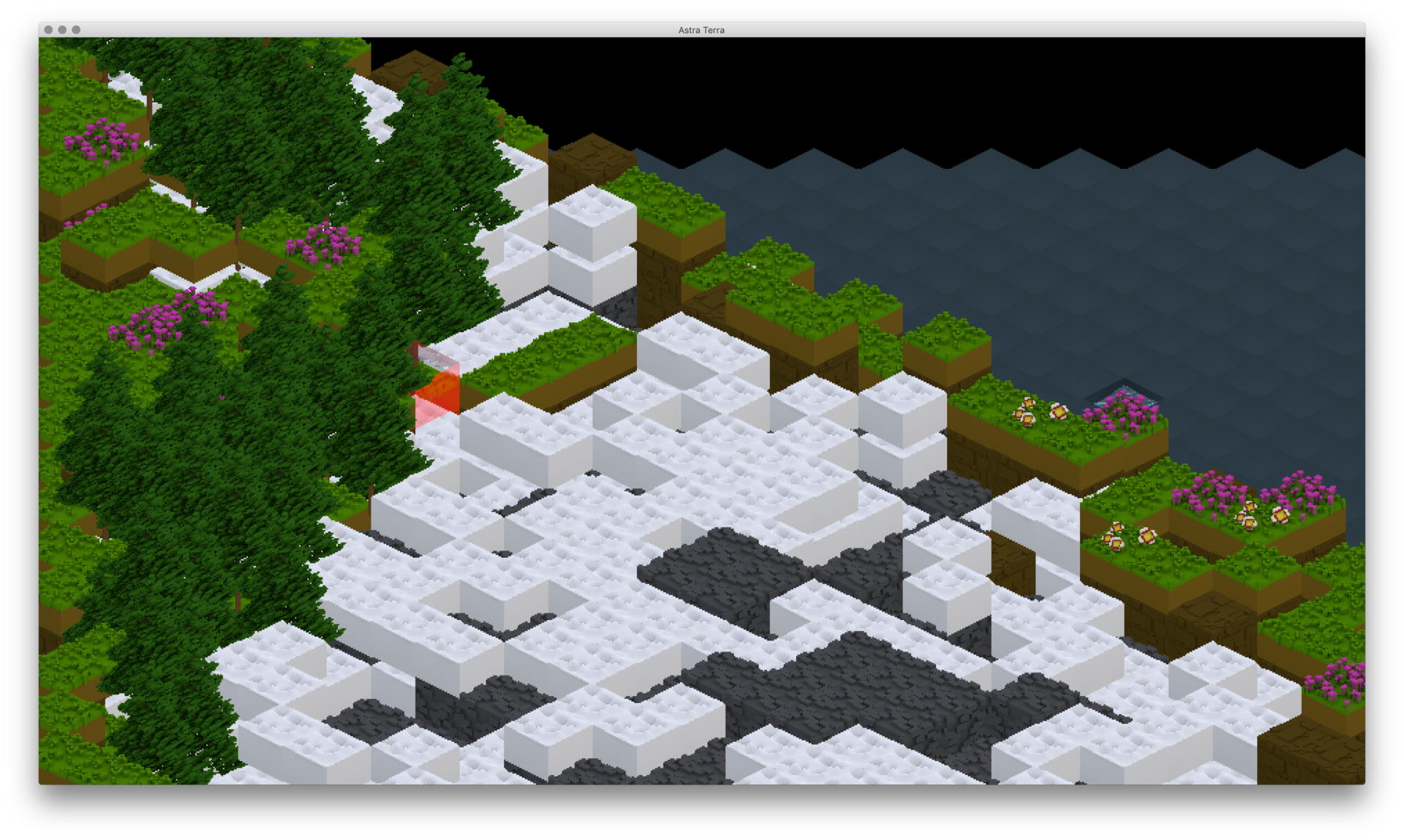
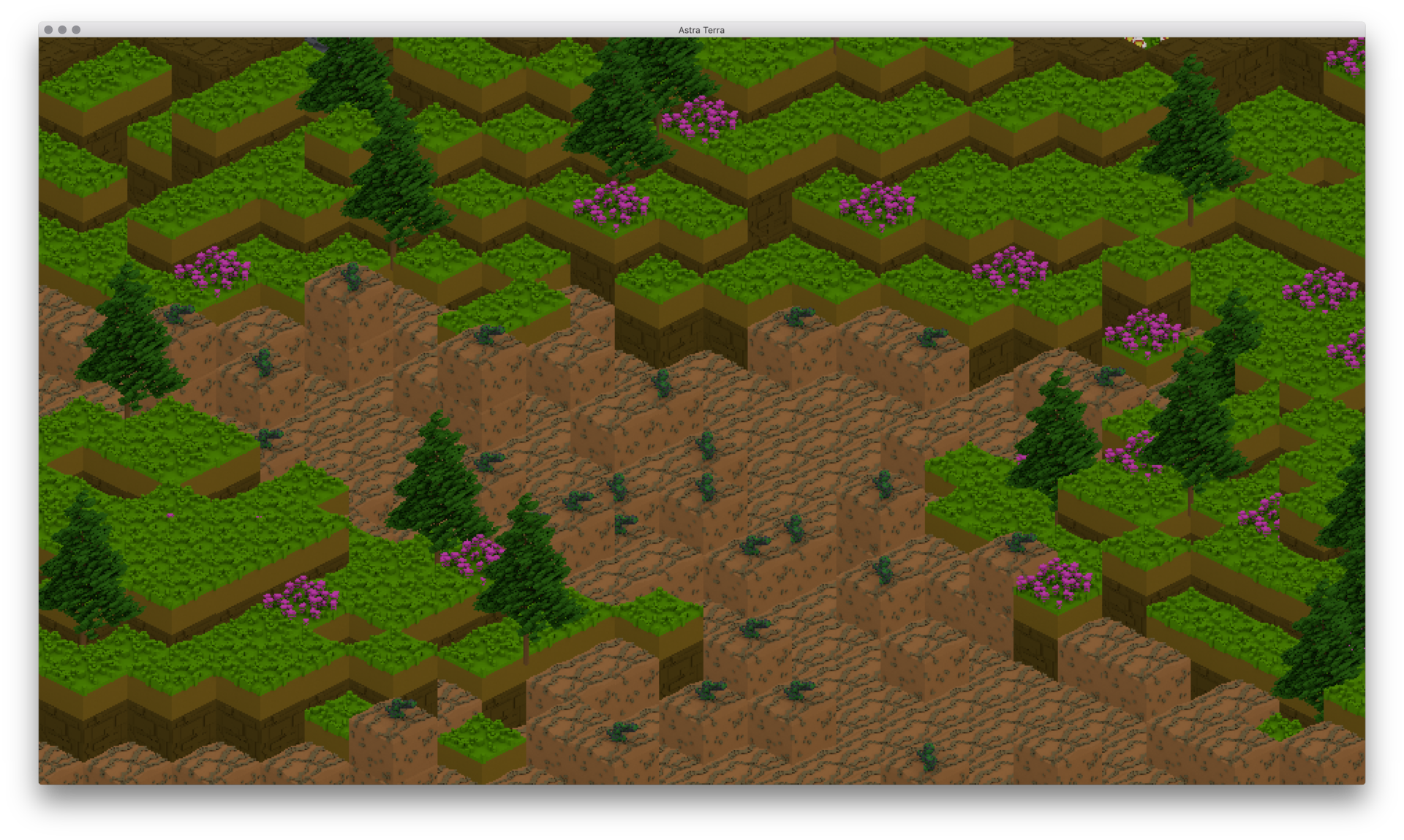
Hi everyone! This is my first post here. I'm an indie game developer with plans to release a game on Steam. The game I'm working on is a multiplayer real-time strategy game with base building elements modeled on RimWorld (tech tree and big base components, but also mining and building walls, etc), but also with a Z-axis involved. Currently, my game is about 67% of the way done, so I have the world generation, mining, stockpiling and movement done, and structures in place for the rest. It was originally going to be a 2D, orthogonal game with different levels shown a few at a time from above, like Dwarf Fortress, but the artist that I'm working with convinced me that using a more 3-dimensional view would be beneficial, both for ergonomics and understandability. We decided on using a staggered isometric view since that would be easier and more stylish than doing pure 3D, and prevent awkward camera issues. I've implemented the isometric view, using art that my artist 3D modeled and then exported as pixel art. I've attached some representative screenshots to this post.

The new isometric graphics are in early stages right now (its been five days exactly since I ripped out 2,400 lines of 2D draw code), so there's no UI to speak of and some optimizations (culling of underground tiles) may be acting up. Also, there are multiple biomes and unique grasses and flowers, dirt, stone, etc in the worldgen but my artist hasn't got around to doing those yet so we just have common-denominator art right now.

Also, the world generation algorithm is not set in stone. Right now, it uses several layers of simplex noise, plus adding random hills and then doing rain erosion simulations. After that, it adds biomes (which you can't see) based on height, temperature, proximity to water, etc. The height of the terrain is actually modified into a few flat planes by dividing the height output by the noise algorithm by four, then multiplying it by 2.5, and then casting to an integer (so throwing away the decimal). So, for instance, pillars of rock/dirt, and the fact that the beaches are kind of too high over the water are things we will eventually fix.

I'm pretty confident that the world generation is simple enough and the graphics clear enough to be understandable for modern strategy gamers but my artist has doubts. Do any of you have opinions on this? Also, if anyone has any suggestions as to how to make it clearer what level the user is looking at currently, or how to make Z-axis clearer, please let me know!


Thanks!
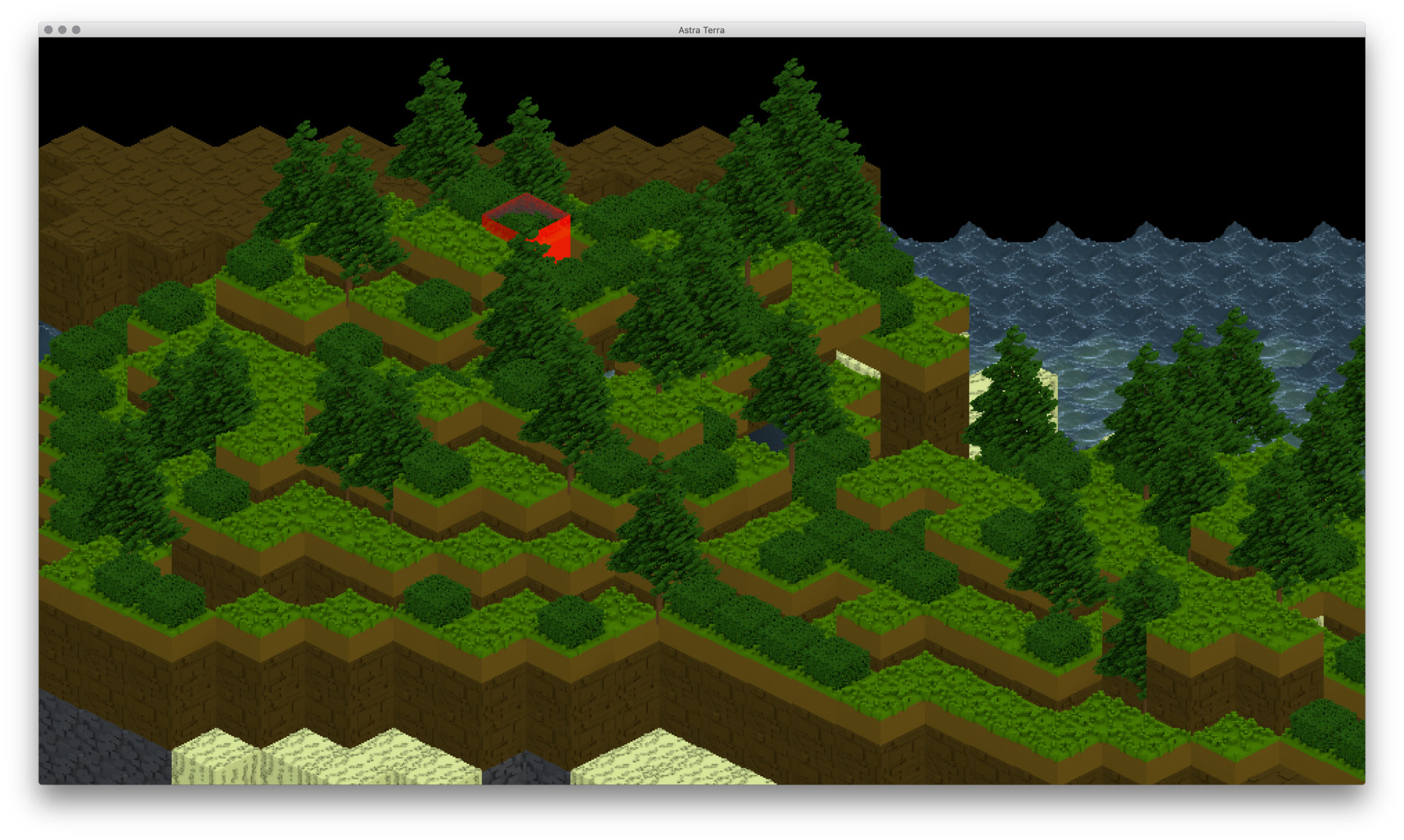
1.png

2.png

3.png

4.png

“What do you despise? By this are you truly known.”
Frank Herbert, Dune
Iltis
Iltis

The screenshot links appear to be dead (at least for me), which could be Discord's fault.

Using a discordapp-link is not a good idea, instead upload them from your PC.

Christopher Dumas
Christopher Dumas

Thanks Iltis. I'll get right on that.

Okay I've fixed the images and made the question a little clearer. FYI for everyone, those images are displaying really low-resolution versions on this website, click on them for a clearer image (this is pixel art, after all).

“What do you despise? By this are you truly known.”
Frank Herbert, Dune
nicster
nicster

Hi Chris,

Also my first post here, but this is my kind of game i like, so thought id try and give some feedback.

Firstly what are we meant to be seeing in those images? is that different layers on the same spot, or just random screenshots?

Initially i would suggest what might help, is to actually create a mine in your landscape. Sort of digging down and across at a 45degree angle to different floors. And then maybe post how a couple of images how they appear. (on the same x,y and drop the z on the images).

Nicster

Christopher Dumas
Christopher Dumas

Hi Nicster,

These are just random screenshots from the maximum Z level.

That's a good idea! I don't have the new UI place to actually order the colonists to mine (when I went from 2D to isometric I also switched graphics libraries so I have to re-do the interface from scratch), but i can just choose a particularly interesting land feature and show a few Z levels of that.

“What do you despise? By this are you truly known.”
Frank Herbert, Dune
ferrous
ferrous

For an RTS, it might be fine. Depending. Like, for example, dragging a selection box, how would you do that in your game? Would you need to drag it in isometric fashion, or does the user draw a normal square? And if it's the latter would that make selecting units harder?


Christopher Dumas
Christopher Dumas

Okay, in answer to Nicster's suggestion:

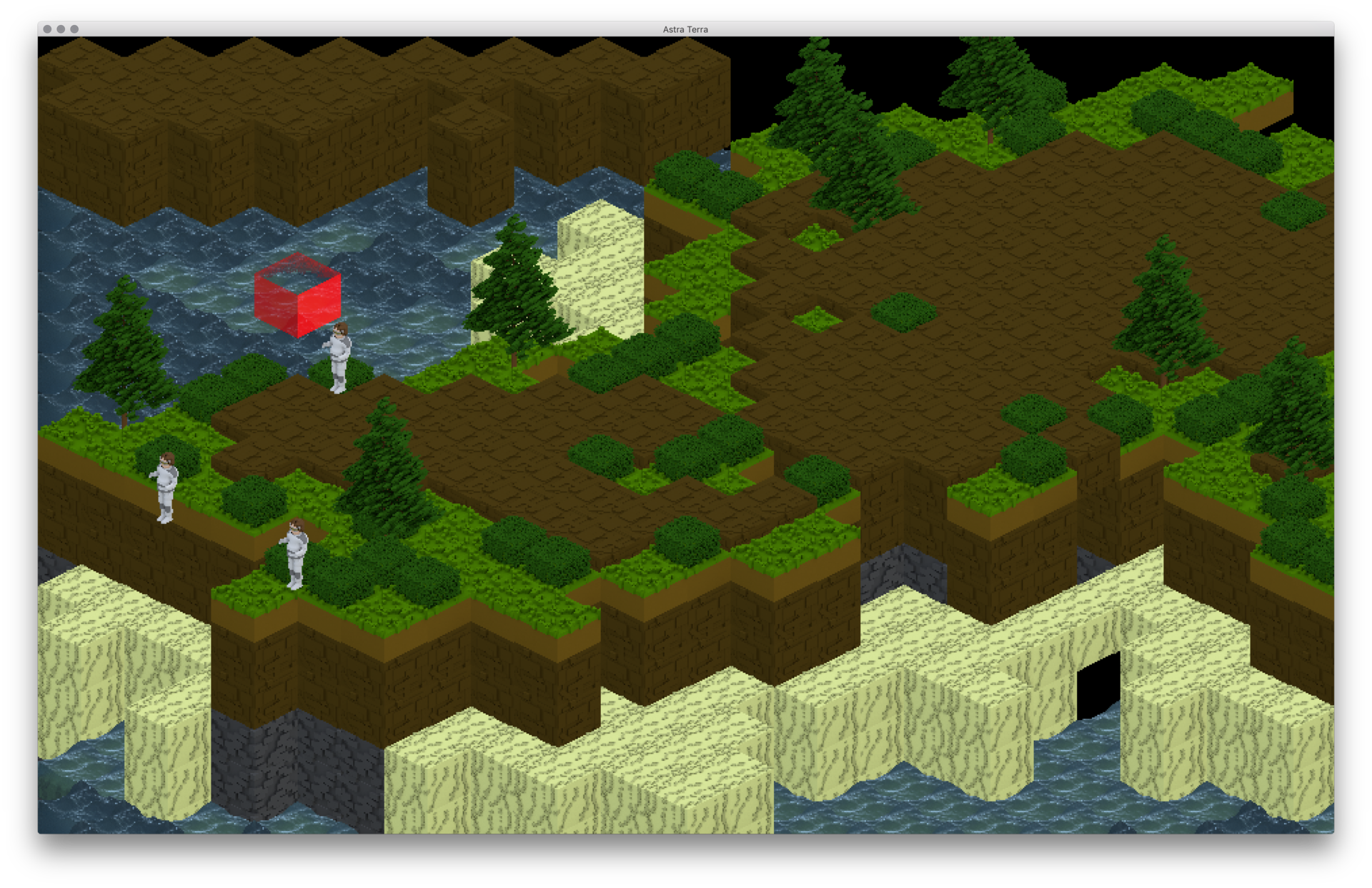
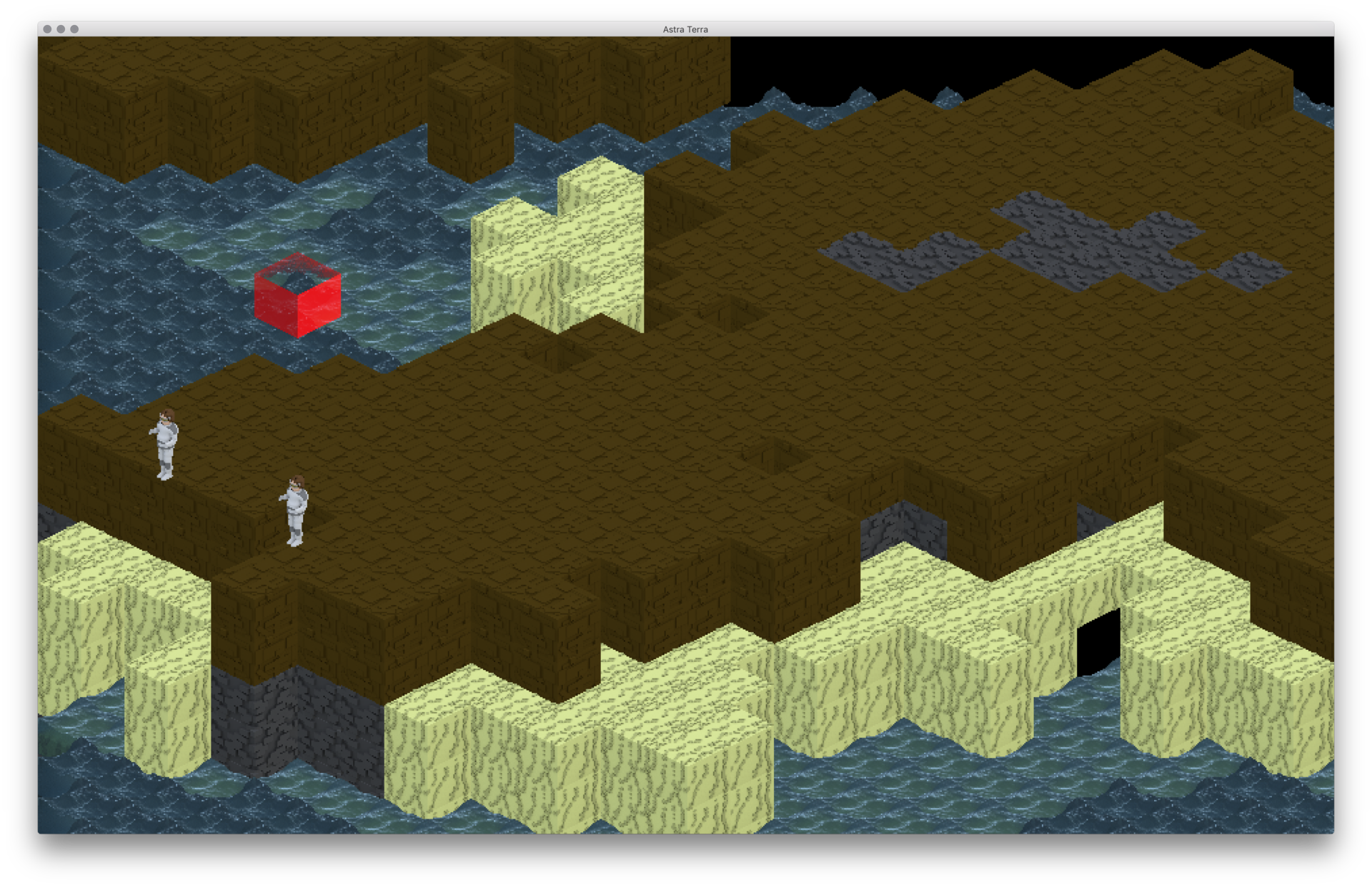
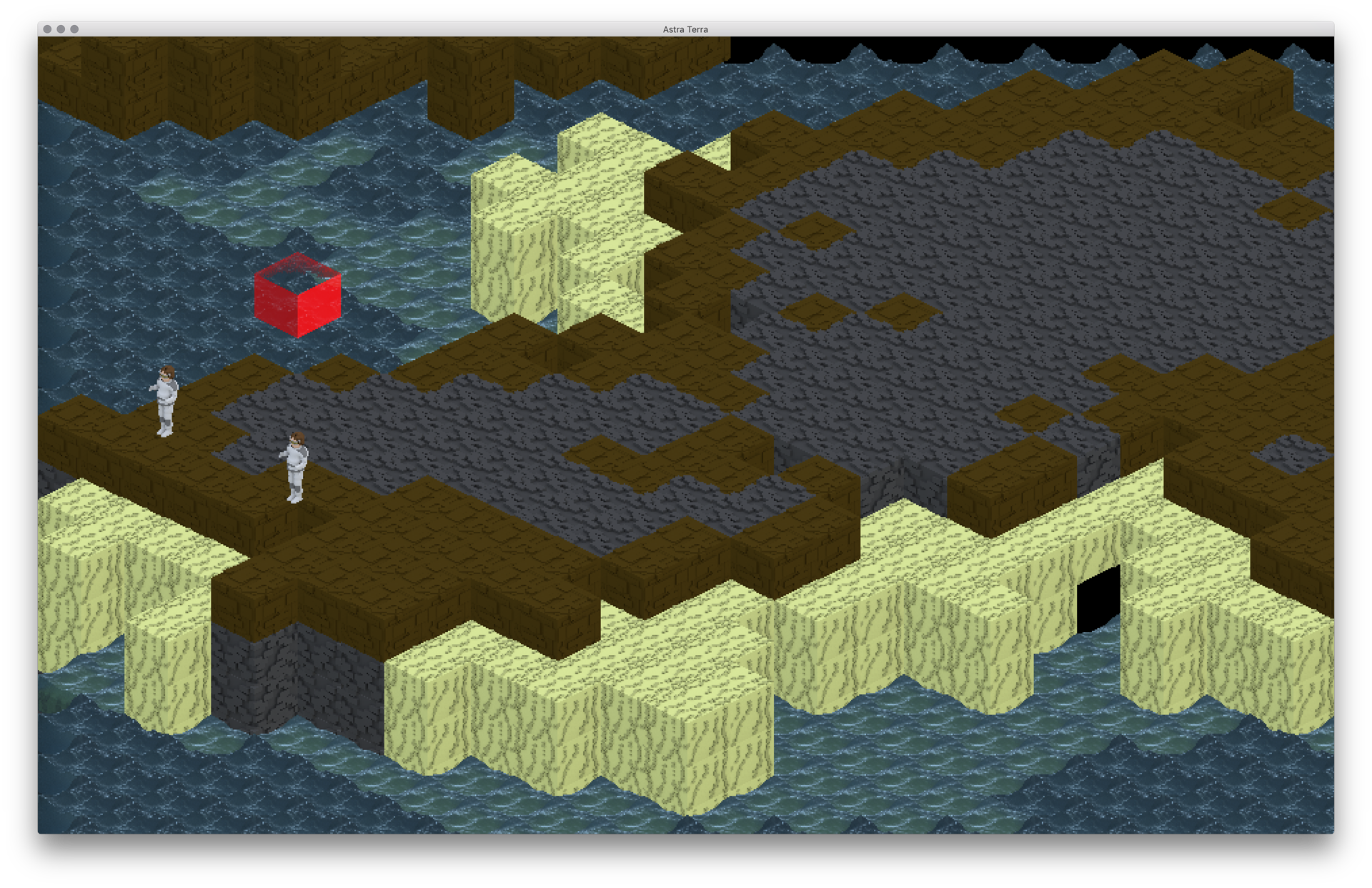
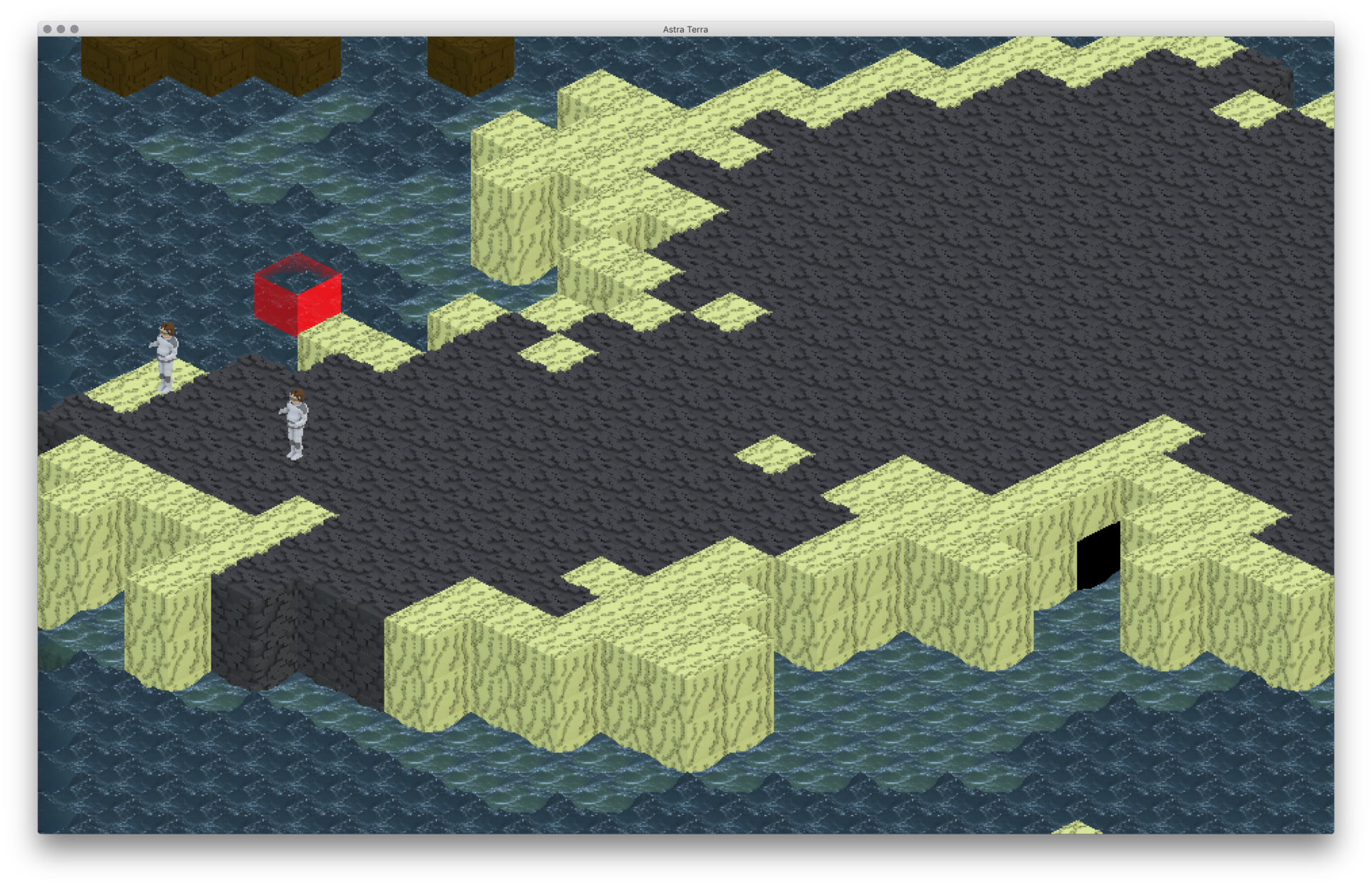
Attached are a few images of the same cliff/hill/area of progressively decreasing Z axis.

Please excuse the colonists, they were intent on getting in the shot, and since the moveable entity drawing code actually doesn't work right currently (https://gamedev.stackexchange.com/questions/163092/render-moveable-entities-into-3d-isometric-world) it's a little weird.

Screen Shot 2018-08-23 at 10.48.17 AM.png

Screen Shot 2018-08-23 at 10.48.38 AM.png

Screen Shot 2018-08-23 at 10.48.41 AM.png

Screen Shot 2018-08-23 at 10.48.45 AM.png

Screen Shot 2018-08-23 at 10.48.47 AM.png

Screen Shot 2018-08-23 at 10.48.50 AM.png

Screen Shot 2018-08-23 at 10.48.52 AM.png

Screen Shot 2018-08-23 at 10.48.55 AM.png

2 minutes ago, ferrous said:

For an RTS, it might be fine. Depending. Like, for example, dragging a selection box, how would you do that in your game? Would you need to drag it in isometric fashion, or does the user draw a normal square? And if it's the latter would that make selecting units harder?


So, how selection will work is that the user just draws a selection square on whatever level they're currently viewing, and if they're selecting colonists it'll just select all the colonists on any Z axis that fall under that square. If they're selecting terrain (as in, designating an area to mine), then since they're selecting tiles filled with blocks, they'd just do a regular square to select those, a 2D square. I'm not sure if or how that would make selecting units harder, but it might?

“What do you despise? By this are you truly known.”
Frank Herbert, Dune
nicster
nicster


Yup, that makes it clearer, thanks. Comments:-

The red block, i assume is the cursor/selection, yes? And as you are moving through the z-axis, is this moving as well, or is it always on the selected z axis (sorry tricky to tell)?

//The people you have, can you explain what we are seeing as you drop down the z-axis?

edit: sorry should read fully before answering - forget the colonists in view

Oh and just manually create a mine to see how it looks (hollow out some blocks, and see how it looks).

nicster


Christopher Dumas
Christopher Dumas

Hi nicster, so yeah if you're just going straight up and down levels, the cursor (which is the red block, correct) stays on the same x,y point. In the screenshots, it is on the same x,y point, but the current Z level, on each of the screenshots except maybe the last. Hope that helps! Also, I don't have a way of doing manual mines yet, I could add that if it would help a lot.

Concerning what you're seeing with the colonists, whats going on with them (if you didn't visit the gamedev stackexchange link) is that they are rendering to the correct isometric point, but since I render them as a batch after the rest of the map is rendered (this is a temporary stopgap), they still render on top of everything, even when they should be behind it.

“What do you despise? By this are you truly known.”
Frank Herbert, Dune
Learn2develop
Learn2develop

You did a pretty good job of rendering the graphics for your game, how long have you been in game development? To answer your question though, I don't believe that it should be too confusing for the gamers of the newer generation. Especially not a true gamer.

?
Iltis
Iltis

I can see what your artist means.


Without shadows it's pretty hard to tell at which z-level your red box is currently at, since it could be at the high front, or low back.

With shadows it should be much clearer though

nicster
nicster


Yeah as iltis says, its a little tricky to work out where the the red box is in relation to the current z-level. As well as shadows, other suggestions would be

1) Keep the z selection with the current z-level. Or is that confusing, or limits your actions?

2) Maybe show opaque grey selection boxes above/under the red box to show how many z-levels you are away from the current level

Good luck!

Alberth
Alberth

As others have said, currently, below ground doesn't look different from above ground with bare land. You can't see you're under ground level, and how far. If you have other tunnels, how can I see them, eg to connect, or to avoid connecting?

You may want to look at how rollercoaster tycoon handled under the ground levels.

Bregma
Bregma

Great. Now I have the Gnomoria theme song running through my head. Again.

Anyway, I would take a look at what they did in that game, see what they got right (most stuff) and what could be improved on (cursor control, more than cursor location). Have the current selection anchor stick to the "surface" of the current view and follow the cursor as a view-cursor-taget projection -- the "surface" may be the top of the current Z-slice in cutaway mode. Have the selection anchor glow around the edges of the square for feedback.

I don't think people today have a lower IQ or are generally more incapable of grasping ideas than folks of years gone by. Why do you think they'd be confused by an isometric view? Heck, if there's a sustainable market for Dwarf Fortress and its UI (and there apparently is; I know I've gratefully sent them my money), you may want to revise your judgement of humanity.

Stephen M. Webb
Professional Free Software Developer
Christopher Dumas
Christopher Dumas
8 hours ago, Learn2develop said:

You did a pretty good job of rendering the graphics for your game, how long have you been in game development? To answer your question though, I don't believe that it should be too confusing for the gamers of the newer generation. Especially not a true gamer.

Hi Learn2develop, this is the first major game I've ever made, actually. Although I've dabbled in game development for about five of the nine years I've actually been programming. This game has been in development for about two years, but as I stated in the original question I recently switched graphics rendering libraries and switched from orthogonal 2D rendering to isometric. I actually made the switch about 5 days ago, and what you're seeing is about three or four days of real work on the graphics. That's also why I don't have a UI in place: since I switched rendering engines I had to re-do all that too. But yeah, I've finished the colonist/minion/soldier AI, world generation, mining resources and cutting down trees, hauling behaviors for stockpiles. All I need to do now (and I'm guessing it's going to take me another year, what with college and all) is finish the construction AI (both for simple walls and workshops/generators/big building units), tech tree and fighting AI. So right now I'm about 60-70% done. I plan to make this game multiplayer but that's more of something I'm going to work on in tandem with a Kickstarter.

8 hours ago, Iltis said:

I can see what your artist means.


Without shadows it's pretty hard to tell at which z-level your red box is currently at, since it could be at the high front, or low back.

With shadows it should be much clearer though

Do you think just dimming lower levels could work too? I could do shadows, in fact I kind of plan on it, but right now I'm barely getting 60fps as it is and it might make the rendering truly slow to od shadows.

8 hours ago, nicster said:


Yeah as iltis says, its a little tricky to work out where the the red box is in relation to the current z-level. As well as shadows, other suggestions would be

1) Keep the z selection with the current z-level. Or is that confusing, or limits your actions?

2) Maybe show opaque grey selection boxes above/under the red box to show how many z-levels you are away from the current level

Good luck!

2

Actually it is limited to your current Z-level, but I guess your confusion proves your point :) In any case, number 2 is actually a really good idea! I should try that. It might help a LOT with clarity. I could show opaque grey selection boxes under the cursor box to show how many z-levels you are away from the floor/ bottom level.

4 hours ago, Bregma said:

Great. Now I have the Gnomoria theme song running through my head. Again.

Anyway, I would take a look at what they did in that game, see what they got right (most stuff) and what could be improved on (cursor control, more than cursor location). Have the current selection anchor stick to the "surface" of the current view and follow the cursor as a view-cursor-taget projection -- the "surface" may be the top of the current Z-slice in cutaway mode. Have the selection anchor glow around the edges of the square for feedback.

I don't think people today have a lower IQ or are generally more incapable of grasping ideas than folks of years gone by. Why do you think they'd be confused by an isometric view? Heck, if there's a sustainable market for Dwarf Fortress and its UI (and there apparently is; I know I've gratefully sent them my money), you may want to revise your judgement of humanity.

Hey Bregma, to be honest, I was pretty confident that people would be able to figure out the graphics, my only issue was if I could make it so that there wasn't much to figure out, ie how to improve on games like Gnomoria. My artist (who mostly plays FPS games, I'm a Dwarf Fortress megafan) wasn't so sure.

“What do you despise? By this are you truly known.”
Frank Herbert, Dune
GD_Entertainment
GD_Entertainment

It's for sure more rare approach to creating the game, but the idea is promising.

Kenlog
Kenlog

It's quite possible to use isometric view for a wide pool of ideas. I love how you've rendered the terrain. I've seen semi 3D MMORPGs like this.

It does the job well, i've had an idea like this a while ago, to make a "4D" game map like this with the multi dimensional matrix, when you pass certain door at XYZ, certain world parts become visible and others invisible.

Now that i think about it, how much harder would be to transform chunky maps into co-joined polygons? To allow various combinations of the landscape.

Christopher Dumas
Christopher Dumas

Kenlog,

Thanks for the compliment! The graphics were actually rendered out by my artist so its at least 60% his baby.

I don't know how much harder it would be, tbh. I don't have a lot of 3D programming experience, but I would assume it wouldn't be very hard at all, and it's certainly an interesting idea! You should run with it! The only possible issue is blending the various textures for the land, and it might be more efficient just to use marching cubes, but that's just a guess.

“What do you despise? By this are you truly known.”
Frank Herbert, Dune
Christopher Dumas
Christopher Dumas

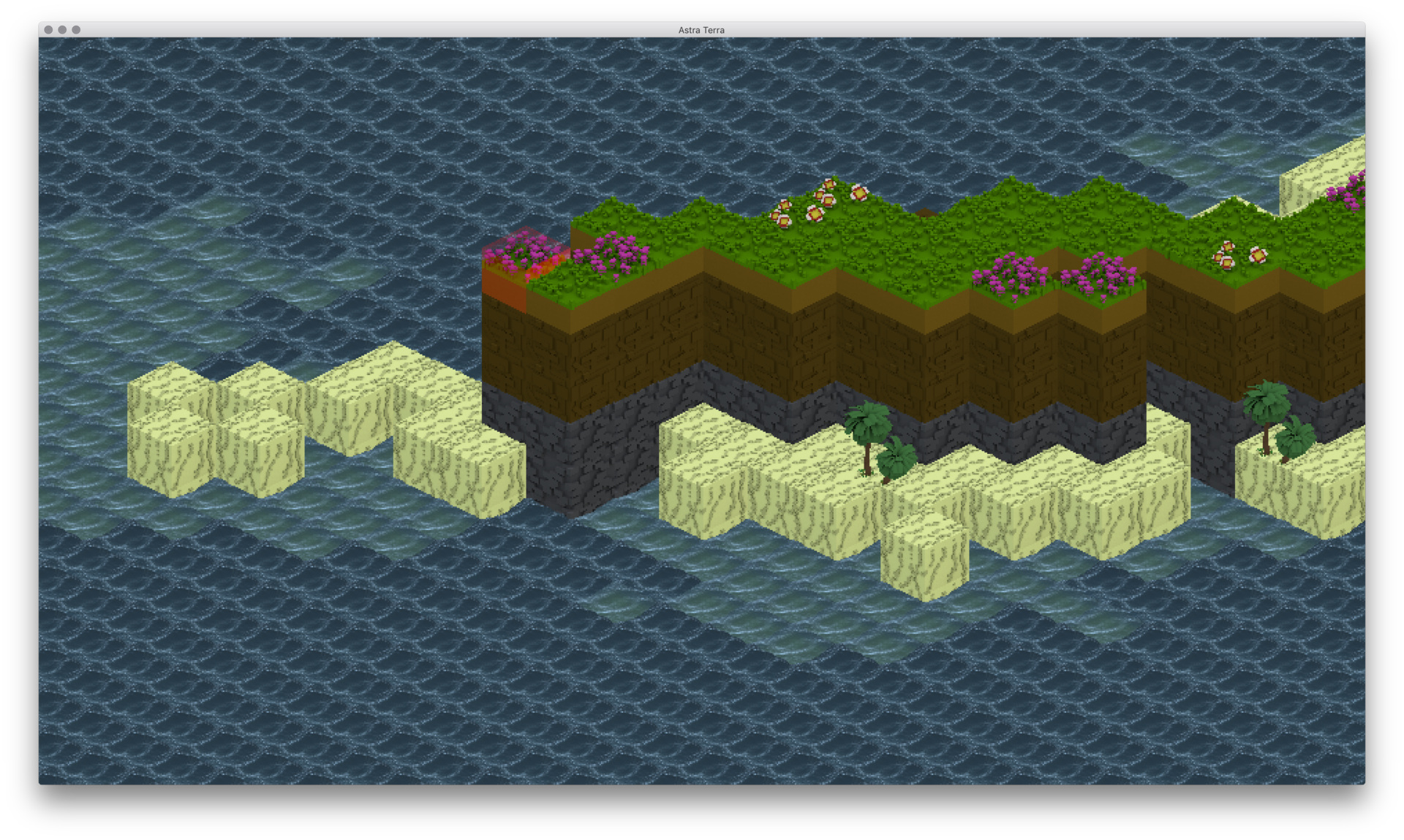
I've implemented the stacked cursor (I forget who's suggestion that was) and fixed the solider's rendering. I also added a few biomes and things. Here are some updated screenshots.

CHANGELOG:

1. Added desert biome (only shows up on worlds close to their sun and therefore with little water and a lower sea level)

2. Snow biome (on very high peaks and stuff)

3. Beach plants

4. More variety in forests


Keep in mind that these biomes are compressed and not particularly realistic in the interest of making the game interesting.

Screen Shot 2018-08-26 at 3.48.27 PM.png

Screen Shot 2018-08-26 at 3.48.41 PM.png

Screen Shot 2018-08-26 at 3.49.11 PM.png

Screen Shot 2018-08-26 at 3.49.25 PM.png

Screen Shot 2018-08-26 at 3.50.24 PM.png

Screen Shot 2018-08-26 at 3.51.27 PM.png

“What do you despise? By this are you truly known.”
Frank Herbert, Dune
zircher
zircher

At part of the UI have the cursor X,Y,Z info displayed. If the user ever needs to confirm where their cursor is, it is just a glance away. Or tie it to a (maps?) key or right mouse click.

Topic Locked

This topic has been locked by a moderator. New replies are not allowed.

Sign in to reply to this topic.