GameDev.net gamedev.net
🔒 Locked

Unity game freezes when attempting to put Canvas on top with separate camera

Started by lougv22 Jan 6, 2021 at 1:20 AM 2 replies 7.3k views
Original Post
lougv22
lougv22

In a Unity game, I have a scene with a Canvas mixed in with the legacy OnGUI system. The UI drawn by OnGUI appears on top of Canvas so in order to make it the other way around (Canvas on top of OnGUI), I did the following:

  1. Changed the Render Mode of the Canvas to World Space.
  2. Added a new camera called UI Camera.
  3. Set Clear Flags for UI Camera to Depth only.
  4. Set Depth to 10.
  5. On my Main Camera, i selected Copy Component.
  6. On UI Camera, i selected Paste Component Values.
  7. On UI Camera, only leave "UI" option checked.
  8. On Main Camera, uncheck "UI" option.
  9. Delete Audio Listener component on UI Camera.

The Main Camera has a Cinemachine Brain component attached to it. The Canvas UI is triggered by a button press. When I pressed the button in question the whole game froze.

What could be the problem here?

frob
frob

Could be just about anything with that information.

What is your call stack at the time it freezes? Is it a hard lock (meaning the application is actually stopped or execution is blocked) or is it a soft lock (meaning it is still attempting to do something like an infinite loop)?

lougv22
lougv22

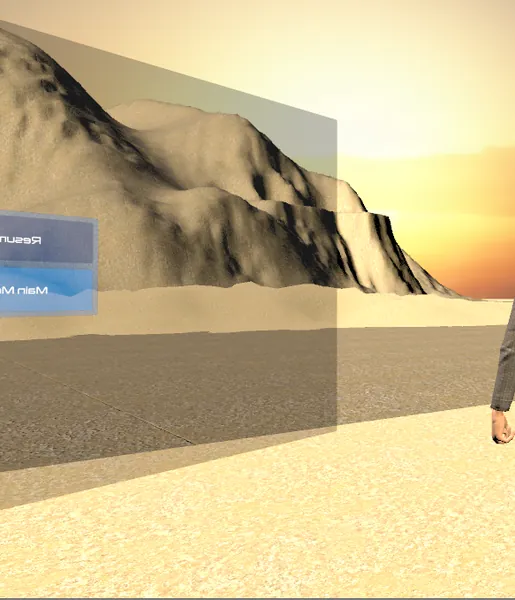
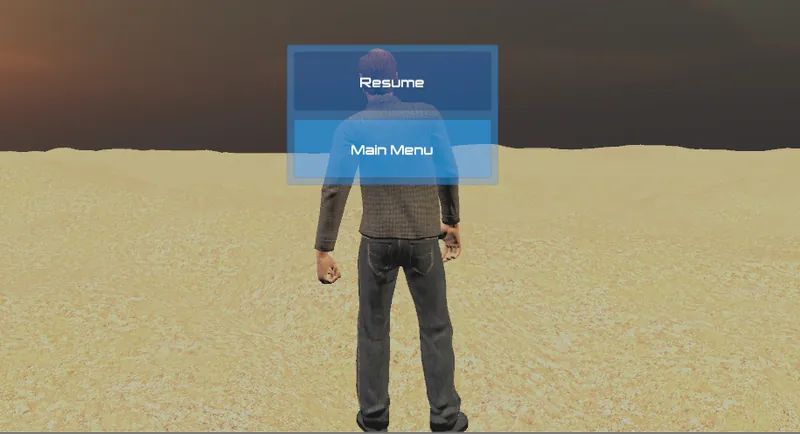
Looking at it further, the game freezing is not the real problem. What is happening is upon pressing the button to trigger the Canvas UI, a pause menu is opened, which pauses (freezes) the game, but that's by design. What led me to think that was the problem was that the pause menu itself was not displayed correctly and as a result, it was hidden from view. Here is exactly what is happening.

Pause menu displayed to the side, i.e. not right in front of the camera. I had to move the character to the left to see it:

This is how the pause menu should look when displayed correctly, i.e. it should take up the whole screen and face the camera:

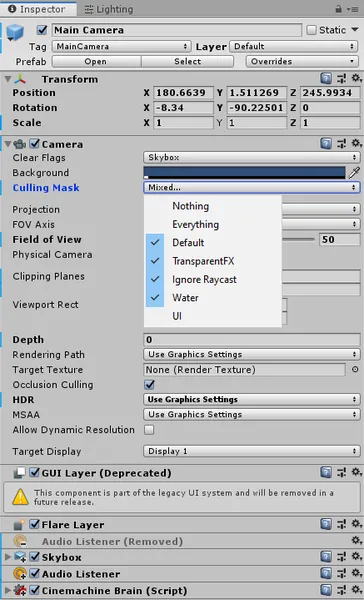
Those are the main camera settings:

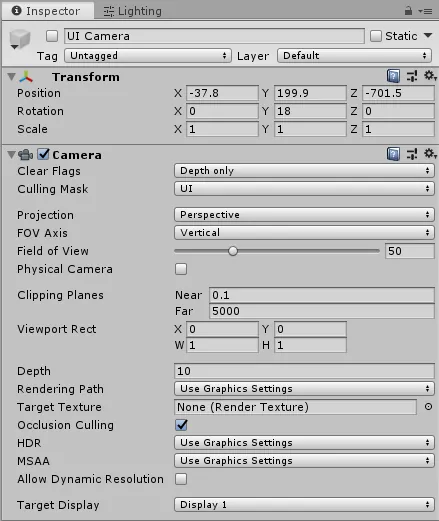
And those are the settings for the UI Camera. The UI Camera is a child of the main camera:

Topic Locked

This topic has been locked by a moderator. New replies are not allowed.

Sign in to reply to this topic.