GameDev.net gamedev.net
🔒 Locked

Minecraft as level editor?

Started by Embassy of Time Oct 9, 2025 at 8:06 PM 6 replies 1.7k views
Original Post
Embassy of Time
Embassy of Time

I am returning to game development after a long hiatus (lot of cat sanctuary stuff), and I instantly get reminded that I have ZERO sense of scale when I try to map out my Embassy of Time HQ in the game (it's just a small online web game for now). So I have begun making a rough draft of the embassy grounds in Minecraft, giving me a clearer idea of what it is going to be like, without needing to make a whole level editor or the like.

Has anyone tried this before? It feels weird, almost childish, but it gets me better results (I think) than trying to just map it out in a graphic editor or, ugh, by hand. If anyone has advice or tricks oor the like for using Minecraft, or something else, in this way, please let me know!

[DEDACTED FOR SECURITY REASONS]
Alberth
Alberth

Use whatever works, imho.

I wouldn't have considered minecraft, but eg generate a number of small images with a program, then use paint to compose the scene likely also works.

Tiled editor may work too.

In the past I once had the problem of placing a number of buildings in a game. The trouble was the buildings all had different sizes, and the area wasn't a rectangle either. In the end I used some paper with squares on them to cut out each building, as well as the edge of the area. Then I used an empty table to figure out how to place the buildings against the edge.

Embassy of Time
Embassy of Time

@Alberth “Use whatever works” is the ultimate mantra, I guess. I just have such poor sense of scale that very little does work, so I am hoping that others know the feeling and can steer me ob a better path. I can totally see myself struggling with what you described, too!

[DEDACTED FOR SECURITY REASONS]
RmbRT
RmbRT

Minecraft is quite quick and easy to use for certain stuff. It really depends on what specific thing you need. It is usable for houses, rooms, etc., I guess, but terrible for others.

Working with pens and paper is also quite useful, yeah. I recommend combining pencils for the initial sketch and refinement and those fine-liner pens for the clear visibility and strong outlines.

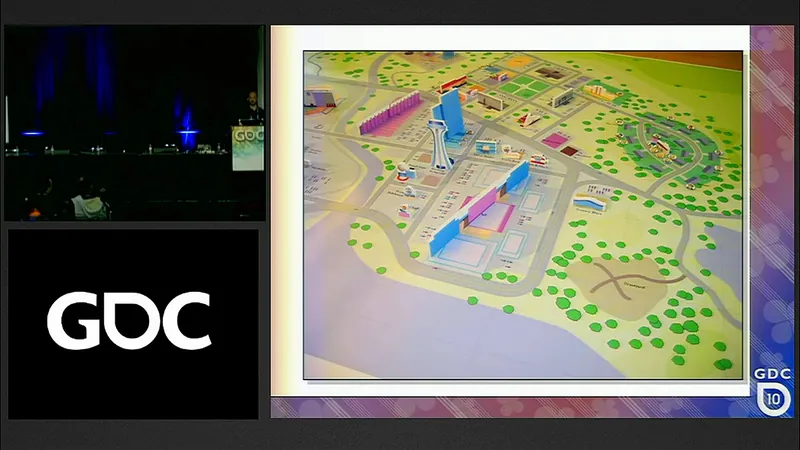
Paper cut-outs are good for re-arranging things. For some things, you can also work with pop-up art for prototyping. This video contains some neat examples for visual prototyping using paper (especially the simpsons section got quite creative):

here's a screenshot of that:

Disclaimer: one-page design documents are not real design documents. They are quick condensed reminders for your team and try to capture, but do not replace detailed specifications.

Walk with God.
Embassy of Time
Embassy of Time

@RmbRT My problem is my sense of scale, without “standing there” I have no idea of how big things are or should be. Minecraft helps that. Without that experience, the other options sadly do not work for me.

The video looks cool, think I'll pop a sugar drink and relax watching it for a bit, thanks!!

[DEDACTED FOR SECURITY REASONS]
Alberth
Alberth

Sizes are indeed tricky to understand. I tend to use guestimate sizes of real-world objects around me to make a judgement. In that way you have an abstract number size as well as a concrete example to compare with.

For much larger sizes, you can measure sizes at a map, and then physically go there to get an impression of how big it is. At even larger sizes, at some point the time needed to travel through it becomes a way to measure size.

JoeJ
JoeJ

I mostly use a humanoid character object, and a 1m grid to get a sense of scale.

Topic Locked

This topic has been locked by a moderator. New replies are not allowed.

Sign in to reply to this topic.