GameDev.net gamedev.net
🔒 Locked

Simple C++ line rasterization code?

Started by Josh Klint Jan 31 at 3:16 AM 4 replies 600+ views
Original Post
Josh Klint
Josh Klint

I want to implement a map system like Alien Isolation has. Up close, the lines are two pixels thick with one pixel of anti-aliasing on either side:
https://cdn.discordapp.com/attachments/1320425877833781318/1466993998362316800/image.png?ex=697ec420&is=697d72a0&hm=40eeb42ba3011304206d613b7ef1a9e6592b4dba9c26a34605c9d0f17350ce46

I have my own pixmap class for image data, but have not implemented any line rasterization. Do you know any library I can use to do this, that isn't too bloated and doesn't have a lot of dependencies?


frob
frob

To be clear, are you looking for something like Bresenham's line algorithm from the 1960s that is efficient but built for p cpu ixel operations rather than modern cards, or are you looking to replicate the effect?

To me, the effect looks like a half pixel shift followed by a 2x resample. It's easily and efficiently done in hardware.

Aressera
Aressera

All you need to do lines is an anti-aliased circle shader and constructing the right vertices. Treat a line as a circle that is stretched aribitrarily long at its midpoint. For a line with 0 length, it is a circle of radius R. To make it have length L, you would divide the line into 3 quads. One quad covers UV coordinates u= -1 → 0, the middle quad has UVs of (0,-1) and (0,1) for the vertices, and the last quad covers u = 0 → 1. Depending on how big you make the middle quad, you can make the line as long as you want with rounded endpoints. This is similar to “9-sliced” sprites. Rotate the line vertices (e.g. with a matrix in shader) so that the U axis is aligned with the line direction. You could do all that in a geometry+vertex shader or on the CPU with a vertex buffer updated every frame (I do it on the CPU, never been a bottleneck).

Then you can use a shader to calculate the alpha value of the pixel based on the UV coordinate. You can change the “pixelSize” to make the circle border softer or harder, to simulate those soft lines.

float circle( in vec2 uv, in float pixelSize )
{
	float radius = 1.0;
	float edgeDistance = radius + 0.5*pixelSize - length(uv);
	return clamp( edgeDistance, 0.0, pixelSize )/pixelSize;
}
RmbRT
RmbRT

It really depends: are the endpoints of lines always at integer positions? Should two connected line segments overlap each other (see the corners, they have double the opacity than regular parts of a line)? Are all lines axis-aligned? How many lines do you have to render, and is it offline or realtime? Are the line widths fixed and does only the colour vary?

Walk with God.
JoeJ
JoeJ

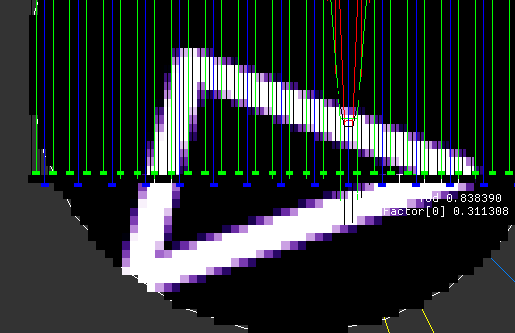
Made one using Aresseras snippet:

Sorry for the other debug visuals going on, but it works.


			{
				using Vec2 = sVec3;
				Vec4 *pixels = texels[0];
				int dim = MAX_RES;

				for (int n=0; n<dim*dim; n++) pixels[n] = Vec4(0,0,0,0);

				constexpr int numLines = 3;
				Vec2 lines[numLines * 2] = { 
					Vec2(0.2f, 0.3f), Vec2(0.8f, 0.1f), 
					Vec2(0.8f, 0.1f), Vec2(0.7f, 0.5f), 
					Vec2(0.7f, 0.5f), Vec2(0.2f, 0.3f), 
				};

				auto clamp = [](float x, float a, float b)
				{
					return std::max(a, std::min(b, x));
				};

				float invD = 1.f / dim;
				for (int y=0; y<dim; y++)
				for (int x=0; x<dim; x++)
				{
					Vec2 p ((x + .5f) * invD, (y + .5f) * invD);
					float minDist = FLT_MAX;
					for (int i=0; i<numLines; i++)
					{
						const Vec2 &l0 = lines[i*2]; 
						const Vec2 &l1 = lines[i*2+1];
						Vec2 pl = p - l0;
						Vec2 line = l1 - l0;
						float sql = line.Dot(line) + 1.0e-12f;
						float t = line.Dot(pl) / sql;
						t = clamp(t, 0.f, 1.f);
						float dist = Vec2(line * t - pl).Length();
						minDist = std::min(minDist, dist);
					}

					float pixelSize = invD;
					float radius = invD * 2.f;
					float edgeDistance = radius + 0.5f * pixelSize - minDist;
					float a = clamp( edgeDistance, 0.0, pixelSize )/pixelSize;

					pixels[x + y*dim] = Vec4(a, a*a, sqrt(a), 1.f);
				}
			}

Total brute force ofc. : )

Topic Locked

This topic has been locked by a moderator. New replies are not allowed.

Sign in to reply to this topic.