GameDev.net gamedev.net
🔒 Locked

Fighting game collision

Started by TeaP0s3 Jul 7 at 11:59 PM 7 replies 550+ views
Original Post
TeaP0s3
TeaP0s3

I've been stuck trying to figure out how to program character collision in a 2D fighting game. Specifically for player movement, not for attacks.

I'm using Godot, and my current implementation is to check for an overlap of both characters' collision boxes, measure the distance of the overlap, then move both characters horizontally by half the distance.

This works fine; however, fighting games have corners, and players cannot go past the edge of the screen. So I have a check for whoever is in the corner, then make them not move, and make the opponent move the full distance.

I have a few issues I'm running into with this approach.

  1. The players will visibly overlap for a frame before the function is called.

  2. The collision function will not stop both players from overlapping without adding extra distance, which adds jitter, and you need more distance for high speeds. So I have to call the function every frame they're colliding, which doesn't seem like the correct implementation.

  3. If the player in the corner is moving back and forth, the player outside of the corner doesn't have the distance applied 2x, which causes them to overlap.

TooOld2rock-nRoll
TooOld2rock-nRoll

I'm on the same path, just now started thinking about physics.

All your issues are expected, go play Marvel vs. Capcom if you didn't for a wile, all those things happens from time to time.

By your description, your rendering section seams to be one frame late in relation to the update procedures, maybe the order you are calling the functions should be reversed?

Anyway, as I understand, it may be impossible to take ALL those out without ray tracing during the physics update loop, to "predict" where the players will be before they actually move.

Unless you are aiming for a realistic fighting simulation, all those problems are welcome kinks in 2D fighting games.

I have no advises for less boxy contact points, that is wayyyyyy down in the todo list for me to even consider thinking about it.

"No, you're never too old to rock and roll
If you're too young to die"
JoeJ
JoeJ

TeaP0s3 wrote:

The players will visibly overlap for a frame before the function is called.

Sounds you call the collision resolve after the drawing. Reversing order should fix it.

TeaP0s3 wrote:

The collision function will not stop both players from overlapping without adding extra distance, which adds jitter, and you need more distance for high speeds.

This can be done without jitter for sure, but you need to understand what contributes how to the jitter.
A typical issue would be:
Player 1 and 2 run against each other, until the collision stops them.
They are now in contact.
Eventually you process input and move one player further against the other. (although they are in contact)
After that the collision sets the character back again.
Which causes a cycle, or an oscillation, which we could describe as jitter.

However, if everything works correctly, we should still get a stable equilibrium in this situation.
Meaning, the character should penetrate the same distance every frame, and the collision resolve should always push back the same distance, so we see no movement happening at all. Depending on the rendering order we either see the state with constant penetration, or the resolved state in contact. But we should not see any movement.

That's what you need to make work. But instead you probably tried to cure symptoms, actually by adding some extra distance to the collision response, so they are no longer in contact to cause issues. But this only makes it worse: The distance of movement becomes larger, so the player input can cause more acceleration, colliding with some velocity instead zero velocity at contact. And also the duration of the cycle becomes longer. So you made it more likely for things to go wrong, i assume from your writing.

TeaP0s3 wrote:

So I have to call the function every frame they're colliding, which doesn't seem like the correct implementation.

Why does this seem incorrect?

I would say we usually call collision detection at least once per frame, but likely more often e.g. due to physics sub steps.

TeaP0s3 wrote:

If the player in the corner is moving back and forth, the player outside of the corner doesn't have the distance applied 2x, which causes them to overlap.
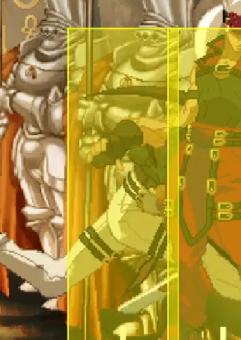
You could work in world space instead screen space to avoid screen border issues.

Or you can tweak it until the behavior is correct and as expected.

A related idea might be to introduce variable mass per character. This way you can set which character can push the other how easily. Mass can become a dynamic gameplay element as well, e.g. special power move gives more mass.

TeaP0s3
TeaP0s3

JoeJ wrote:

Sounds you call the collision resolve after the drawing. Reversing order should fix it.

When I say they overlap for a frame, I mean that at higher player movement speeds, the hitboxes will overlap for a frame and not call the signal. I've asked about this with other people who use Godot and got the answer that the signal will only check for collisions on the previous frame.

The overlap in the pushboxes here is for a frame, then the players snap into their expected positions.


JoeJ wrote:

Why does this seem incorrect?

I would say we usually call collision detection at least once per frame, but likely more often e.g. due to physics sub steps.

Godot has a signal that is called when an area overlaps another, AreaEntered2D. It will only call again once the previous area has exited. I would assume that my code pushes both players to be tangential, therefore no longer overlapping. However, it won't call the AreaEntered2D signal again because they technically haven't stopped overlapping after a few tries.

I think it would be incorrect for them to remain overlapping when I'm moving them to be tangential. I would assume it's an issue with floating-point error, leaving them overlapping by thousandths of a unit.


The jitter issues I'm having are a result of me trying to remove the colliding variable. The current implementation gives the expected results when I have the colliding variable. I explained above why I think removing the variable doesn't work.


I'm having issues keeping players in the corner. I would think that setting the character in the corner to be 1 unit closer would make it so that the opponent can never steal the corner. Though that's not the case in practice, and I don't see what I could change to fix it.


I think it would be more productive if I showed my code and explained how it works so you're not shooting in the dark.


func _process(_delta: float) -> void:
	EdgeClamp()
	CornerClamp()
	
    CalculateSide()

	if colliding:
		PlayerCollision()

This is the main update loop. It is in a game state manager object that has references to both player nodes and areas. The players also have references to important variables, such as which side each player is on, which player is in the corner, whether a player touched the corner, etc.


func PlayersCollided(_area : Area2D) -> void:
	colliding = true

func PlayersStopped(_area : Area2D) -> void:
	colliding = false

PlayersColided is a signal attached to Player 1's area. When another area enters Player 1's area, this function is called.

PlayersStopped is the inverse; when an area that was previously overlapping exits Player 1's area, this function is called.


func CalculateSide() -> void:
	if p1Node.position.x < p2Node.position.x: #Set player 1 to the left side if they have a lower x position
		playerOnLeftSide = 1
	else: #Player 2 is also set on the left if both players share an exact position
		playerOnLeftSide = 2

Calculate which player is on the left side and set a variable that both players have a reference to.


func EdgeClamp() -> void:
	var leftEdge : float = cam.projectedPosition.x - 480 #The actual position of the camera is smoothed, use the projected position to calculate where the fullscreen edges are
	var rightEdge : float = cam.projectedPosition.x + 480
	
	if p1Node.global_position.x < leftEdge: #If player 1 is past the left edge, set their position, don't change velocity
		p1Node.global_position.x = leftEdge
	if p1Node.global_position.x > rightEdge:
		p1Node.global_position.x = rightEdge
	
	if p2Node.global_position.x < leftEdge:
		p2Node.global_position.x = leftEdge
	if p2Node.global_position.x > rightEdge:
		p2Node.global_position.x = rightEdge

func CornerClamp() -> void:
	if p1Node.global_position.x < -735: #Player 1 in left corner
		if playerInLeftCorner == 0 or playerInLeftCorner == 1: #If player 2 is not in the corner, set player 1 to be in the corner and clamp their position
			p1Node.global_position.x = -735
			playerInLeftCorner = 1
		else: #If player 2 is in the corner, clamp the position further from the corner to allow the person in the corner to stay in the corner
			p1Node.global_position.x = -734
	elif not is_equal_approx(p1Node.global_position.x, -735):
		if playerInLeftCorner == 1:
			playerInLeftCorner = 0
	if p1Node.global_position.x > 735: #Player 1 in right corner
		if playerInRightCorner == 0 or playerInRightCorner == 1:
			p1Node.global_position.x = 735
			playerInRightCorner = 1
		else:
			p1Node.global_position.x = 734
	elif not is_equal_approx(p1Node.global_position.x, 735):
		if playerInRightCorner == 1:
			playerInRightCorner = 0
	
	if p2Node.global_position.x < -735: #Player 2 in left corner, the same process as above, just with player 2
		if playerInLeftCorner == 0 or playerInLeftCorner == 2:
			p2Node.global_position.x = -735
			playerInLeftCorner = 2
		else:
			p2Node.global_position.x = -734
	elif not is_equal_approx(p2Node.global_position.x, -735):
		if playerInLeftCorner == 2:
			playerInLeftCorner = 0
	if p2Node.global_position.x > 735: #Player 2 in right corner
		if playerInRightCorner == 0 or playerInRightCorner == 2:
			p2Node.global_position.x = 735
			playerInRightCorner = 2
		else:
			p2Node.global_position.x = 734
	elif not is_equal_approx(p2Node.global_position.x, 735):
		if playerInRightCorner == 2:
			playerInRightCorner = 0

Don't allow players to walk past the edge of the screen, and stages have ends to them, called the corner. Clamp player positions to the edges of the screen and the corners.

func PlayerCollision() -> void:
	if CalcCollisionDist() == -1: #Failsafe value that is only called when the signal is called when players aren't overlapping
		return
	
	var halfCalcDist : float = CalcCollisionDist() / 2 #Take half the distance of the players overlap
	
	if playerOnLeftSide == 1:
		if playerInRightCorner == 0 and playerInLeftCorner == 0: #If neither player is touching the corner, both players move back equal distance, allowing players to push each other
			p1Node.position.x -= halfCalcDist
			p2Node.position.x += halfCalcDist
		elif playerInLeftCorner == 1: #If player 1 is in the corner, don't move player 1 and have player 2 move the full distance
			p2Node.position.x += halfCalcDist * 2
		else:
			p1Node.position.x -= halfCalcDist * 2
	else:
		if playerInRightCorner == 0 and playerInLeftCorner == 0: #Inverse of the top, move players the opposite way depending who is on what side
			p1Node.position.x += halfCalcDist
			p2Node.position.x -= halfCalcDist
		elif playerInLeftCorner == 2:
			p1Node.position.x += halfCalcDist * 2
		else:
			p2Node.position.x -= halfCalcDist * 2
	
	CornerClamp() #Failsafe just to ensure players never go past the corner

Move the players outside of each other when the colliding bool is true. Move both players midscreen, only move the one not in the corner when one is in the corner.


func CalcCollisionDist() -> float:
	var p1Shape = p1Node.shape #Get their shapes
	var p2Shape = p2Node.shape
	
	if playerOnLeftSide == 1: #Player 1 on the left calcs
		var p1RightExtent = p1Shape.global_position.x + p1Shape.shape.size.x #Get left players right pushbox extent
		var p2LeftExtent = p2Shape.global_position.x - p2Shape.shape.size.x #Get right players left pushbox extent
		
		if p1RightExtent < p2LeftExtent: #If the rightmost extent is less than the left most, they are not touching
			return -1
		
		return abs(p1RightExtent - p2LeftExtent) #Get total distance inside each other
	else: #Player 2 on the left calcs
		var p2RightExtent = p2Shape.global_position.x + p2Shape.shape.size.x #Inverse of above
		var p1LeftExtent = p1Shape.global_position.x - p1Shape.shape.size.x
		
		if p2RightExtent < p1LeftExtent:#Ditto
			return -1
		
		return abs(p2RightExtent - p1LeftExtent)

Calculate the distance of the overlap and return it as a float.

JoeJ
JoeJ

TeaP0s3 wrote:

However, it won't call the AreaEntered2D signal again because they technically haven't stopped overlapping after a few tries.

Counter argument: If two boxes are in contact, e.g. after resolving their former collision penetration, it is correct to treat those two boxes as still overlapping, because their current distance isn't larger than zero.

If you accept this, the question becomes: Why do you want the signal to be called again? Is there a different way to achieve what you want?

(sadly i have no experience with Godot, so i can only respond in such general ways)

TeaP0s3 wrote:

#The actual position of the camera is smoothed, use the projected position to calculate where the fullscreen edges are

Eventually you have some feedback loop here, where the player affects the camera but the camera also affects the player. This could cause issues like jitter.


TeaP0s3
TeaP0s3

JoeJ wrote:

Eventually you have some feedback loop here, where the player affects the camera but the camera also affects the player. This could cause issues like jitter.

The camera projected position is just the midpoint between the players on top of the highest player position. The jitter I was referring to didn't appear to be affected by the camera. The only relation the players have with the camera is the boundaries of where they can move.


JoeJ wrote:

Counter argument: If two boxes are in contact, e.g. after resolving their former collision penetration, it is correct to treat those two boxes as still overlapping, because their current distance isn't larger than zero.

If you accept this, the question becomes: Why do you want the signal to be called again? Is there a different way to achieve what you want?

(sadly i have no experience with Godot, so i can only respond in such general ways)

I appreciate the response, even if you have no Godot experience, the usual response is just to "Use the built in physics."


I have some idea about the corner things and jitter; however, I have no clue what to do about Godot only checking collisions on the previous frame.


I did notice that zooming the camera out pushes the player out of the corner. I'll look more into that; that's the big issue.


Specifically about the overlapping collision, there is a check in the calculation of the distance between the collision edges because Godot would send an overlapping collision signal even if they weren't colliding that frame, essentially moving both players extra distance that was noticeable.


I get what you mean, if they're tangential, they're still touching, so the shape hasn't exited.


I can keep the current implementation without jitter, I was just wondering if there was a known way to keep the collision checks just in the function that is called on collision.

TooOld2rock-nRoll
TooOld2rock-nRoll

TeaP0s3 wrote:

I did notice that zooming the camera out pushes the player out of the corner. I'll look more into that; that's the big issue.

On those situations, when too much is happening at the same time and anything could be responsible for my problems, I start taking shit out of the equation!

For instance, have you tried "removing" the camera and bind the players to the screen space?

Have you tried making the player interact with a static object? The jitter continues?

Have you tried removing the engine physics callbacks and make simple contact checks during the update loop?

The simpler you get the scenario, the easiest for you to fix it (and for us to help).

"No, you're never too old to rock and roll
If you're too young to die"
TeaP0s3
TeaP0s3

TooOld2rock-nRoll wrote:

On those situations, when too much is happening at the same time and anything could be responsible for my problems, I start taking shit out of the equation!

So I've found the solution. The problem is that I wanted to check collision multiple times per frame, but Godot natively doesn't support Area2D nodes being allowed to check collision multiple times per frame.


So I can use Area2D nodes as containers for boxes, then just use AABB collision to check if any box in either active pushbox is colliding.

I believe I can also use the same solution for hit/hurtboxes when the time comes.


Thank you both for spending your time helping.


Topic Locked

This topic has been locked by a moderator. New replies are not allowed.

Sign in to reply to this topic.