
GameDev.net gamedev.net

[SLOPWARE] Batch image compression for Windows

Started by IronTusk Wednesday at 7:28 PM 1 replies 75+ views
Original Post
IronTusk
IronTusk

Hi everyone,

I’ve released [ SLOPWARE ], a Windows desktop tool for batch image compression through TinyPNG.

[ REDACTED LINK ]

I built it for my own game dev workflow. My renders and other art assets, mostly PNGs, were often much larger than I wanted, even after exporting them from Photoshop or other apps. I wanted an easy way to compress a whole folder without processing each image manually.

Just drag in a folder or individual files, choose where to save the compressed copies, and hit Compress.

Features

  • Processes images in folders and their subfolders.

  • Supports PNG, JPG/JPEG, WebP and AVIF.

  • Accepts files and folders through drag and drop.

  • Saves compressed copies without changing your originals.

  • Adds numbered suffixes when output filenames already exist.

  • Reports progress, file-size savings and monthly API usage.

  • Saves your API key in Windows Credential Manager after setup.

An example from my own assets

A 4096 × 4096 PNG render went from 64.1 MB to 3.6 MB, a 94.3% reduction. That's an extreme example. Compression savings vary by image of course.
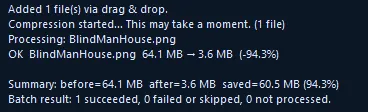
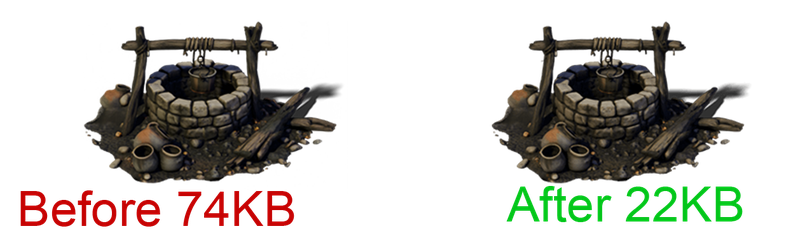
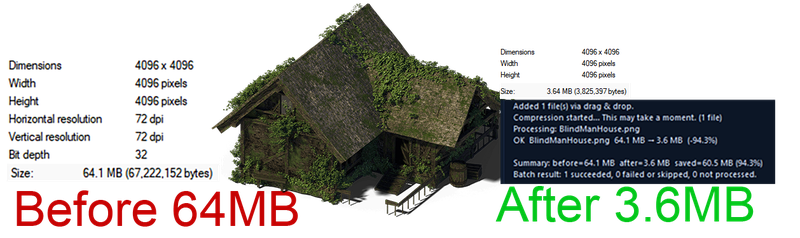
TinyPNG provides 500 free API compressions per account each month. [ SLOPWARE ] makes using their service fast and easy without logins or web interfaces. Drag and drop 100 images at once and be done!

Screenshots, setup instructions and download

[ REDACTED ]

Thanks for taking a look. I’d welcome feedback from developers and artists who regularly work with folders of image assets. There’s also a [ REDACTED ] page for bug reports and feature requests.

fastcall22
fastcall22

multimedia codecs and compression are a few of my favorite areas of interest. i am also a web developer who happens to have a healthy prejudice against web services that wrap free tools but also have a live backend for some reason. (you know, things like online base64 codec services, exif stripping services, and others. javascript can do that locally, why is this webapp asking a server to do the work? is it storing a copy of this data? what is its terms of services and privacy policy?)

anyway,

how does this tool compare against free tools such as pngquant, pngcrush, imagemagick, and ffmpeg?
does this tool have any added value other than a thin wrapper around the tinify API?
why should one choose to use tinify at all? why risk exposing unpublished and proprietary assets to a third party?
was generative AI used to build [ SLOPWARE ]? currently, its presentation strongly gives that impression.

IronTusk wrote:

I built it for my own game dev workflow. My renders and other art assets, mostly PNGs, were often much larger than I wanted, even after exporting them from Photoshop or other apps.

or, you could consider lossy compression at that point; codecs such as AV1, HEVC/H.265, ASTC, or BC7.

IronTusk wrote:

I wanted an easy way to compress a whole folder without processing each image manually.

it would be trivial to write such a script, add it to the toolchain and the asset pipeline. literally 15 minutes of work and would have never considered using a third party service, let alone involve TWO third parties...

Sign in to reply to this topic.