

Hi everyone,
I’ve released PNG Stomp, a Windows desktop tool for batch image compression through TinyPNG.
https://irontuskgames.itch.io/irontusk-png-stomp
I built it for my own game dev workflow. My renders and other art assets, mostly PNGs, were often much larger than I wanted, even after exporting them from Photoshop or other apps. I wanted an easy way to compress a whole folder without processing each image manually.
Just drag in a folder or individual files, choose where to save the compressed copies, and hit Compress.
Features
Processes images in folders and their subfolders.
Supports PNG, JPG/JPEG, WebP and AVIF.
Accepts files and folders through drag and drop.
Saves compressed copies without changing your originals.
Adds numbered suffixes when output filenames already exist.
Reports progress, file-size savings and monthly API usage.
Saves your API key in Windows Credential Manager after setup.
An example from my own assets
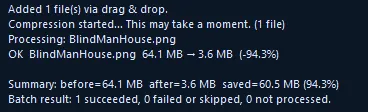
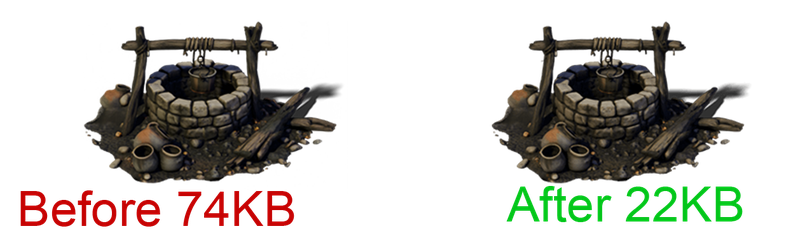
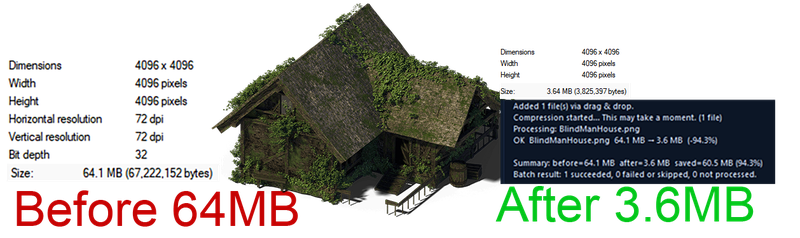
A 4096 × 4096 PNG render went from 64.1 MB to 3.6 MB, a 94.3% reduction. That's an extreme example. Compression savings vary by image of course.
TinyPNG provides 500 free API compressions per account each month. PNG Stomp makes using their service fast and easy without logins or web interfaces. Drag and drop 100 images at once and be done!
Screenshots, setup instructions and download
https://irontuskgames.itch.io/irontusk-png-stomp
Thanks for taking a look. I’d welcome feedback from developers and artists who regularly work with folders of image assets. There’s also a community page for bug reports and feature requests.
