
Hit Flash and Damage Tint
by GameDev.net · GLSL ES 3.00 (WebGL2) · 25 Aug 2026
Run the shader to adjust these controls.
What it demonstrates
Damage feedback has to be legible in a single frame, at small size, while the screen is busy. That makes it a design problem more than a maths one, and two things carry it: a hard impulse rather than a fade, and an outline that reads against a background the same colour as the character.
Shader inputs
void mainImage(out vec4 fragColor, in vec2 fragCoord)
Called once per pixel. Write the colour to fragColor.
-
iResolutionvec3 - Viewport size in pixels (z is the pixel aspect ratio).
-
iTimefloat - Seconds since the shader started.
-
iTimeDeltafloat - Seconds since the previous frame.
-
iFrameRatefloat - Frames per second, smoothed.
-
iFrameint - Frames rendered since the start.
-
iMousevec4 - Mouse position: xy while held, zw of the last click.
-
iDatevec4 - Year, month, day, and seconds within the day.
-
iChannel0sampler2D - Texture bound to channel 0.
-
iChannel1sampler2D - Texture bound to channel 1.
-
iChannel2sampler2D - Texture bound to channel 2.
-
iChannel3sampler2D - Texture bound to channel 3.
-
iChannelResolutionvec3[4] - Pixel size of each bound channel texture.
-
iChannelTimefloat[4] - Playback time of each channel, in seconds.
-
iSampleRatefloat - Audio sample rate, always 44100.
Main Image5
uniform float uAmount; // @param 0.0..1.0 = 0.85 "Flash amount"
uniform vec3 uTint; // @param 0.0..1.0 = 1.0, 0.30, 0.26 color "Damage tint"
uniform float uOutline; // @param 0.0..0.05 = 0.018 "Outline width"
uniform bool uAnimate; // @param = 0 "Replay the hit"
float spriteAlpha(vec2 uv) {
return texture(iChannel0, uv).a;
}
void mainImage(out vec4 fragColor, in vec2 fragCoord) {
vec2 p = (fragCoord - 0.5 * iResolution.xy) / iResolution.y;
vec2 uv = p + 0.5;
// A hit is an impulse, not a state: full brightness immediately, then a
// fast decay. Sampling that curve is what makes the effect read as impact
// rather than as a tinted sprite.
float envelope = uAnimate ? exp(-fract(iTime * 0.7) * 6.5) : 1.0;
float flash = uAmount * envelope;
vec4 sprite = texture(iChannel0, uv);
// Outline from the sprite's own alpha: the largest neighbouring alpha in a
// ring around a transparent fragment is how far it is from the silhouette.
float ring = 0.0;
for (int i = 0; i < 8; i++) {
float angle = float(i) * 0.7853982;
ring = max(ring, spriteAlpha(uv + vec2(cos(angle), sin(angle)) * uOutline));
}
float outline = clamp(ring - sprite.a, 0.0, 1.0) * flash;
vec3 backdrop = mix(vec3(0.04, 0.05, 0.08), vec3(0.09, 0.10, 0.15), uv.y);
vec3 body = mix(sprite.rgb, uTint, flash * 0.85);
body += uTint * flash * 0.5;
vec3 color = mix(backdrop, body, sprite.a);
color = mix(color, uTint * 1.6, outline);
fragColor = vec4(color, 1.0);
}
Inputs for this pass
-
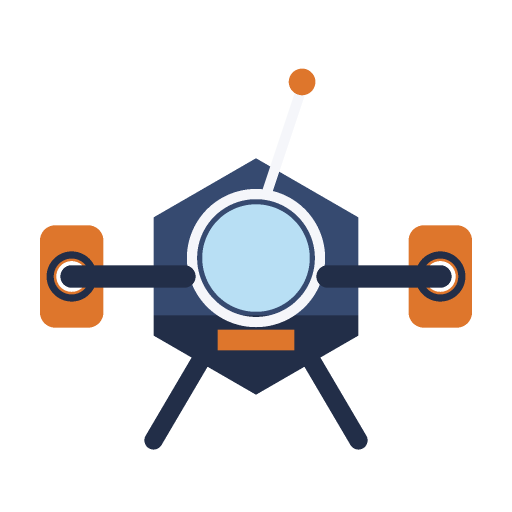 iChannel0
textures/sprite-demo-v1.png
iChannel0
textures/sprite-demo-v1.png
- iChannel1 Empty
- iChannel2 Empty
- iChannel3 Empty
Learn from this shader
How it works
The flash is an exponential decay: full strength immediately, then gone. A sine or a ramp would rise into the hit, and rising is exactly wrong — an impact has no anticipation. The tint is applied two ways on purpose: mixing toward it keeps the sprite's shading readable, adding it on top makes the flash survive whatever is behind it, and neither alone is enough. The outline comes from the sprite's own alpha — sampling a ring around each fragment and keeping the largest value finds fragments that are transparent but next to something opaque. Because it reads alpha rather than colour, it follows the holes in the artwork too.
Try changing
It starts held so the effect is visible standing still. Turn Replay the hit on and it becomes the impulse it would be in play — most of the cycle is unflashed, which is the point. Push Flash amount to one to see the sprite become a silhouette, which many games ship for a single frame. Widen Outline width until it detaches, and set the tint cold for a shield hit instead of damage.
Using it in a game
Drive the amount from a damage event with a timer, and keep it short: two or three frames is enough. On a sprite this is the shader as written; in 3D the outline comes from a dilated mask or an inverted hull rather than eight alpha samples per pixel.
Explore the techniques
Continue with curated explanations and progressively related examples.
-
 Explained
GLSL
Explained
GLSL
-
 Explained
GLSL
Explained
GLSL
-
 Explained
GLSL
Explained
GLSL

Discussion