GameDev.net gamedev.net
🔒 Locked

fog of war (war3?)

Started by skillfreak May 30, 2006 at 2:53 PM 2 replies 1.8k views
Original Post
skillfreak
skillfreak
I was flipping through this thread over fog of war: http://www.gamedev.net/community/forums/topic.asp?topic_id=389954&whichpage=1� A quote from there: "IIRC (just from viewing) Warcraft 3 had large fog polygons..." Is that to say, high rez textures per polygon? My overall question is how is fog of war implemented, with fine blending as seen with Warcraft III? Thx as always, ^sf.
anjee
anjee
Hi,

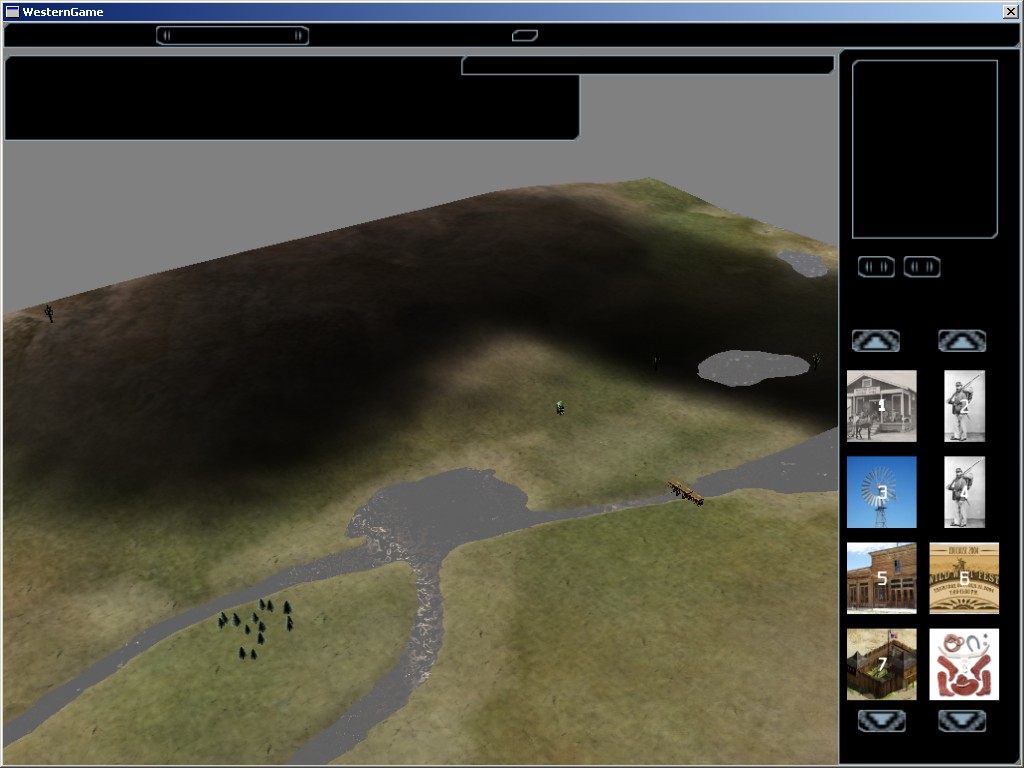
I've been using a 128x128 texture stretched over my entire terrain (which is 1024x1024 in units), Two screenies of a while ago:

Screenshot 1

Screenshot 2

I'm just filling up the texture with a D3DXFillTexture call (or something similar)

Hope this helps. I haven't played WoW. :).

Edit:

Hm, I'll have to explain a bit more.

I'm using a pixel shader. The pixelshader just determines how much the object should be darkened, by looking up the amount of red and green in the texture. This is applied to water, objects, terrain, etc. :).
ET3D
ET3D
That was only my recollection from playing the game. I.e., that as you move, rather large triangular sections of the map become fogged or unfogged. If you want guesses as to how this is implemented, one guess would be that an artist (or tool) overlays a triangle layer over the ground, and that is used for fogging. If you draw it without depth checking, the layer's heights don't really need to be accurate.

But I guess what you're asking is about the soft edges. I really can't say about Warcraft. Watching it might bring a few ideas, but I haven't played it in years. Scaling up textures is a convenient way to get a soft edge. I did fog of war by applying a 16x16 fog texture to each ground square. Scaled up (using bilinear filtering) it looked rather smooth.
skillfreak
skillfreak
Excellent. Thank you both for your input.

Topic Locked

This topic has been locked by a moderator. New replies are not allowed.

Sign in to reply to this topic.