
Original Post

i am having a really hard time setting up sfml with visual studios and have try a number of sources already and was wondering if somebody could help me out
i am having a really hard time setting up sfml with visual studios and have try a number of sources already and was wondering if somebody could help me out
1 hour ago, itachii said:i am having a really hard time setting up sfml with visual studios and have try a number of sources already and was wondering if somebody could help me out
What have you tried that differs from the official guide: https://www.sfml-dev.org/tutorials/2.5/start-vc.php, and what problem are you having?
sorry it took me so long to respond i just go frustrated and left my laptop alone for a minute.
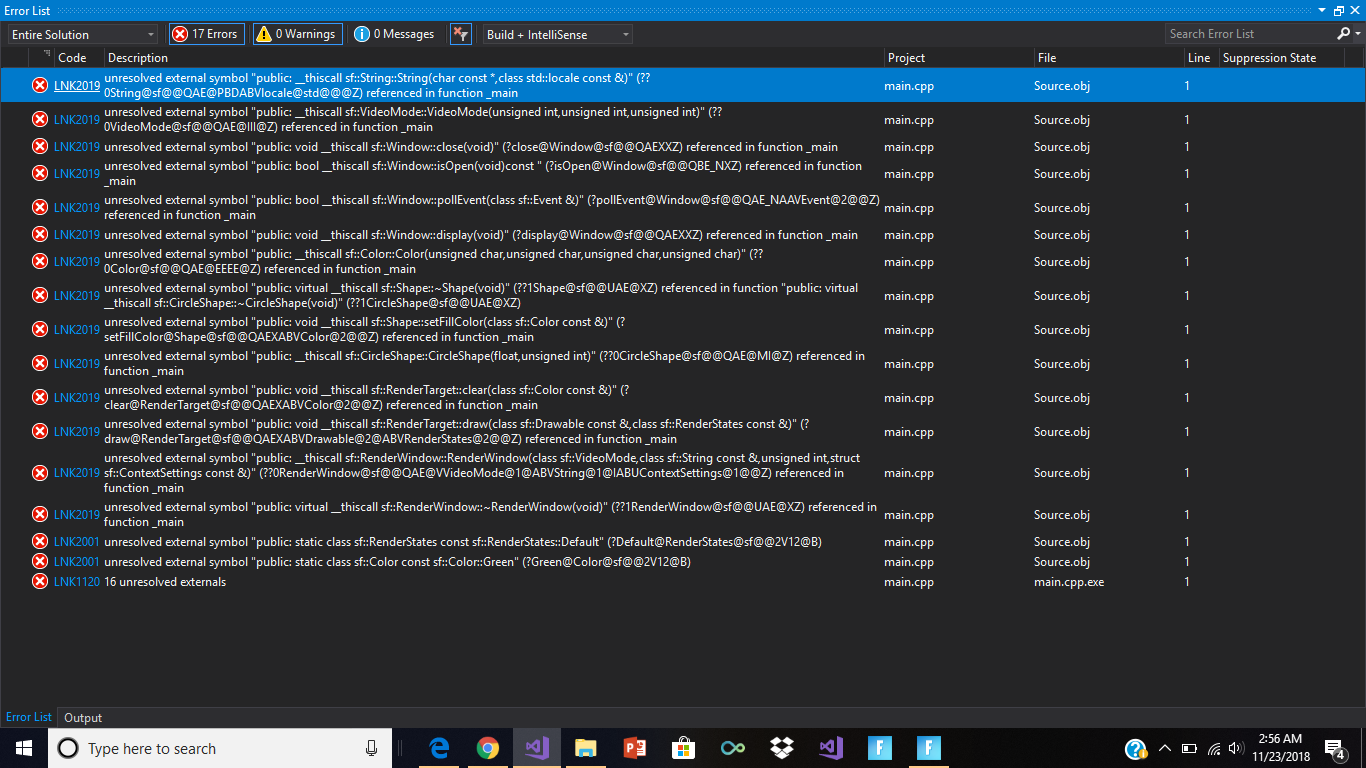
but this is my problem i set up everything right and followed all the directions on the website but i think the problem is that i did extract the right file to the right place.
.png.16956d6768410177f33b385fa1a0db6e.png)
In your project go to:
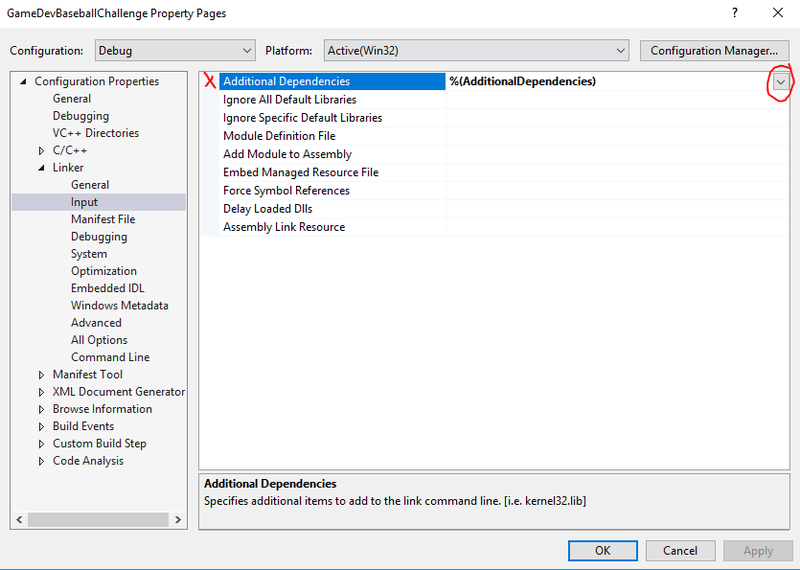
Click on where I have the circle under DEBUG MODE - then click EDIT.
Then paste the proper lib references under Additional Dependencies:
sfml-graphics-s-d.lib
sfml-window-s-d.lib
sfml-system-s-d.lib
sfml-main-d.lib
freetype.lib
opengl32.lib
winmm.lib
sfml-audio-s-d.lib
openal32.lib
flac.lib
vorbisenc.lib
vorbisfile.lib
vorbis.lib
ogg.lib
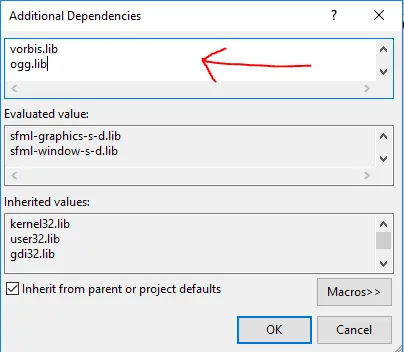
Do the same for RELEASE mode:
sfml-graphics-s.lib
sfml-window-s.lib
sfml-system-s.lib
sfml-main.lib
freetype.lib
opengl32.lib
winmm.lib
sfml-audio-s.lib
openal32.lib
flac.lib
vorbisenc.lib
vorbisfile.lib
vorbis.lib
ogg.lib
Then you can link statically:
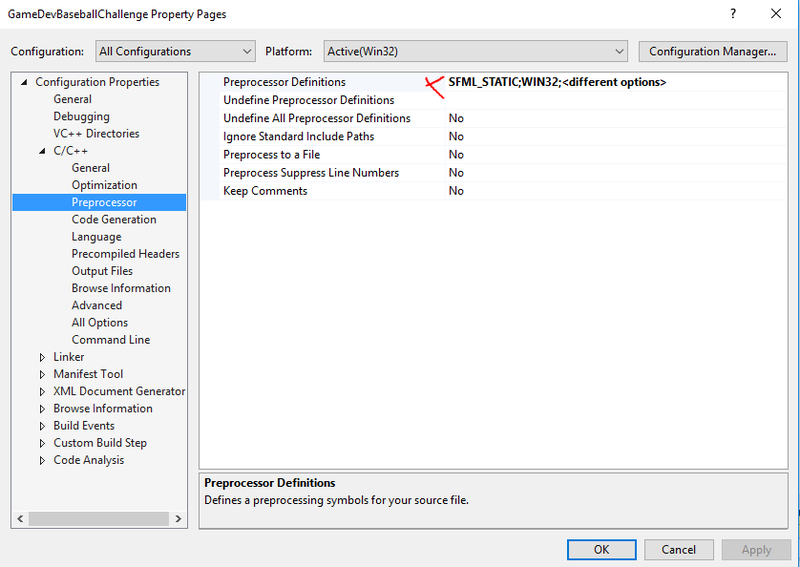 With All Configurations selected, add: SFML_STATIC
If you don't want static linking then don't add SFML_STATIC, but keep in mind you'll need to include the .dll files with your EXE, and don't reference any of the lib files with "s", example: sfml-graphics-s-d.lib - use: sfml-graphics-d.lib (just remove the -s
For Debug:
sfml-graphics-d.lib
sfml-window-d.lib
sfml-system-d.lib
sfml-main-d.lib
freetype.lib
opengl32.lib
winmm.lib
sfml-audio-d.lib
openal32.lib
flac.lib
vorbisenc.lib
vorbisfile.lib
vorbis.lib
ogg.lib
For Release:
sfml-graphics.lib
sfml-window.lib
sfml-system.lib
sfml-main.lib
freetype.lib
opengl32.lib
winmm.lib
sfml-audio.lib
openal32.lib
flac.lib
vorbisenc.lib
vorbisfile.lib
vorbis.lib
ogg.lib
The above will also depend on what you're including, so use the guide as reference on the SFML site.
Let me know if this works.
this happen when i try static linking
.PNG.25a275765bdc383d9d060964ca324372.PNG)
3 minutes ago, itachii said:this happen when i try static linking
.thumb.PNG.d690c114b343f6a4c58f49dc42543508.webp)
This will only happen if you have the wrong "sfml-graphics-s-d.lib" and "sfml-graphics-s.lib" listed.
Please copy and paste your list for both DEBUG and RELEASE so I can see what you have.
Also if you run in DEBUG mode do you have the same issue?
yes the same thing happens on both
and thank you for helping me so far i really appreciate it
.PNG.bc8af54eef2634457ff96c130b7a0236.PNG)
What version of Visual Studio are you using, and which SFML build did you use?
visual studio 15/17 and 32 bit
.PNG.d963b3c3710f841f80c9a7ea62fd9468.PNG)
.PNG.5f597225fcbf90e7e58b719096a6c4c8.PNG)
Are you able to send me your project file?
(You can PM me the download link)
The problem is this, you've mixed up Linker->Input and C/C++ Preprocessor.
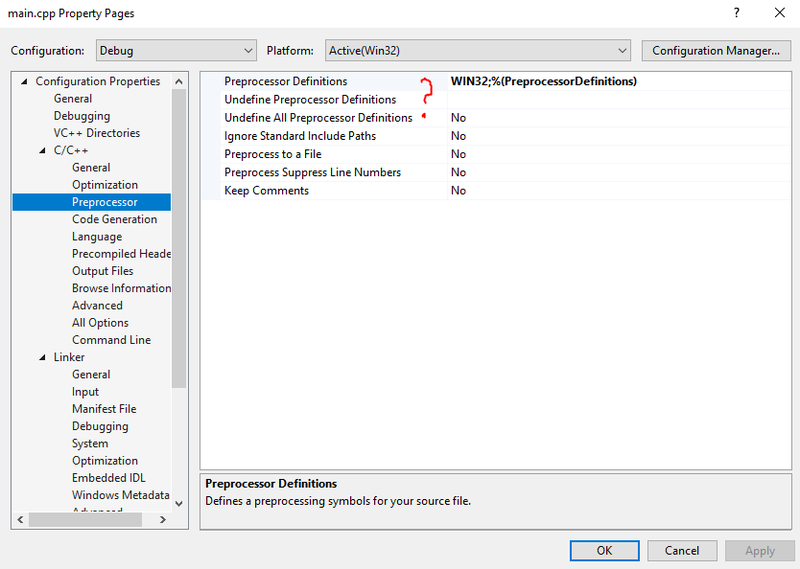
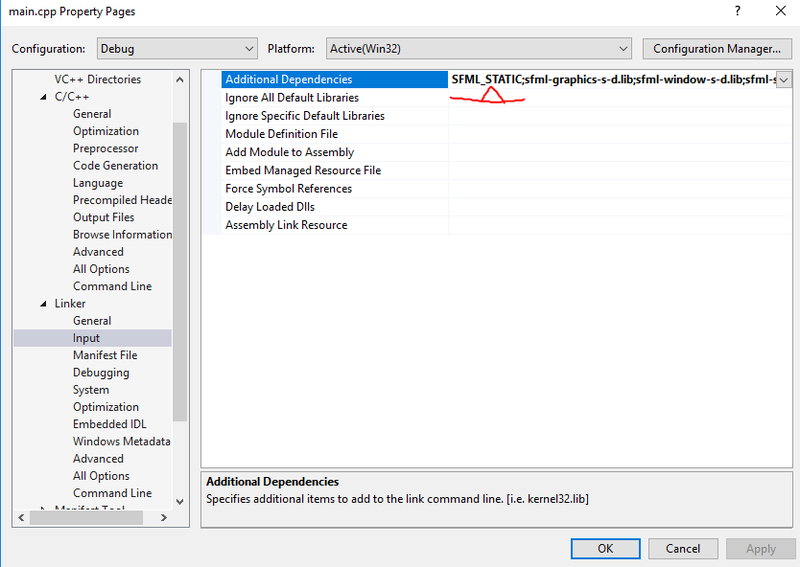
This needs to be like my screen shot:
Remove ONLY SFML_STATIC from Linker->Input FOR ALL CONFIGS
Then under C/C++ add it like above under All Configs.
Should fix your issue!
THANK YOU SO MUCH
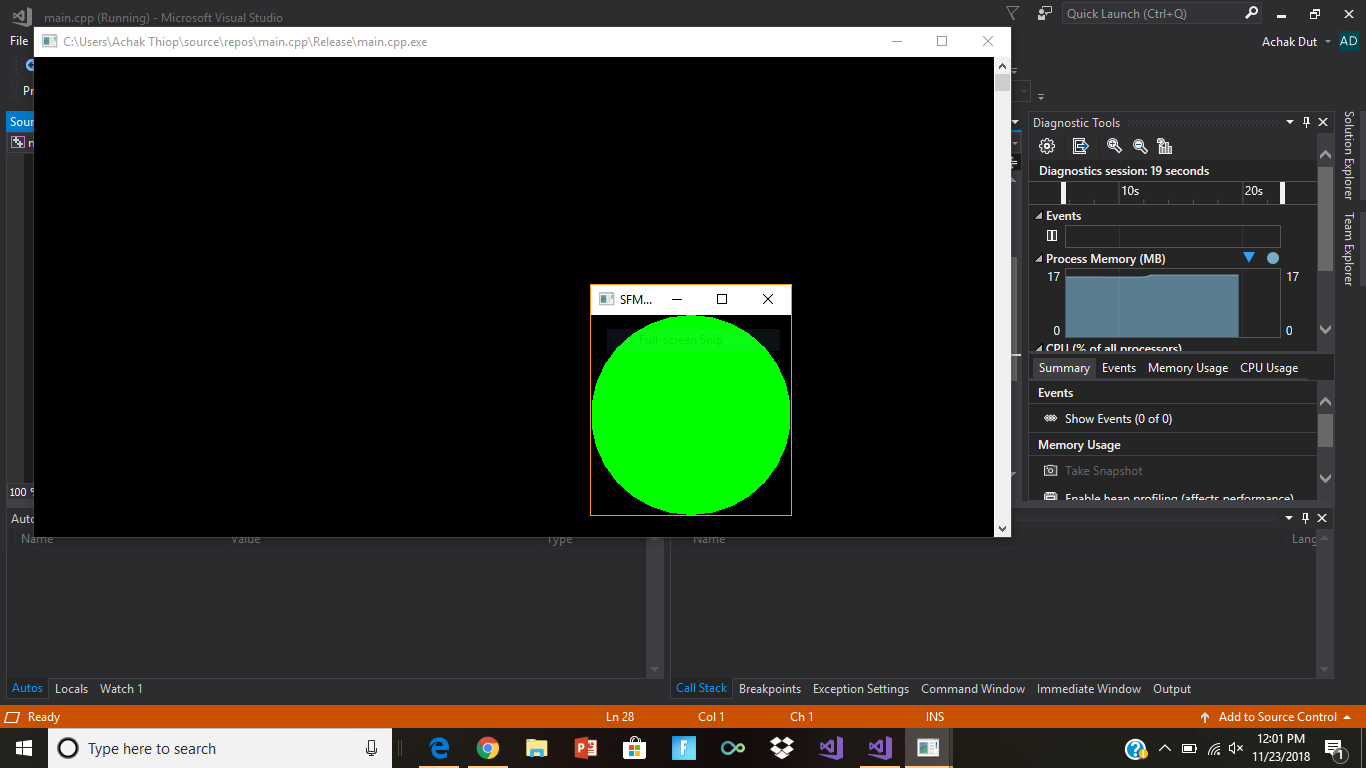
So, first I added the executable directories:
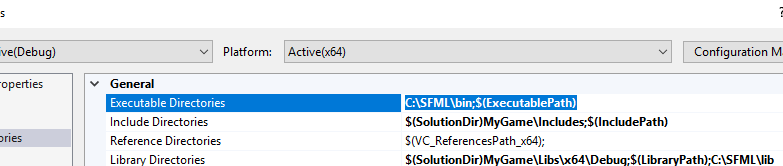
Then, the library Directories:
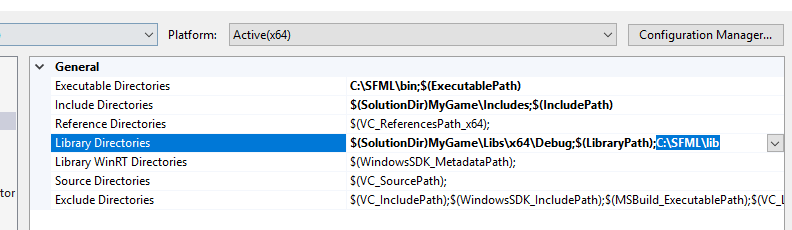
Then, I added my Extra Includes:

Then, added additional library directories: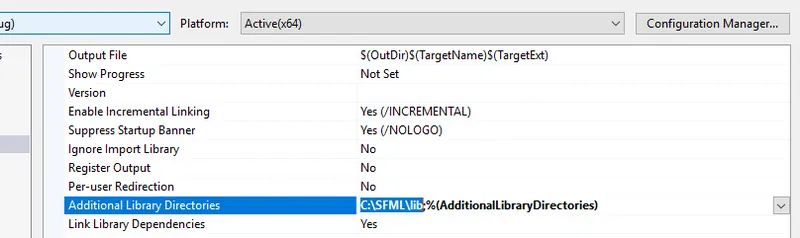
Note, the SFML folder must actually be in this location....
Then, I added my dependencies:
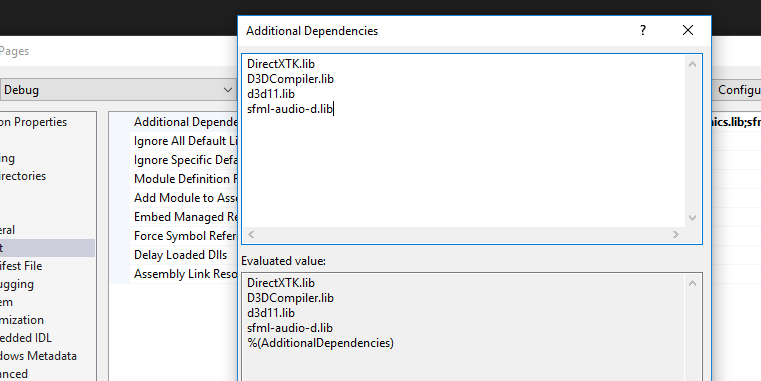
Note: -d for debug, and regular old sfml-audio.lib for release.
Done, I think? It was very recently I did this and I hated the process tbh.
This topic has been locked by a moderator. New replies are not allowed.
With your permission, GameDev.net uses analytics cookies to understand how people use the platform. You can accept analytics or continue with necessary cookies only. Learn more

