GameDev.net gamedev.net
🔒 Locked

Most quick/modern/worthwhile way to learn JavaScript

Started by Josheir Nov 25, 2020 at 7:17 PM 32 replies 26.3k views
Original Post
Josheir
Josheir

I am a beginner level programmer in C++. I have completed some projects. I also have worked with Java and PHP and SignalR. I've done a bit with JQuery.

My last project for experience is an ecommerce site using JavaScript.

What would be the quickest/most worthwhile/most modern way to go about this. Should I study jQuery a bit. How about the older JavaScript, can I use that? And the database SQL or NOSQL? Any other libraries I should learn?

Thanks a million,

Josh

fleabay
fleabay

lucymer001 said:
while her Instagram post overall has received more than 396,840 likes

Sounds better to say almost 400,000 likes instead. Of course you would know that if you wasn't a turd.

🙂🙂🙂🙂🙂<←The tone posse, ready for action.
Shaarigan
Shaarigan

From my experience, jQuery isn't used anymore, at least from those companies I worked with. They currently set on TypeScript (Microsoft's Javascript derivate). As for all cases, it depends! For mobile Apps you may want to go for NodeJS and Angular, if you want to write a Desktop Web App, NodeJS and Electron is your way to go for example. If you want to pair your Web App with some C#, I can suggest Electron Edge (JS) or one of it's Forks. There are also some Javascript HTML5 Web Engines out there and C++ might work as well using Web Assembly.

Josheir said:
What would be the quickest/most worthwhile … way

Get a project and do something ¯\_(ツ)_/¯

Krohm
Krohm

Since this is gamedev.net I will need to point out this should be game-related…

But okay, let's just make it programming related, I guess it's good enough.

I have been advocating for years by now, consider JS, PHP, Jquery… dead in the water. I said it. Whaaat?

The point isn't whatever JS exists or not. Or if the browser runs it or not. The point is if it is viable. React/Angular/Vue make Jquery look like the stone age. Don't even get me started on nodejs/typescript. Be warned none of this is relevant for game development as they all miss the mark by several orders of magnitude in performance. Even webassembly believe it or not is over twice as slow as native.

But… if you want to deliver web apps, I would suggest looking look into other sites as well. I know several dudes around here mangle web tech but you sure would be getting more feedback.

I would suggest to drop the ball on JS and go fully Typescript/Angular. Your mileage will vary.

Previously "Krohm"
8Observer8
8Observer8

Do not study jQuery because you will spend your time. Study JavaScript with practice. Use “let/const” from ES6 instead of “var”. Use arrow-function: (…) => {}. Later you can start TypeScript if you want. Study HTML5/CSS3 for game GUI. Just write small games. You can draw primitives using Canvas API. Start with this tutorial: 2D breakout game using pure JavaScript Learn WebGL and GLSL because writing shaders is very useful for 2D/3D games. One of the best book for beginners is: WebGL Programming Guide

8Observer8
8Observer8

Josheir said:
I also have worked with Java and PHP and SignalR

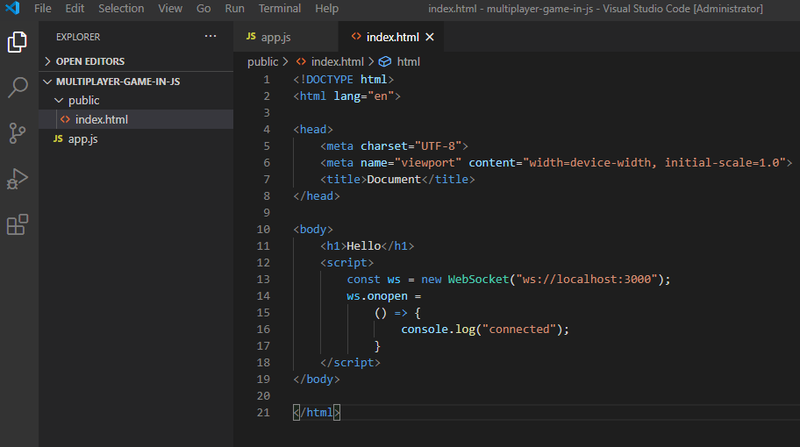
I learned SignalR a little. It is for C# ASP.NET. Take WebSockets and Node.js/Express. You will have JavaScript only. See it is simple to connect a server and a client. Place this files in one directory like this:

my-game
---public/index.html
---app.js

  • Install Node.js and “nodemon” (npm i nodemon -g)
  • Go to “my-game” and run: nodemon app.js
  • Open a browser tab and type: localhost:3000
  • Open a browser console: Ctrl+Shift+J and you will see “connection”

app.js (Server)

const express = require("express");
const http = require("http");
const ws = require("ws");
const path = require("path");
 
const app = express();
app.use(express.static(path.join(__dirname, "./public")));
app.get("/", (req, res) => { res.sendFile(path.join(__dirname, "index.html")) });
 
const httpServer = http.createServer(app);
const wss = new ws.Server({ server: httpServer });
wss.on("connection", (wss) => { console.log("connected") });
 
const port = process.env.PORT || 3000;
httpServer.listen(port, () => { console.log("Server started. Port: ", port) });

public/index.html (Client)

<!DOCTYPE html>
<html lang="en">
 
<head>
    <meta charset="UTF-8">
    <meta name="viewport" content="width=device-width, initial-scale=1.0">
    <title>Document</title>
</head>
 
<body>
    <h1>Hello</h1>
    <script>
        const ws = new WebSocket("ws://localhost:3000");
        ws.onopen =
            () => {
                console.log("connected");
            }
    </script>
</body>
 
</html>
taby
taby

Regarding PHP, JSP, JavaScript, and C++, I have coded a way to calculate the entropy of an input string. Maybe this will help you understand the power and elegance of JavaScript? ? The codes are at

https://github.com/sjhalayka/entropy-calculation​

8Observer8
8Observer8

You can see that our game is empty:

I opened VSCode and copied the code above:

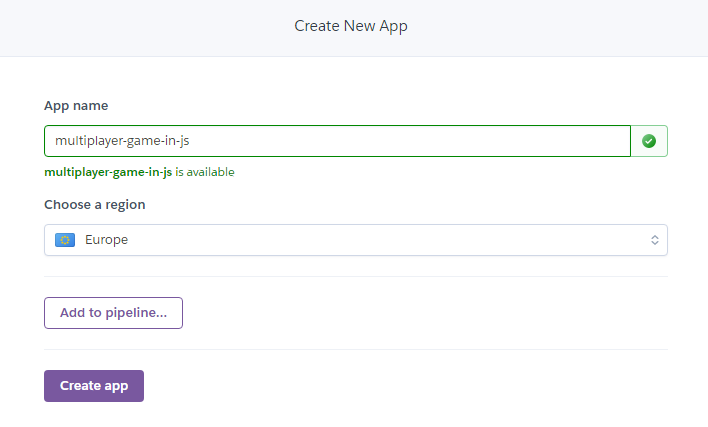
Let's to deploy it. Please, make your own version of game.

8Observer8
8Observer8

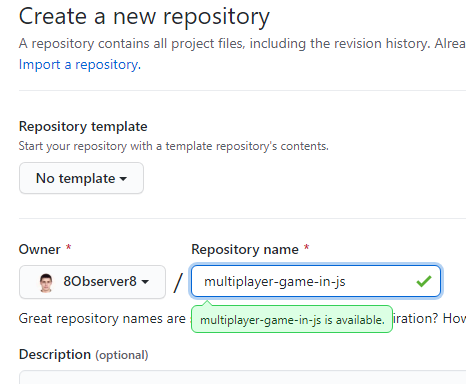
I typed these commands in terminal:

git init
git add .
git commit -m "First commit"
git remote add origin https://github.com/8Observer8/multiplayer-game-in-js.git
git push -u origin master

My project was uploaded on GitHub: https://github.com/8Observer8/multiplayer-game-in-js​

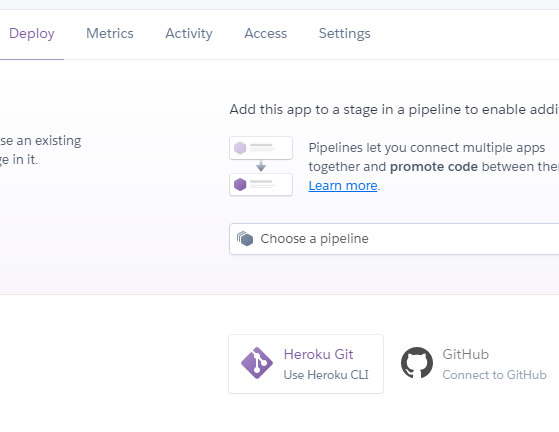
I need to connect Heroku with GitHub. I can make it in Heroku App Settings, see on button right coner:

8Observer8
8Observer8

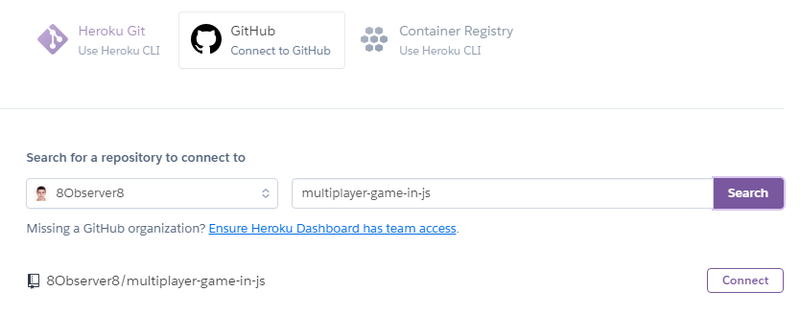
I just need to type the repository name and click the “Connect” button:

8Observer8
8Observer8

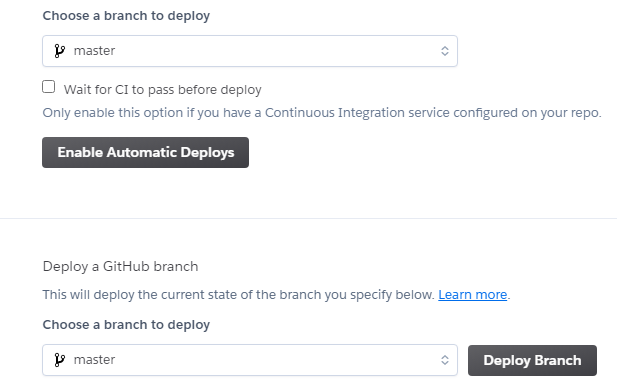
I can choose an automatic deploy or manual deploy by clicking on the “Deploy Branch” button:

8Observer8
8Observer8

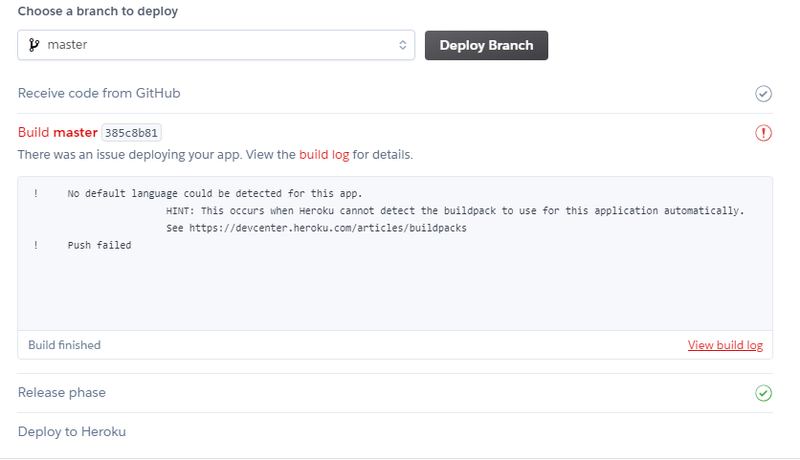
But I have a problem. Try to help me. Let's make the multiplayer game together:

8Observer8
8Observer8

I googled the problem. I just forgot to add the “package.json” file.

8Observer8
8Observer8

I must to add the “start” command to the “package.json” file:

"scripts": {
    "start": "node app.js",

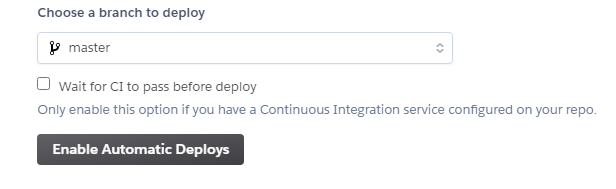
I enabled the Automatic Deploy by clicking on this button:

If I make “git push” my app will be deploy on Heroku automatically. Let's try it.

Topic Locked

This topic has been locked by a moderator. New replies are not allowed.

Sign in to reply to this topic.