
Mandelbrot Explorer
by GameDev.net · GLSL ES 3.00 (WebGL2) · 25 Aug 2026
Run the shader to adjust these controls.
What it demonstrates
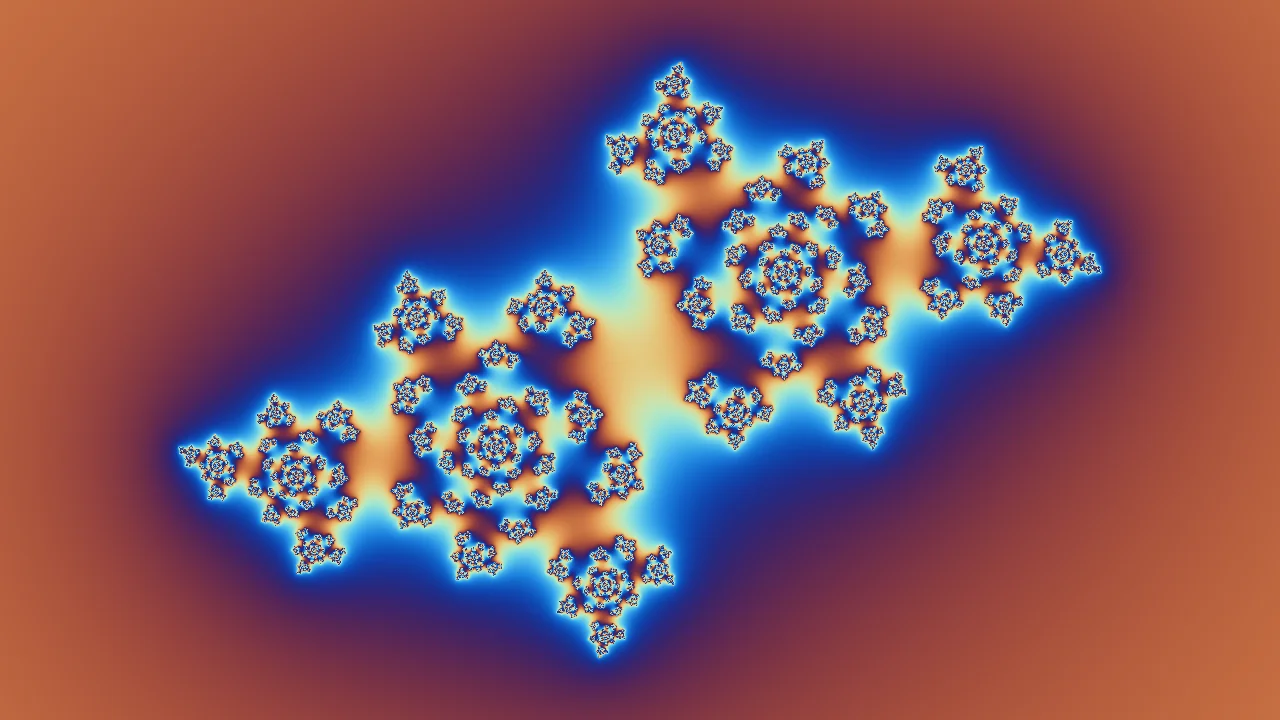
The Mandelbrot set is the shortest interesting shader there is: square a number, add a constant, repeat, and record how long it takes to run away. This version is an explorer with a movable centre, an exponential zoom, an iteration budget, and smooth colouring instead of the banded rings that a raw iteration count produces.
Shader inputs
void mainImage(out vec4 fragColor, in vec2 fragCoord)
Called once per pixel. Write the colour to fragColor.
-
iResolutionvec3 - Viewport size in pixels (z is the pixel aspect ratio).
-
iTimefloat - Seconds since the shader started.
-
iTimeDeltafloat - Seconds since the previous frame.
-
iFrameRatefloat - Frames per second, smoothed.
-
iFrameint - Frames rendered since the start.
-
iMousevec4 - Mouse position: xy while held, zw of the last click.
-
iDatevec4 - Year, month, day, and seconds within the day.
-
iChannel0sampler2D - Texture bound to channel 0.
-
iChannel1sampler2D - Texture bound to channel 1.
-
iChannel2sampler2D - Texture bound to channel 2.
-
iChannel3sampler2D - Texture bound to channel 3.
-
iChannelResolutionvec3[4] - Pixel size of each bound channel texture.
-
iChannelTimefloat[4] - Playback time of each channel, in seconds.
-
iSampleRatefloat - Audio sample rate, always 44100.
Main Image7
uniform vec2 uCenter; // @param -2.0..1.0 = -0.6, 0.0 "Center"
uniform float uZoomExponent; // @param 0.0..12.0 = 0.35 "Zoom exponent"
uniform int uIterations; // @param 32..400 = 180 "Iterations"
uniform float uPaletteShift; // @param 0.0..1.0 = 0.62 "Palette shift"
void mainImage(out vec4 fragColor, in vec2 fragCoord) {
vec2 screen = (fragCoord - 0.5 * iResolution.xy) / iResolution.y;
float span = 3.0 / exp2(uZoomExponent);
vec2 c = uCenter + screen * span;
vec2 z = vec2(0.0);
float count = 0.0;
for (int i = 0; i < 400; i++) {
if (i >= uIterations) break;
z = vec2(z.x * z.x - z.y * z.y, 2.0 * z.x * z.y) + c;
if (dot(z, z) > 65536.0) break;
count += 1.0;
}
if (count >= float(uIterations)) {
fragColor = vec4(0.02, 0.02, 0.05, 1.0);
return;
}
float smoothCount = count + 1.0 - log2(max(log2(length(z)), 0.0001));
float t = fract(smoothCount * 0.035 + uPaletteShift);
vec3 color = vec3(0.52, 0.55, 0.60) + vec3(0.44, 0.40, 0.36) * cos(6.2831853 * (t + vec3(0.0, 0.14, 0.28)));
fragColor = vec4(color, 1.0);
}
Learn from this shader
How it works
Each fragment maps to a point on the complex plane. The complex square is written out in real arithmetic: the real part is a difference of squares, the imaginary part twice the product. The loop stops once the point has clearly escaped, tested against squared length so no square root is needed. Points that never escape are the set itself and are painted flat. For the rest, the raw count is an integer and shows up as hard bands, so the escape magnitude is folded back in through a double logarithm. That yields a continuous value across the boundary, and a cosine palette turns it into smooth colour.
Try changing
Raise Zoom exponent one step at a time and watch detail continue past every scale until single precision floats run out and the image turns blocky. That limit is why deep zoom renderers use higher precision. Raise Iterations when zooming, since the budget that resolved the whole set reads as solid dark once you are inside a filament. Past roughly six the Center sliders are coarser than the view, so a fork wants pointer panning. Palette shift rotates colour without changing the maths.
Using it in a game
Rarely a game effect directly, but the pattern is: a bounded iteration with an early exit, a squared distance test, and a continuous remap replacing an integer count. The same structure appears in raymarching loops and any per pixel search.
Explore the techniques
Continue with curated explanations and progressively related examples.
-
 Explained
GLSL
Explained
GLSL
-
 Explained
GLSL
Explained
GLSL
-
 Explained
GLSL
Explained
GLSL

Discussion