
Making sound effects for video games: Using Fmod with Unity
My blog as a beginner in sound design for video games. In this article i talk briefly about how Fmod has helped make sounds more authentic, and showcasing a few short videos of how i created some sounds.
.png)
Continuing to work on “Eldest Souls” (first article here!), I’ve begun familiarising myself with the workflow between Fmod and Unity, and the integration system. I know much of this will be pretty obvious to most, but I thought I’d share my thoughts as a complete beginner learning the ropes of sound designing.
The library of sounds that Fmod provides has been very useful, at least as reference points. I’ve still kept to my ethos of producing the sounds myself as much as possible. Having said that, Fmod gives you 50 free sounds with your download, and I’ve used a wooden crate smash, a drawbridge and electricity sound you can hear in the foley video below.
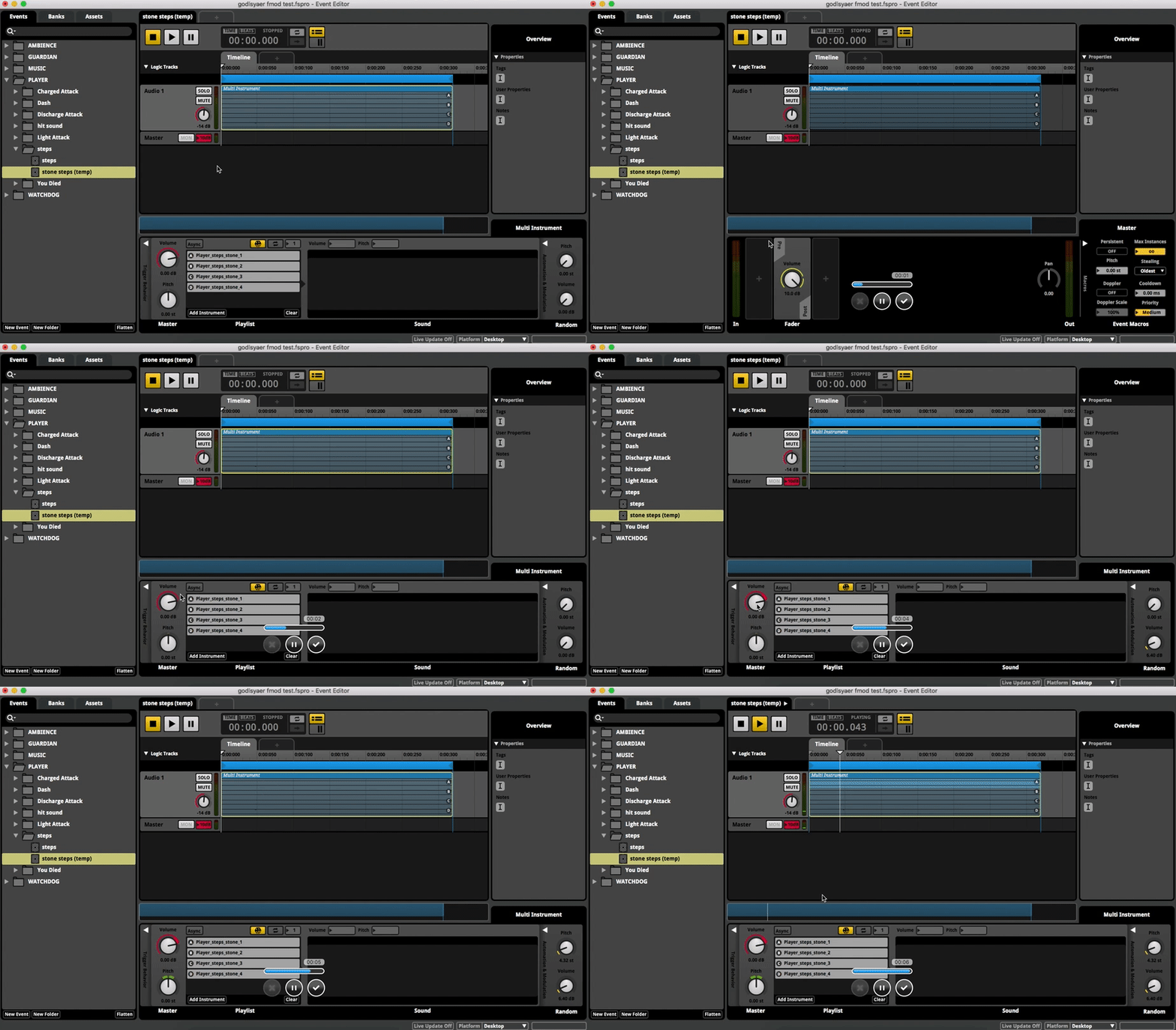
The thing i found most useful was witnessing changes i made in Fmod being realised instantly in Unity. If a volume needed changing, or the timing of one of my effects was off, i can literally switch to Fmod and then back to Unity and immediately see the result of my alterations. It also seems apparent that using middleware such as this (or i've heard Wwise is also equally intuitive) grants the developer, and myself included, a great deal more flexibility and opportunity to edit sounds without going all the way back to a DAW, and bouncing down again. Needless to say, my workflow is so much faster because of it.
I've also loved the randomised feature of Fmod, whereby any sound can be made to sound slightly different each time it is heard. Taking a footstep recording i made for example, I was able to add further authenticity of uneven footsteps by randomising the pitch and volume of each playback.
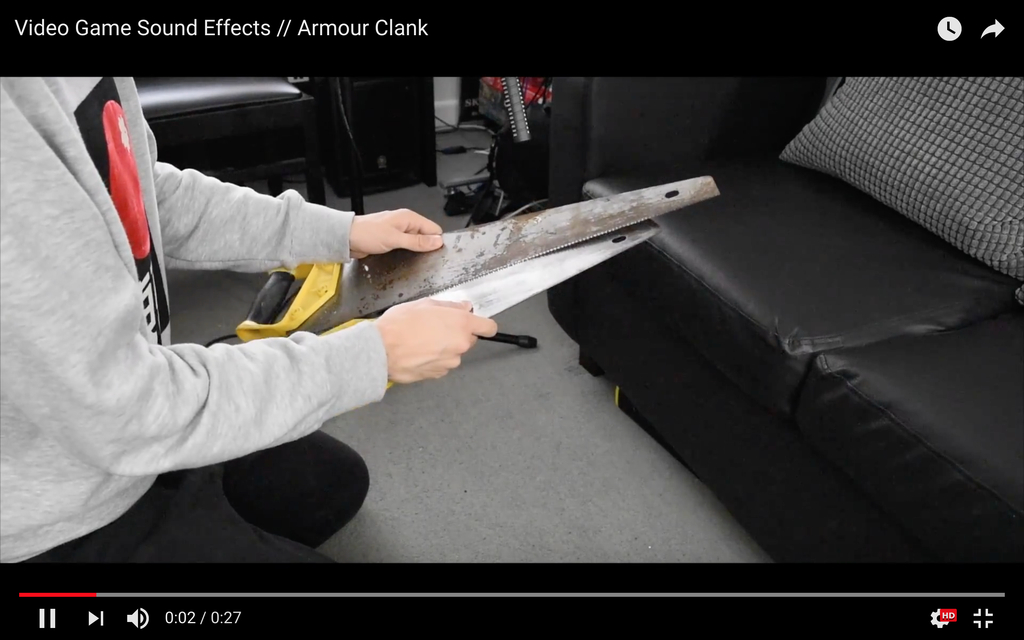
I used this technique when creating footsteps for the first major boss in the game called "The Guardian". A big, over-encumbered husk of a monster. I also had fun rummaging through the garage for old tools and metal components for the “Guardian” (the first boss) footsteps. See below!
I also created a sword attack for our player, trying to sound different from the generic “woosh” I see in so many video games. I used a very “sharp” and abrasive sound to differentiate him from any enemies.
On another note, I recently upgraded my microphone to a Rode NTG2 shotgun, which has been phenomenal. I haven’t had to worry about noise interfering with the clarity of my objects, whereas before with the sm58 I had to be clever with my EQ and noise reduction plugins.
Important to note again that this still a “cheap” mic in comparison to most other products on the market, and all in all my entire setup is still very simple and affordable which I’m quite proud of. I’ve seen many musicians spend heaps of money on gear they don’t necessarily need. I much prefer being resourceful with less equipment, than to have more than I can understand or remember how to use.
It’s forced me to understand every aspect and capability of my tools, which I believe is a principal that can be applied to any discipline.
I have more fun little sound effect videos on my Instagram for those interested, where I post regular updates. Thanks for reading! (if you’ve made it this far)
Recommended resources
Game Engines

Unreal Engine 5 Best Practices
Amazon · Book
Written by multi-award-winning Unreal generalist Tyson J. Butler-Boschma, Founder and Creative Director of Toybox Games Studios, this book addresses common challenges you face when advancing your expertise in lighting, environment design, and cinematic storytelling.
GameDev.net may earn a commission if you purchase through these links. This helps fund the site at no extra cost to you.
Related Tutorials
Beginner Graphics Programming Study Guide
This is a roadmap for learning the basics of graphics programming on one's own, from free online resources.
 raynmetal

Manual, mipmapped atlas texture wrapping on lower-end mobiles (WebGL1/GLES 2)
Manual texture wrapping within atlas textures / tilemaps with mipmapping on mobiles without EXT_shader_texture_lod.
 RmbRT
RmbRT

Capsule Collision Detection Tutorial
Collision detection between a Capsule and a Line Segment and a Capsule and a Capsule. Prerequisite: Linear Algebra (Ve…

Lesson 1 — What C# Actually Is
Why is C# the language driving the production of thousands of indie games using Unity and custom engines all around the…

Sphere with Plane and Polygon Collision Detection
In this video, I demonstrate how to detect collisions between a static sphere, planes, and polygons — a core concept in…

Steps to Make a Simple Game in Unity
if you’re diving into game development, Flappy Bird is basically the ‘hello world‘ of the gaming universe. It is the ul…
Discussion
More from Sergio Ronchetti

FMOD for game developers!
FREE Fmod template to setup any game project. And a quick video on what Fmod Studio's main windows look like.
Sergio Ronchetti
.gif.c4dc3917e38414db3623a81af2e49473.webp)
Sound Design with an iPhone SE
How using an iPhone SE for sound design can still yield high quality results
Sergio Ronchetti
Creating an orchestral score from a guitar riff
How to begin writing for a large number of instruments from a single initial idea.
Sergio Ronchetti
Discussion