
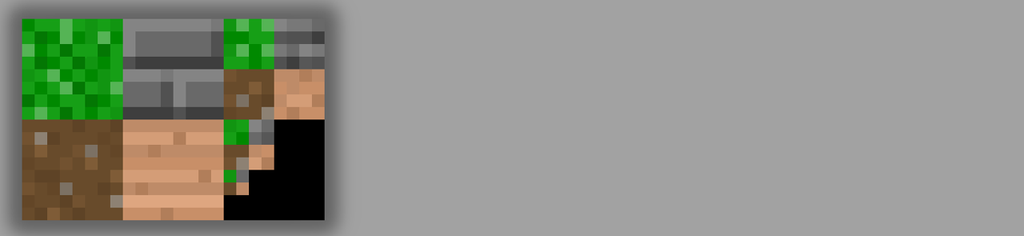
Manual, mipmapped atlas texture wrapping on lower-end mobiles (WebGL1/GLES 2)
Manual texture wrapping within atlas textures / tilemaps with mipmapping on mobiles without EXT_shader_texture_lod.

Trim sheets are texture atlases that wrap around on one axis (so they only contain one texture on that axis, allowing it to wrap around in one direction), allowing for reduced geometry complexity and more performance, but they only work one way.
True atlases or tilemaps lose the standard texture coordinate wrapping altogether when you want to display a texture repeatedly on a single triangle. We want to use as few texture swaps as possible, and also use as much greedy meshing as possible. Atlases allow us to eliminate texture swaps, but their inability to wrap textures limits our ability to do greedy meshing.
However, you can restore this behaviour via manual texture coordinate wrapping via the mod operation and some additional tracking of the tile boundary within the tile map. However, mod's discontinuity in sampled texture coordinates destroys the native mipmap mechanism, because it thinks the huge jump in texture coordinates between adjacent pixels means it should use the lowest mipmap level (as it confuses that with extremely zoomed-out views of a texture).
There's the GLSL extension called OES_standard_derivatives (which has 96.6% support across GLES/mobile devices, according to gpuinfo.org), which gives you dFdx() and dFdy() to let you see the gradient of adjacent pixels. This lets you detect the pre-wrapping texture coordinate distance between adjacent pixels.
Additionally, there's EXT_shader_texture_lod (30.41% support), which offers the texture2DGradEXT(), which lets you sample a texture with dynamic mipmap selection based on the gradient you pass to it (which are the dFdx and dFdy pre-wrapping texture coordinate distances). This restores proper mipmapping to manually wrapped textures. However, the big problem is that this performance optimisation is only supported on higher end phones that have that extension, while the optimisation is the most sorely needed on lower end embedded devices, or older devices in general, somewhat defeating the purpose of the optimisation, as it reduces our audience to just 30% of phones.
So recently, I think I found an acceptable workaround: we ditch native mipmapping entirely. Instead, we build our own mipmap directly into a separate area of mip level 0, and use GL_LINEAR/GL_NEAREST to filter our textures. We use dFdx/dFdy to detect the necessary mip level (log2 of the texture coordinate distance), and then manually calculate the appropriate mipmap coordinate on the atlas. Whether you use a normal 2D texture or a 2D array texture, and how you choose to lay out the manual mipmap, doesn't really matter, as long as your shader knows how to look up a given texture coordinate at a given mipmap level. Since we upload our textures and their mipmap levels to the GPU manually anyway, and often times might want to use custom filters for the mipmap generation, we might as well do the mipmaps ourselves and assemble them into a regular texture.
Identifying a texture tile can be as easy as using an unsigned byte per-vertex, and then having a 1D helper texture that contains a vec4 (indicating the upper left corner of the tile in the atlas, and its width and height). That would only add negligible overhead to the geometry, and considering that it allows us to use greedy meshing, we actually end up saving on geometry. The 1D texture could be replaced by some hardcoded formula. Note that in order to achieve linear filtering with wrapping, we need a 1px border on each tile that repeats the opposite edge of the texture, so that a sample that is right on the border of the tile gets a blend between the colours at both edges. This 1px border also has to be added to the manually generated mipmaps, and cannot get halved with each mipmap level. But since we do not use native mipmapping anyway, we are no longer constrained to having mipmaps that strictly halve in dimension.
If we do not need mipmapping, but only tiling (such as in a 2D game with fixed zoom levels), we do not even need to do any manual mipmap construction and we can even skip the reliance on the texture coordinate derivatives. On the other hand, this technique also does not prevent us from emulating linear blending between mipmaps if we want to use that (or other kinds of blend functions), although having different filtering/blending per tile in the atlas would become quite cumbersome, I assume.
Related Tutorials

Procedural Generation of 2D Tile Maps in Games
The article explains how to build a procedural 2D cave map generator using cellular automata. It covers map representat…

Localizing A Game Into French — Which Variant Should You Choose?
So, you’re making an awesome indie game, and now you’re thinking about localizing it into French? Great idea! There ar…
 Level Up Translation

How Long Does It Take To Localize An Indie Game?
So you’re planning on localizing your indie game, but you’re not sure how much time to schedule in. While the timing o…
Level Up Translation

Creating game videos: best practices and pitfalls to avoid
Game video production: practical tips on how to create a game trailer or teaser that you can be proud of. Give your aud…
 Alconost

Adopting CI/CD: How Midwinter Entertainment iterates at speed with the help of IMS
Game development was once like one long sprint: a huge effort until you reached the finish line — at which point you co…
 GameDev.net

5 Things to Consider When Making a Video to Promote Your App or Game
How can you show an app or game in your video in a way that attracts new users? Let’s take a look at what to go by when…
Alconost
Discussion