
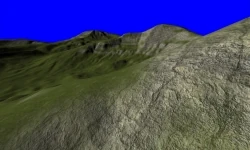
Virtual Texture Terrain
With the Leadwerks 3 terrain system, I wanted to retain the advantages of terrain in Leadwerks 2, but overcome some of the limitations. id Software's "megatexture" technique offered artistic freedom, but there were some serious issues to overcome.

- Increase the number of textures used in the shader.
- Allow up to four textures per terrain chunk. These would be determined either programmatically based on which texture layers were in use on that section, or defined by the artist.
- Implement a virtual texture system like id Software used in the game Rage.
Previous Work
id Software pioneered this technique with the game Rage (a previous implementation was in Quake Wars). However, id's "megatexture" technique had some serious downsides. First, the data size requirements of storing completely unique textures for the entire world were prohibitive. Rage takes about 20 gigs of hard drive space, with terrains much smaller than the size I wanted to be able to use. The second problem with id's approach is that both games using this technique have some pretty blurry textures in the foreground, although the unique texturing looks beautiful from a distance.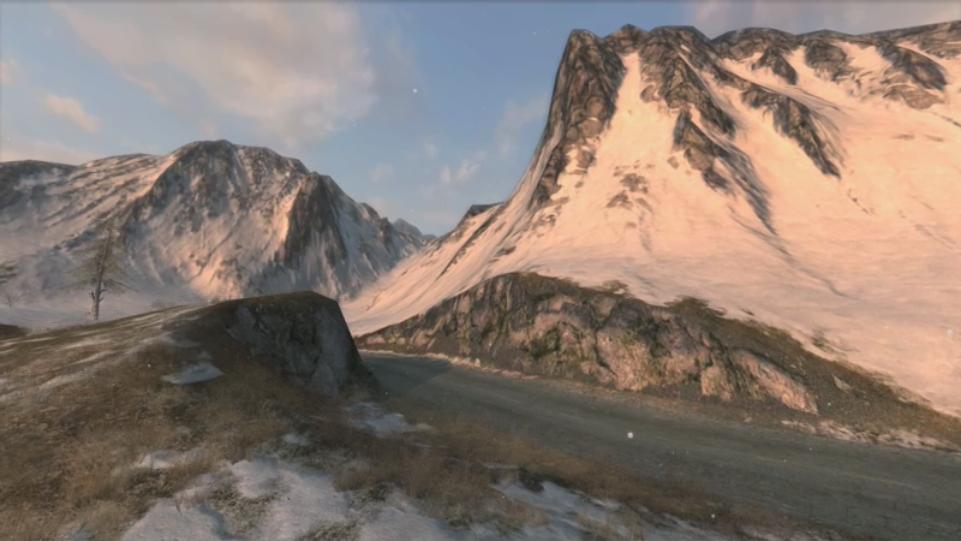
Implementation
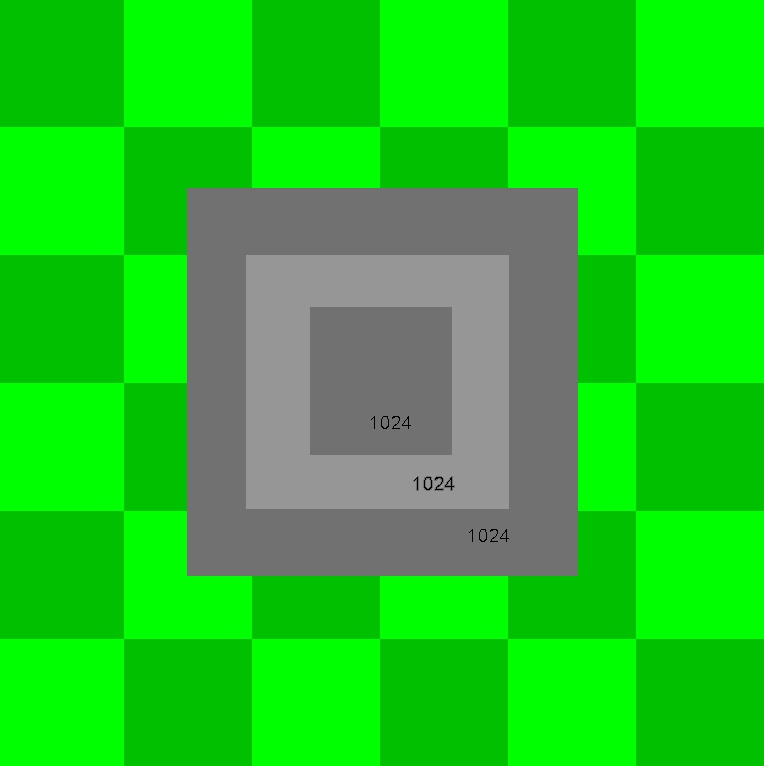
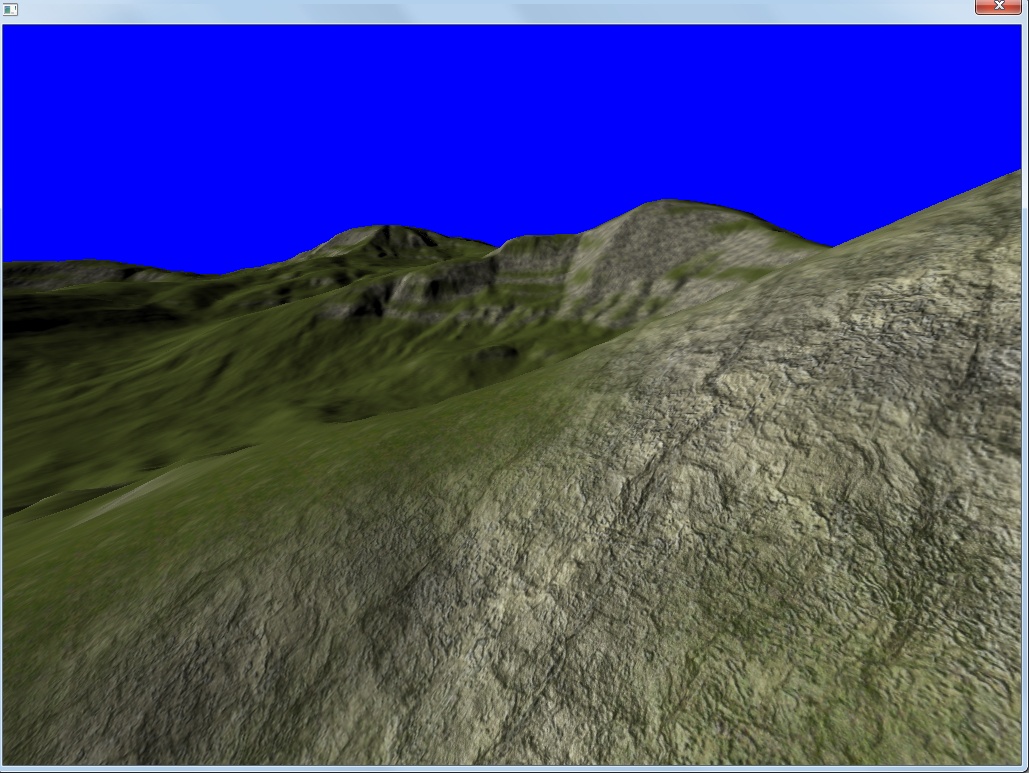
Because both Frictional Games and id had split the terrain into "cells" and used a texture for each section, I tried that approach first. Our terrain already gets split up and rendered in identical chunks, but I needed smaller pieces for the near sections. I adjusted the algorithm to render the nearest chunks in smaller pieces. I then allocated a 2048x2048 texture for each inner section, and used a 1024x1024 texture for each outer section: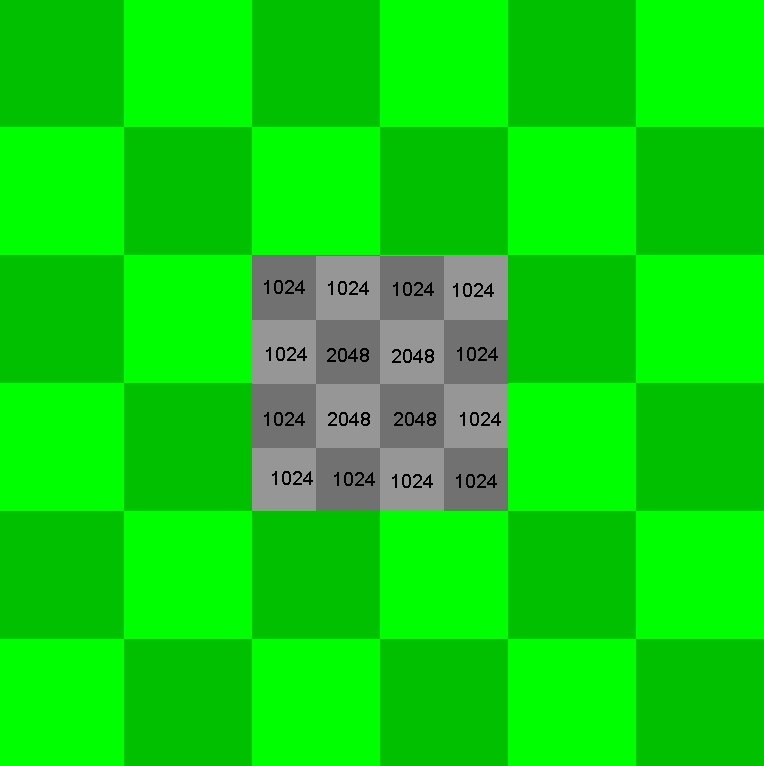
Advantages of Virtual Textures
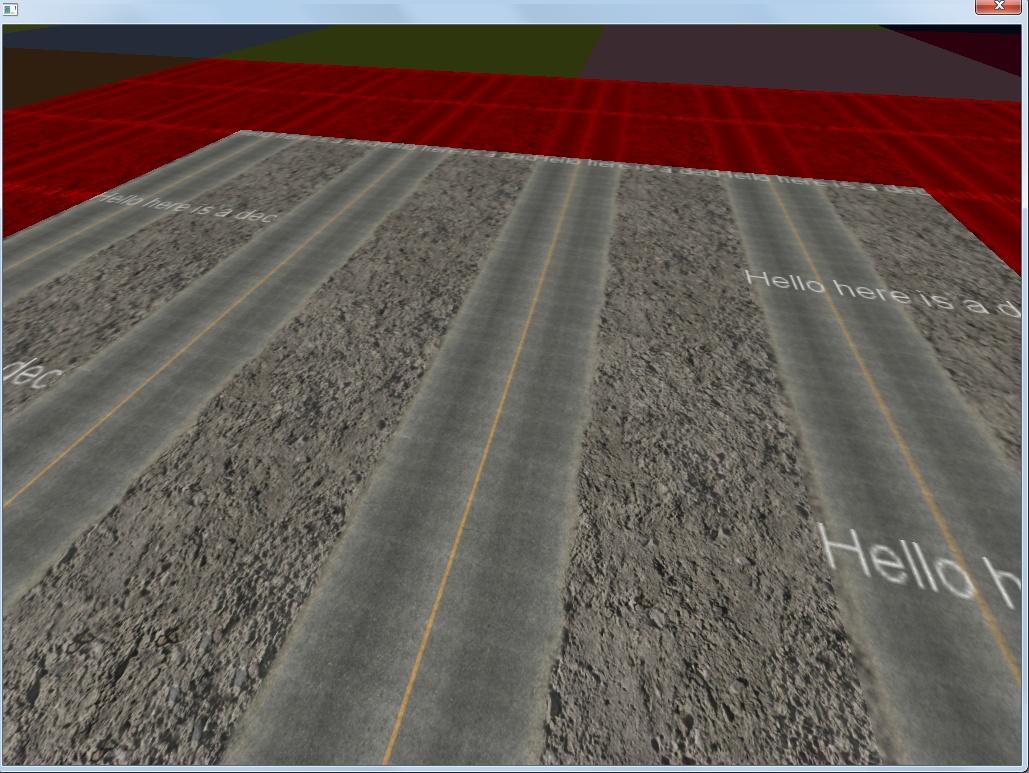
First, because the terrain shader only has to perform a few lookups each pixel with almost no math, the new terrain shader runs much faster than the old one. When the bottleneck for most games is the pixel fillrate, this will make Leadwerks 3 games faster. Second, this allows us to use any number of texture layers on a terrain, with virtually no difference in rendering speed. This gives artists the flexibility to paint anything they want on the terrain, without worrying about budgets and constraints. A third advantage is that this allows the addition of "stamps", which are decals rendered directly into the virtual texture. This allows you to add craters, clumps of rocks, and other details directly onto the terrain. The cost of rendering them in is negligible, and the resulting virtual texture runs at the exact same speed, no matter how much detail you pack into it. Below you can see a simple example. The smiley faces are baked into the virtual texture, not rendered on top of the terrain: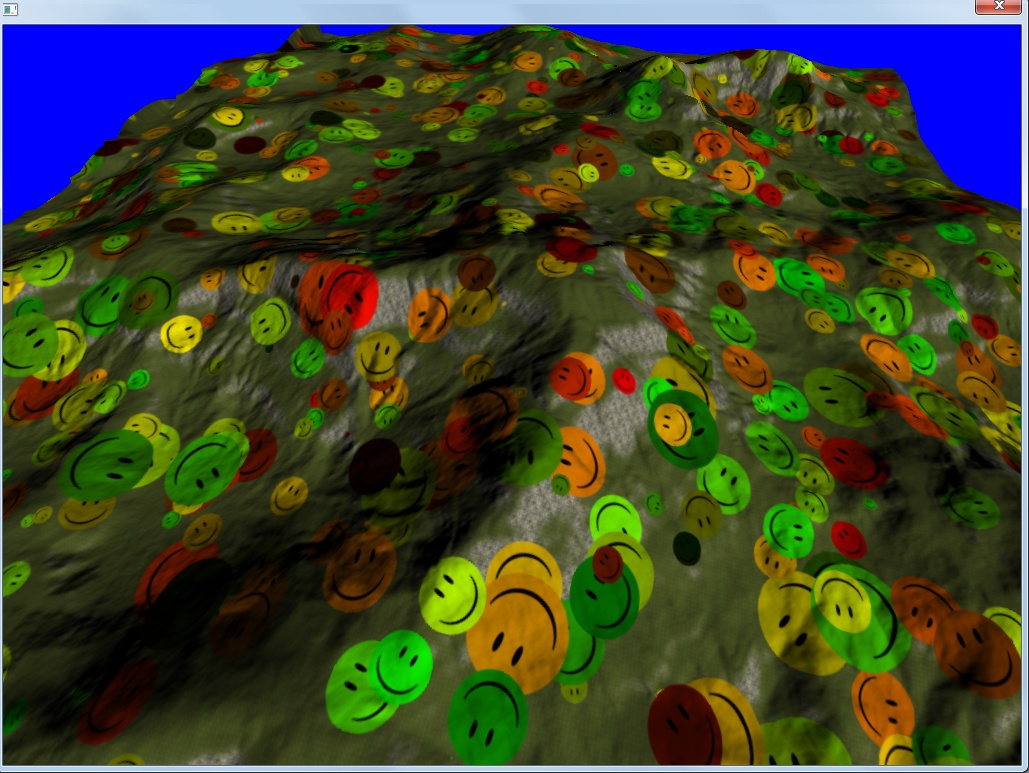
Conclusion
The texture resolution problem I feared might make this approach impossible was solved by using a graduated series of six textures radiating out around the camera. I plan to implement some reasonable default settings, and it's only a minor hassle for the user to adjust the virtual texture draw distances beyond that. Rendering the virtual textures dynamically eliminates the high space requirements of id's megatexture technique, and also gets rid of the problems of paging texture data dynamically from the hard drive. At the same time, most of the flexibility of the megatexture technique is retained. Having the ability to paint terrain with any number of texture layers, plus the added stamping feature gives the artist a lot more flexibility than our old technique offered, and it even runs faster than the old terrain. This removes a major source of uncertainty from the development of Leadwerks 3.1 and turned out to be one of my favorite features in the new engine.Related Tutorials

Procedural Generation of 2D Tile Maps in Games
The article explains how to build a procedural 2D cave map generator using cellular automata. It covers map representat…

Localizing A Game Into French — Which Variant Should You Choose?
So, you’re making an awesome indie game, and now you’re thinking about localizing it into French? Great idea! There ar…
 Level Up Translation

How Long Does It Take To Localize An Indie Game?
So you’re planning on localizing your indie game, but you’re not sure how much time to schedule in. While the timing o…
Level Up Translation

Creating game videos: best practices and pitfalls to avoid
Game video production: practical tips on how to create a game trailer or teaser that you can be proud of. Give your aud…
 Alconost

Adopting CI/CD: How Midwinter Entertainment iterates at speed with the help of IMS
Game development was once like one long sprint: a huge effort until you reached the finish line — at which point you co…
 GameDev.net

5 Things to Consider When Making a Video to Promote Your App or Game
How can you show an app or game in your video in a way that attracts new users? Let’s take a look at what to go by when…
Alconost
Discussion
More from Josh Klint

How to Structure a Game
Basic game structure is a topic that many people have trouble with, yet it somehow gets overlooked. In this lesson, I …
Josh Klint

Object-Oriented Game Design
C++ can be intimidating the new programmers. The syntax does at first glance look like it was designed for robots to r…
Josh Klint
Discussion