
Introducing GameDev.net ShaderLab

Today we are opening ShaderLab, a new part of GameDev.net dedicated to shader authoring, learning, and experimentation.
Shaders are central to modern game development. They define materials and lighting, produce post-processing effects, generate procedural imagery, and support simulation and other general-purpose work on the GPU. They can also be difficult to learn well. Source code alone rarely explains why an effect works, while a finished image does not reveal the decisions behind it.
We built ShaderLab to bring those pieces together. Each shader is a complete project that can be run, read, explained, revised, published, embedded, and forked. The objective is not simply to display shader work, but to make that work understandable and useful to other developers.
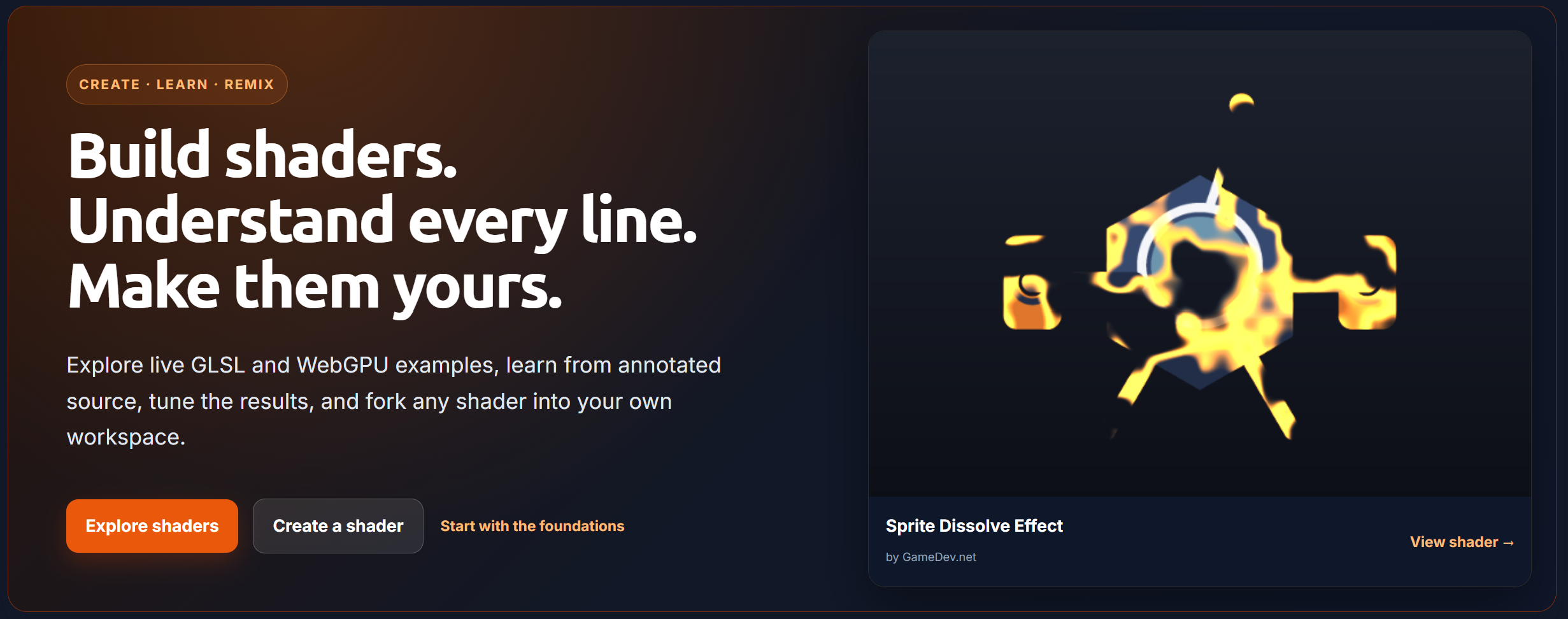
Run the shader, adjust its parameters, and enable “Explain this shader” to examine the implementation.
Authoring shaders
ShaderLab includes a dedicated browser-based editor with live compilation and preview support. Members can create a new shader directly from the browser.
The initial release supports:
GLSL ES 3.00 fragment shaders through WebGL2
WGSL rendering and compute through WebGPU
Common, Image, and Buffer A–D passes for GLSL projects
Named compute passes and rendered output for WebGPU projects
Multi-pass rendering and frame-to-frame feedback
Uploaded textures and generated built-in textures
Per-pass texture and buffer channel bindings
Compile diagnostics connected to the relevant source
Source size, compile time, frame rate, and resolution information
Playback, pause, restart, timeline, resolution, and fullscreen controls
The editor preserves the last successful preview when a new edit fails to compile. This makes it possible to compare an edit with the previous result while correcting the error.
Projects maintain numbered revisions rather than continually replacing the same source. Authors can work in a private draft, save meaningful revisions, and choose which revision is published.
You may begin with a new project, paste GLSL source that you own, or fork an existing public shader.
Interactive parameters
Authors can declare parameters alongside uniforms in their source. ShaderLab derives the appropriate controls from those declarations, including sliders, integer controls, checkboxes, vector inputs, and color pickers.
This provides a more useful way to study an effect. A reader can vary a light direction, dissolve threshold, animation speed, palette, or other significant value without first identifying and editing constants in the source.
The same parameter controls remain available when a shader is embedded in a blog post or tutorial.
Explanations connected to the source
A major part of ShaderLab is its support for structured explanation.
Authors can attach notes to a project, a pass, a selected range, or a specific line. Readers can enable Explain this shader to display those notes alongside the source they describe.
Shader pages also provide:
A reference for available inputs and uniforms
Separate source views for each pass
Input-channel previews
Direct links to individual source lines
Project descriptions and production notes
Related topics, techniques, and shaders
This allows an author to explain not only what a shader produces, but how its coordinate systems, mathematical functions, sampling choices, and rendering stages contribute to the result.
A practical reference library
ShaderLab opens with a curated official collection covering the progression from basic fragment output to more advanced rendering techniques.
The collection includes examples involving:
Practical game effects
Multi-pass rendering
These projects are intended to serve as both instruction and reference material. Their descriptions focus on the implementation, relevant inputs, and how each technique relates to a game-rendering pipeline. The official projects use the MIT license so they can provide useful starting points for personal and commercial work.
ShaderLab also includes curated topic pages for the major subject areas of graphics programming. Readers who are new to the subject may also find our Beginner Graphics Programming Study Guide useful as a broader learning roadmap.
Discovery and community
The ShaderLab can be searched or browsed through New, Trending, and topic-based views. Each project has its own public page and can receive likes, bookmarks, and comments. Published shaders also appear on their authors’ profiles and link to related work.
Trending is based on recent likes and forks rather than cumulative page views. This allows current community activity to influence discovery without giving older projects a permanent advantage.
Trying and forking projects
Any public shader can be opened in Try it mode.
Try mode creates a temporary workspace in which you can edit and run the shader without immediately creating a permanent project. If the experiment is worth retaining, Save as fork creates a project under your account and records its relationship to the original.
A fork receives its own source and revision history while preserving attribution and applicable licensing requirements. Required project assets and channel bindings are carried into the fork as well.
This provides a direct progression from reading an example to modifying it, understanding the result, and publishing an independent version.
Licensing and reuse
Every ShaderLab project has an explicit license. Available choices include MIT, CC0, several Creative Commons licenses, and All Rights Reserved.
The selected license appears on the project page and governs how the source may be reused. Forks inherit the parent project’s license by default, and share-alike projects remain under compatible terms.
Clear licensing is particularly important for shader code because examples often move from experimentation into production. Authors should be able to state how their work may be used, and other developers should not have to infer those terms.
Using shaders in blogs and tutorials
Published ShaderLab projects can be placed directly into GameDev.net blog posts, devlogs, and tutorials.
The editor includes an Insert ShaderLab shader action. You can search your own published projects and the public catalog, then insert the selected shader as a live, click-to-run example. Authorship, licensing, the current published revision, and moderation therefore remain connected to the original project wherever it appears.
Blog and tutorial editors also recognize runnable GLSL and WGSL fragment code blocks. When one is found, the editor can create a ShaderLab draft from that source and open it in the full ShaderLab editor. After reviewing and publishing the project, the author can replace or supplement the original code block with an interactive placement.
Free accounts may use up to eight ShaderLab content placements. Removing a placement releases the allowance for another use. GameDev Pro members have unlimited content placements.
Using shaders in an engine
Compatible GLSL projects include a Use in your engine option with downloadable starting points for:
three.js
ShaderMaterial
These exports are designed to ease integration and are not expected to be automatic production conversions to your projects. ShaderLab maps supported inputs and identifies channels or engine-specific behavior that still requires attention.
This provides a clearer starting point for taking an experiment into a project while preserving the original license and canonical ShaderLab reference.
Account limits and GameDev Pro
We want the complete authoring and learning workflow to be available to every member. GLSL, WebGPU, multi-pass rendering, parameters, explanations, publishing, forking, and inline content placement are therefore available without a subscription.
A free GameDev.net account may keep:
Up to eight published shaders
Up to twenty draft shader projects
Up to eight ShaderLab placements across blogs, devlogs, and tutorials
Up to 50 MB of ShaderLab assets
Published and draft limits are separate. This allows members to continue developing projects without requiring every experiment to occupy a public catalog position.
GameDev Pro provides:
Unlimited published shaders
Unlimited draft projects
Unlimited content placements
Private and unlisted project visibility
Up to 500 MB of ShaderLab assets
Shader-powered covers, avatars, and profile banners
MCP Access
Public ShaderLab projects are also available through the GameDev.net MCP server.
Compatible tools can search public shaders, retrieve project metadata, source, parameters, and annotations, browse topics, and request portability reports for supported export targets. This makes ShaderLab projects available as structured technical resources while retaining their authorship and licensing information.
Available now
Visit ShaderLab to browse the catalog, or create a new shader. If you're already a GameDev.net member, you can also access your Shaders from your Dashboard.
I'm looking forward to seeing what our members build with it. Just as importantly, I hope ShaderLab gives experienced graphics programmers a useful place to document their work and newer developers a clearer way to understand it.
Recommended resources
Graphics Programming Resources

Real-Time Rendering, Fourth Edition
Amazon · Book
Real-Time Rendering combines fundamental principles with guidance on the latest techniques to provide a complete reference on three-dimensional interactive computer graphics. It will help you increase speed and improve image quality and learn the features and limitations of acceleration algorithms and graphics APIs. This latest fourth edition has been updated to include a chapter on virtual reality and augmented reality and covers new topics such as visual appearance, global illumination, and curves and curved surfaces. It is for anyone serious about computer graphics who wants to learn about algorithms that create synthetic images fast enough that the viewer can interact with a virtual environment.
GameDev.net may earn a commission if you purchase through these links. This helps fund the site at no extra cost to you.

Programming with wgpu in Rust
Amazon · Book
Unlock the full power of modern graphics programming with wgpu and Rust. This comprehensive guide takes you from foundational GPU concepts to advanced real-time rendering and compute techniques—equipping you to build fast, safe, and cross-platform graphics applications. Written for intermediate to advanced Rust developers, this book provides clear explanations, hands-on examples, and detailed insights into how GPUs process and render data. You’ll explore everything from the fundamentals of buffers, shaders, and pipelines to advanced topics like deferred rendering, shadow mapping, and GPU compute workloads.
GameDev.net may earn a commission if you purchase through these links. This helps fund the site at no extra cost to you.
Discussion